Integrating Mailchimp with OptinCraft allows you to automatically send new leads from your OptinCraft forms directly into your Mailchimp audience. This seamless connection helps you grow your email list, segment subscribers effectively, and trigger automated email campaigns without manual data entry. In this guide, you’ll learn how to connect the two platforms in just a few simple steps.
Integrate MailChimp with OptinCraft #
OptinCraft makes it easy to automate your email marketing. By connecting Mailchimp, you can send every new subscriber directly to your audience lists without manual data entry.
Here is how to set up the connection.
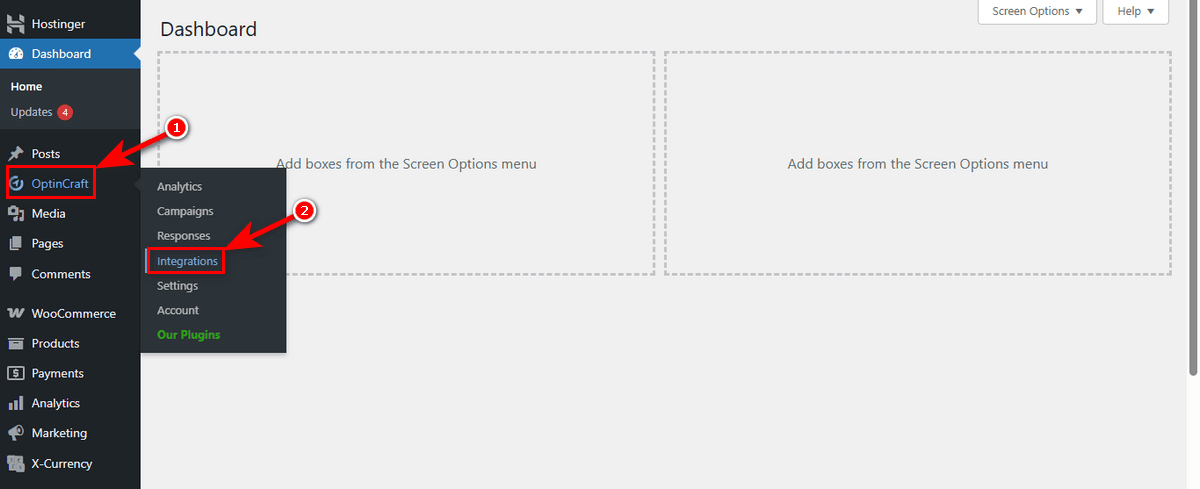
First, head over to your WordPress Admin Dashboard. Find ‘OptinCraft’ in the sidebar and select the ‘Integrations’ sub-menu.
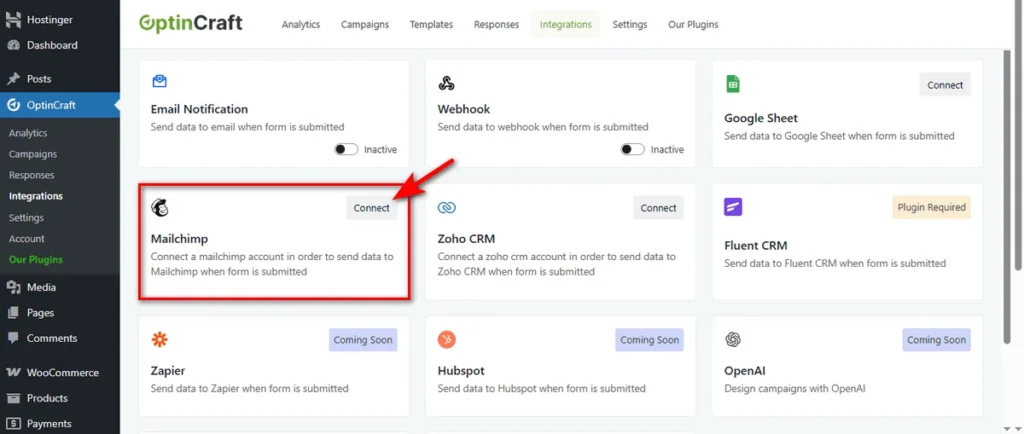
You will see a list of available services. Locate the ‘Mailchimp’ block and hit the ‘Connect’ button to start the process.
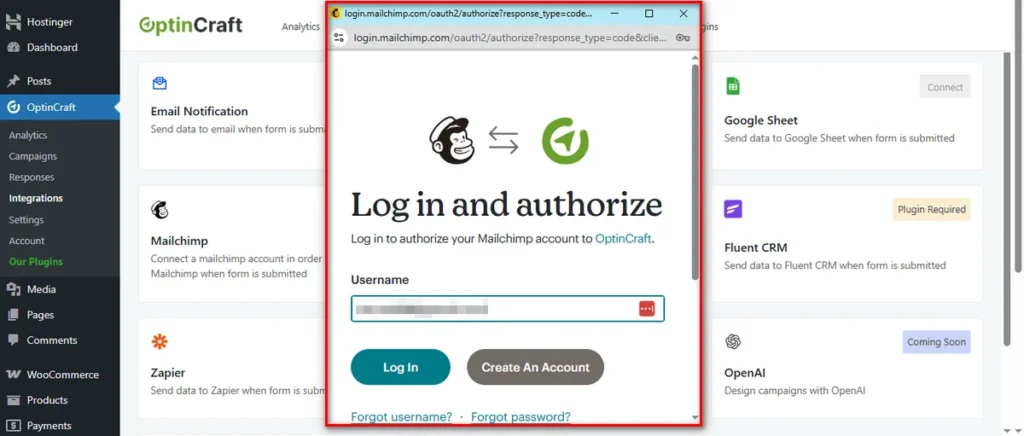
A secure login window will pop up. Enter your Mailchimp ‘Username’ and ‘Password’ to verify your identity.
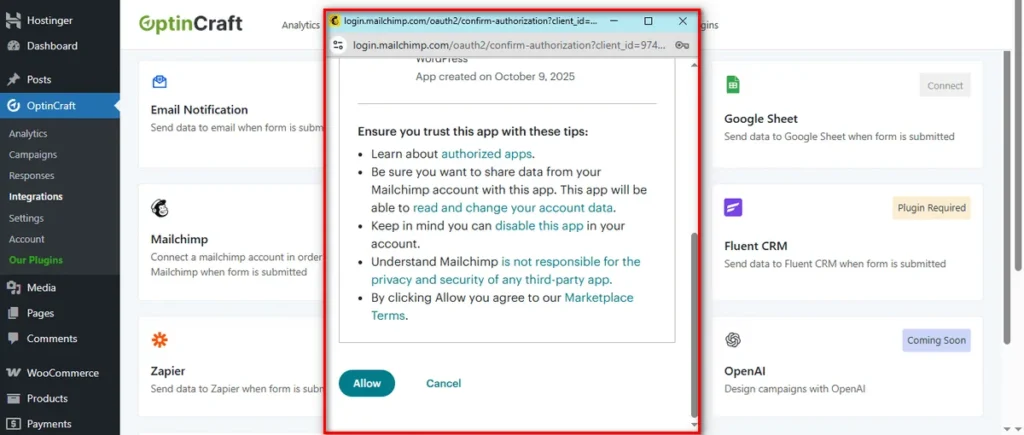
Finally, review the access request and click the ‘Allow’ button. This grants OptinCraft permission to add new contacts to your audience.
That’s it. Your list is now growing on autopilot.
If you ever need to stop the sync, you have full control.
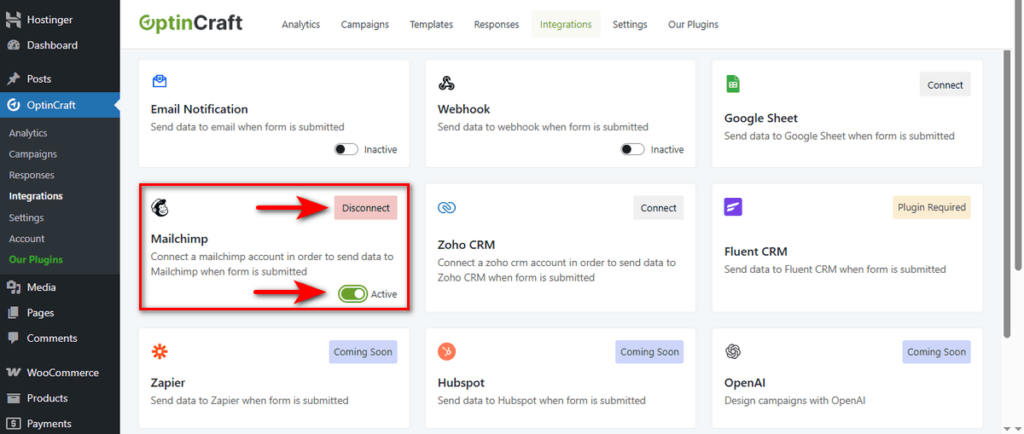
Use the ‘Active’ toggle to temporarily pause data collection, or hit the ‘Disconnect’ button to remove the account entirely.