Meet OptinCraft’s one of the best features, Schedule Date & Time (Pro). It lets you set specific start and end dates for your campaigns.
Therefore, you can plan and automate campaigns in advance, targeting particular holiday seasons or any other special occasions.
The best part is that you don’t need to manually enable and disable campaigns at an uncomfortable time. Just automate once and forget.
How to Schedule Your Campaign #
Open your campaign in the Canvas Builder.
Navigate to the right sidebar and click the “Schedule Date & Time” tab to reveal the calendar controls.
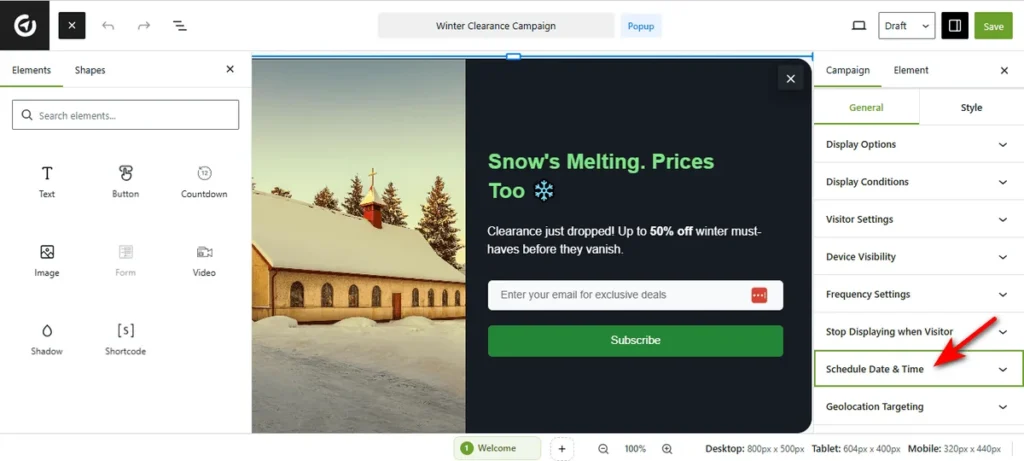
Now, as you click the ‘Start’ field, a calendar popup titled “Date And Time” will appear.
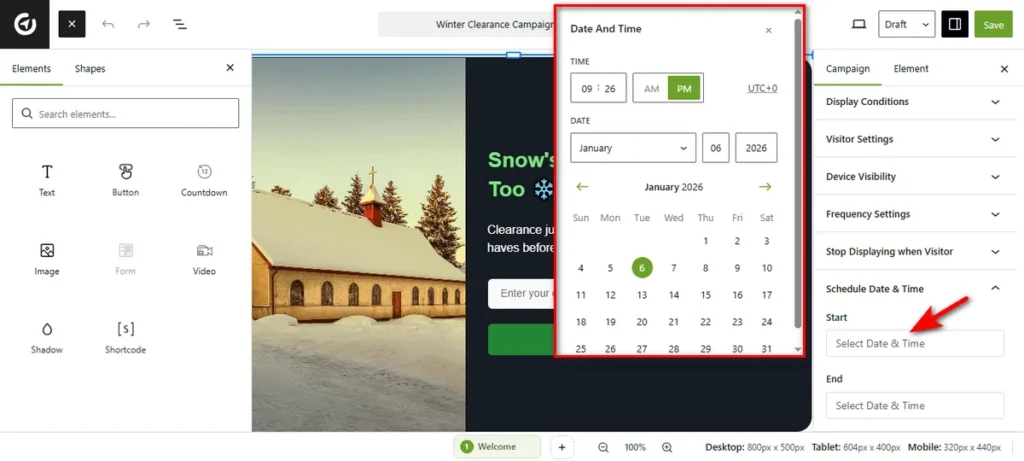
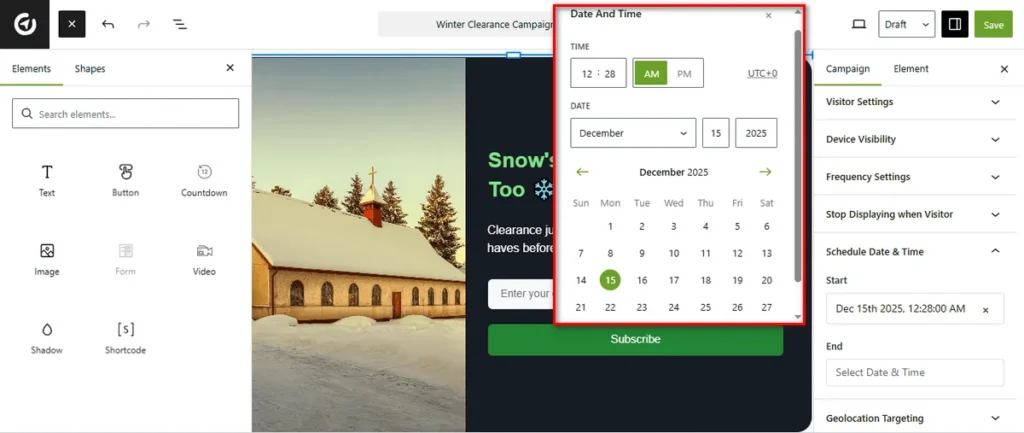
Select the exact day you want the campaign to go live. Use the time selector at the top to define the specific hour and minute (e.g., 12:28 AM).
Similarly, click the ‘End’ field to define when the campaign stops. Select your desired expiration date and time from the calendar.
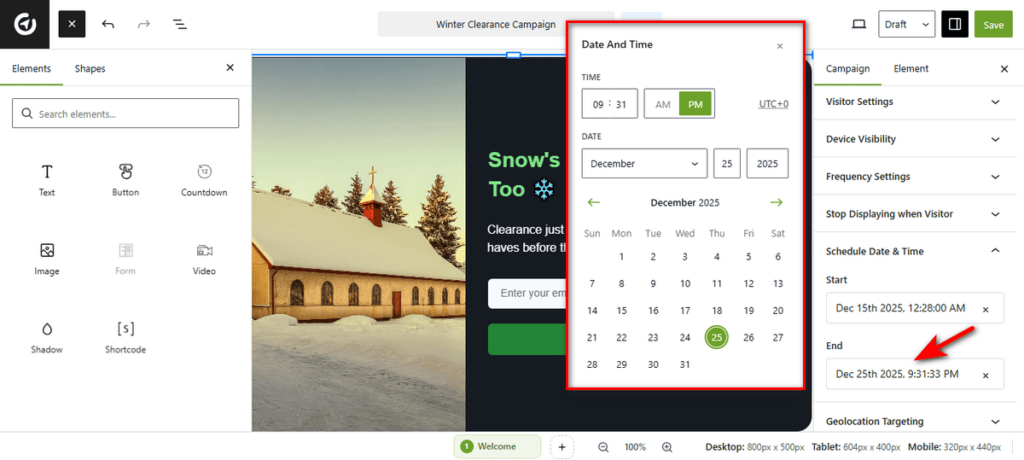
Once configured, hit the ‘Save’ button and your campaign will automatically launch and close according to this schedule, requiring no manual intervention!


