Table of Contents
The On Hover Trigger displays a popup when a visitor moves their mouse over a specific element on your website.
This trigger is ideal for engaging users based on curiosity or interaction with key areas of your site.
N.B. Please make sure you have installed both OptinCraft Free and Pro versions.
Create an On-Hover Popup #
Follow the steps below to create your On-Hover popup:
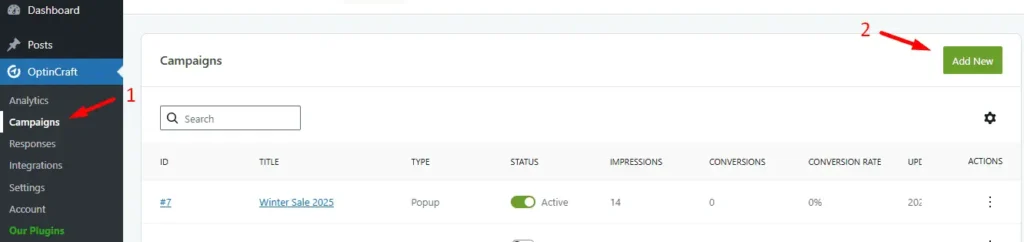
In your WordPress dashboard, navigate to OptinCraft → Campaigns. Click Add New.
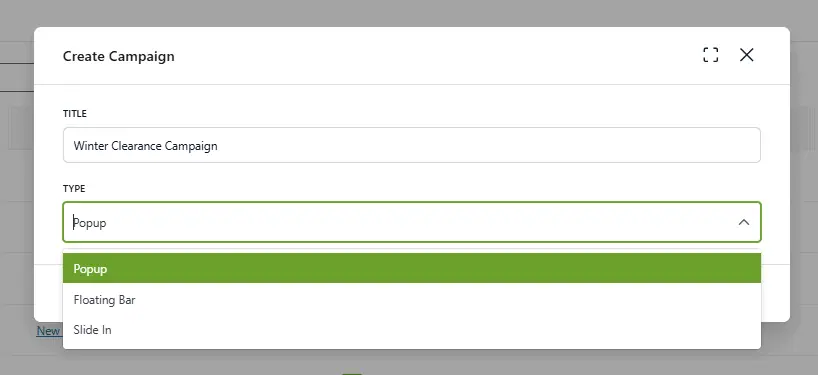
Enter a title for your campaign. Select Popup as the campaign type.
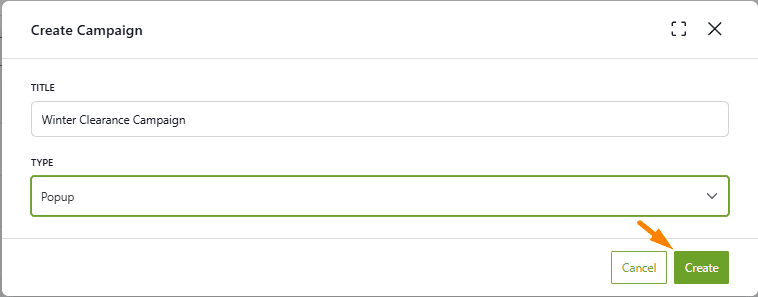
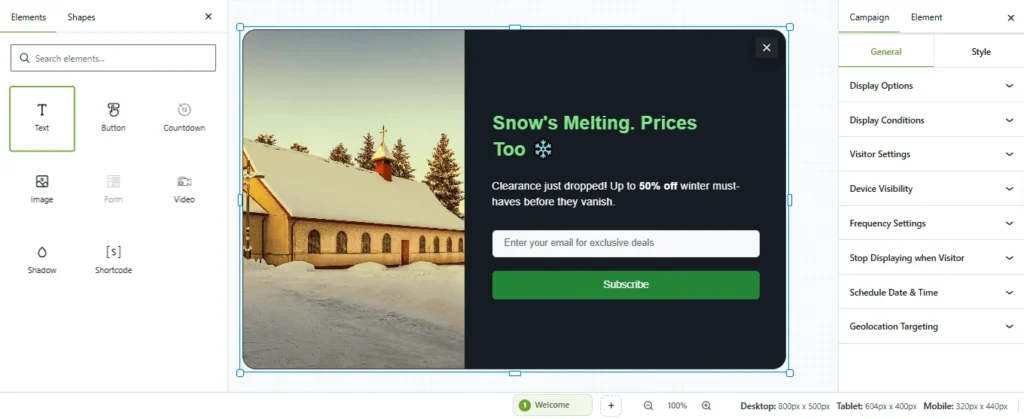
Hit the Create button. The OptinCraft Editor will load.
Click Texts to display available popup elements and customize the design.
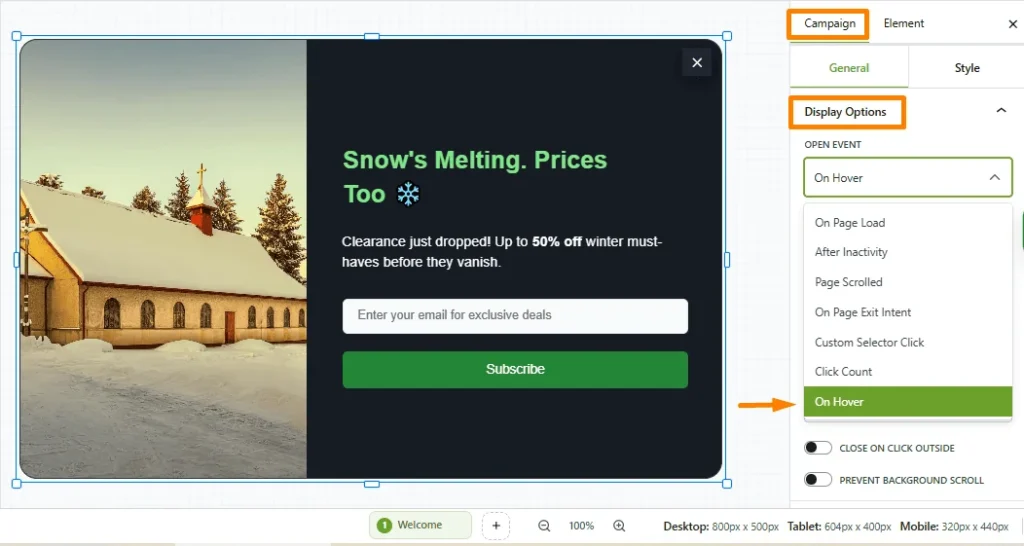
Open the Campaign Settings panel. Then, navigate to Display Options. Next, in the Open Event dropdown, select “On Hover.”