Table of Contents
Installing and Setting Up OptinCraft #
There are two ways to install and activate OptinCraft:
1.1 Installing OptinCraft from the WordPress Dashboard #
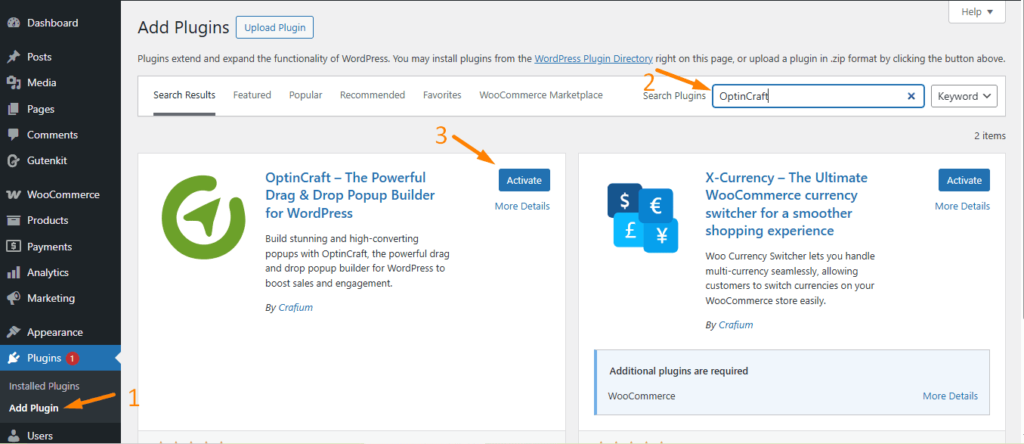
From the WordPress dashboard: Go to Plugins > Add New > Type OptinCraft in the Search Bar > Click the Install Now Button
Once the plugin is installed, click the “Activate” button.
1.2 Installing OptinCraft Manually #
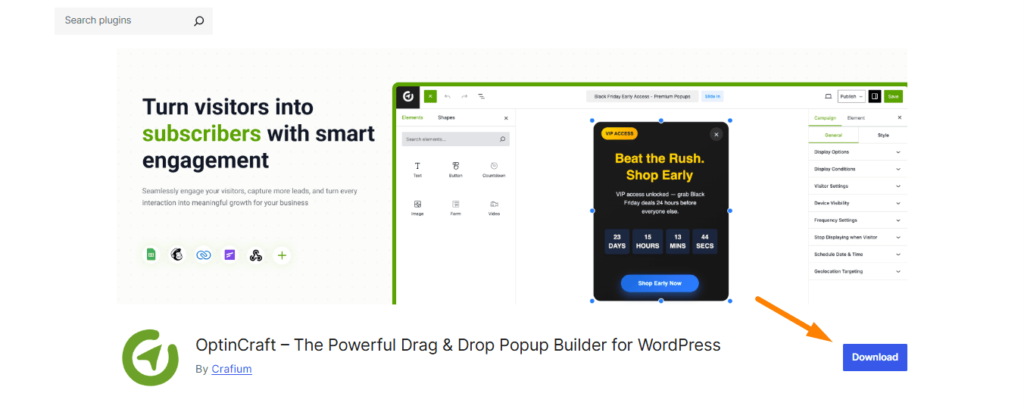
To download OptinCraft, manually download the zip file from the OptinCraft plugin page in the WordPress repository.
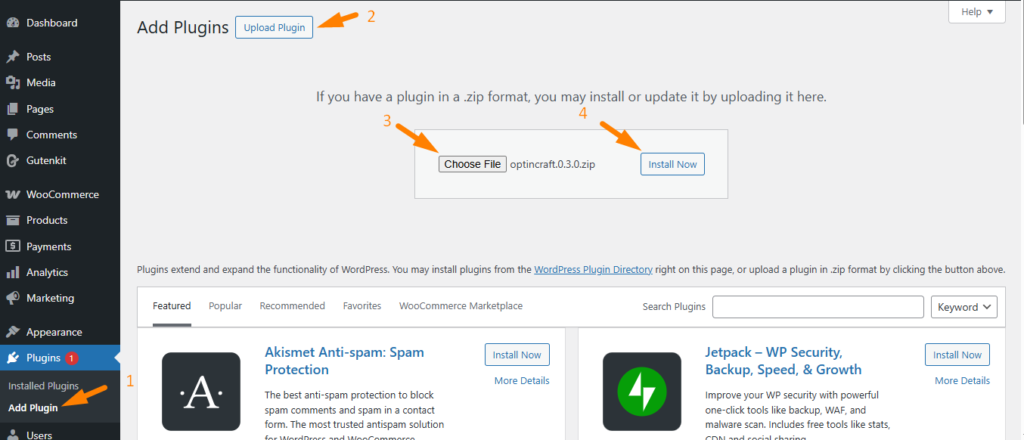
After downloading the zip file, go to the WordPress dashboard and click on Plugins > Add Plugins > Upload Plugin > Choose File. Finally, click on Install Now to complete the process.