Meet Easy Hotel Booking: WordPress Hotel Booking Plugin

William Tan
William Tan is a Digital Marketer at Crafium,…
In this article
Running a hotel website with WordPress is relatively easy.
Running the booking operation through that website is a different story.
A hotel website needs to do much more than display rooms and contact information. Guests expect to search available rooms, select dates, compare options, understand pricing, choose additional services, complete a reservation, and receive confirmation without having to call the hotel.
For hotel owners, the backend needs to handle room inventory, availability, pricing rules, reservations, guest information, and payments without turning everyday management into a complicated technical task.
That is where a dedicated WordPress hotel booking plugin becomes important.
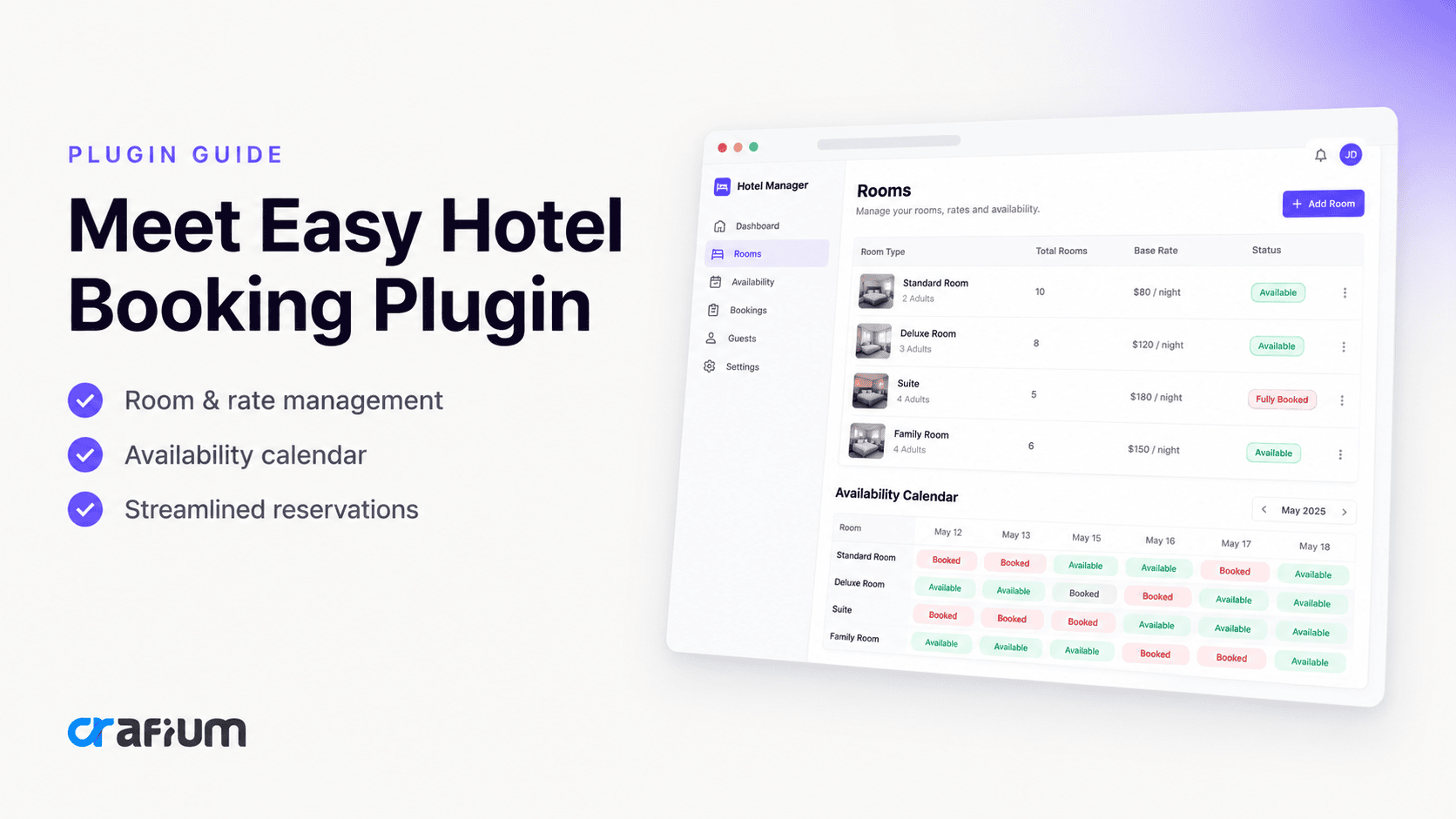
Easy Hotel Booking is designed to turn a WordPress website into a functional hotel reservation system. It provides tools for managing rooms, availability, pricing, reservations, booking forms, and payments, with WooCommerce integration for the checkout and payment layer.
In this guide, we will take an in-depth look at Easy Hotel Booking, what it does, who it is designed for, its major features, how it compares with the needs of modern accommodation businesses, and what you should consider before choosing it.
What Is Easy Hotel Booking?
Easy Hotel Booking is a WordPress hotel booking plugin developed by ThemeWant.
It is designed for accommodation businesses that want to accept and manage reservations directly from their WordPress website.
Instead of relying entirely on phone calls, contact forms, emails, or external booking platforms, a hotel can use the plugin to create a booking experience where visitors can check rooms and make reservations online.
The plugin supports use cases including:
- Hotels
- Resorts
- Guesthouses
- Bed and breakfasts
- Hostels
- Motels
- Vacation rentals
- Lodges
- Serviced apartments
- Other accommodation businesses
Its core purpose is simple:
Turn a WordPress accommodation website into a direct booking platform.
The plugin currently has a free version available through WordPress.org. Its public listing describes it as an all-in-one solution for managing reservations, rooms, pricing, and availability.
Why Do Hotels Need a WordPress Booking Plugin?
A hotel website without an online booking system often creates unnecessary friction.
A typical visitor might have to:
- Find the hotel website.
- Look through room pages.
- Find a phone number or contact form.
- Ask about availability.
- Wait for a response.
- Ask about the price.
- Confirm the dates.
- Provide guest information.
- Wait for payment instructions.
- Finally confirm the reservation.
Every additional step creates an opportunity for the customer to leave.
A booking plugin reduces many of these manual steps by putting the reservation process directly on the website.
A proper hotel booking system can help visitors:
- Search by dates
- Check room availability
- View room information
- Select rooms
- Add services
- Submit reservations
- Complete payments
- Receive booking confirmation
For the hotel owner, the same system can centralize reservation and room-management tasks.
That is the fundamental value of Easy Hotel Booking.
Easy Hotel Booking Key Features
The plugin goes beyond a simple contact form. Its feature set is built around the actual workflow of hotel reservations.
Let’s break down the important components.
1. Hotel Booking Engine
The booking engine is the foundation of Easy Hotel Booking.
It allows website visitors to search for rooms based on their stay requirements rather than simply browsing static room pages.
The plugin supports booking workflows involving:
- Check-in dates
- Check-out dates
- Guest capacity
- Room availability
- Room selection
- Reservation information
This matters because a hotel website should behave like a booking platform, not just an online brochure.
2. Room Management
Hotels rarely have only one accommodation option.
You might have:
- Single rooms
- Double rooms
- Twin rooms
- Deluxe rooms
- Family rooms
- Suites
- Apartments
- Villas
Easy Hotel Booking allows accommodation businesses to create and manage different room types.
You can provide information such as:
- Room descriptions
- Images
- Amenities
- Capacity
- Pricing
- Availability
- Additional services
This creates a much more useful experience for visitors because they can understand what they are actually booking before reaching checkout.
3. Room Capacity Management
Room capacity is an important part of hotel reservations.
A room may accommodate:
- One adult
- Two adults
- Two adults and one child
- Four guests
- Or another predefined capacity
Easy Hotel Booking includes room capacity controls so hotel owners can define occupancy rules for different room types.
This is particularly useful for hotels with multiple accommodation categories.
For example:
| Room Type | Capacity | Example |
|---|---|---|
| Single | 1 guest | Solo traveler |
| Double | 2 guests | Couple |
| Family | 4 guests | Small family |
| Suite | 4+ guests | Premium stay |
The exact configuration depends on how the property operates.
4. Real-Time Availability
One of the most important requirements of any hotel booking system is accurate availability.
A beautiful booking form is not useful if guests can reserve rooms that are already unavailable.
Easy Hotel Booking includes availability management intended to help hotel owners manage room inventory and reduce booking conflicts.
This is particularly important when several visitors are booking around the same time.
Instead of manually checking a spreadsheet or responding to availability requests, the website can use the booking system to determine which rooms are available for the selected dates.
Why availability matters
Accurate availability helps:
- Reduce manual work
- Improve the guest experience
- Reduce reservation conflicts
- Make direct booking more convenient
- Give customers more confidence
For a hotel, availability is not just a feature. It is part of the core reservation infrastructure.
5. Seasonal Pricing
Hotel pricing is rarely static.
Rates can change depending on:
- Holidays
- Weekends
- Peak season
- Off-season
- Special events
- Demand
- Promotional periods
Easy Hotel Booking supports seasonal pricing, allowing hotel owners to configure different prices based on their business requirements.
For example, a hotel might charge:
| Period | Standard Room |
|---|---|
| Low season | $80/night |
| Regular season | $110/night |
| Peak season | $150/night |
| Holiday period | $175/night |
This type of pricing flexibility is essential for properties operating in destinations with seasonal demand.
6. Multi-Room and Group Bookings
Not every reservation is for one room.
Families, corporate travelers, wedding groups, tour operators, and larger groups may need multiple rooms.
Easy Hotel Booking supports multi-room and group booking functionality.
That makes the plugin more suitable for properties that regularly handle group reservations.
Instead of forcing customers to make separate reservations for every room, the booking system can accommodate multiple rooms within the reservation workflow.
7. Extra Services
Hotels frequently generate additional revenue through services beyond the room itself.
Examples include:
- Breakfast
- Airport transfers
- Spa services
- Extra beds
- Tours
- Parking
- Special packages
Easy Hotel Booking supports additional room-related services, allowing properties to include extra offerings within their booking process.
This can turn the booking experience from a simple room reservation into a more complete hospitality purchase.
For example:
Deluxe Room
$150/night
- Breakfast: $20
- Airport transfer: $30
- Spa package: $50
Total: $250
That creates an opportunity to increase booking value without requiring customers to purchase every service separately.
8. WooCommerce Integration
One of Easy Hotel Booking’s important features is its WooCommerce integration.
WooCommerce provides a familiar WordPress-based commerce infrastructure and supports a wide range of payment methods through its ecosystem.
Easy Hotel Booking uses WooCommerce to provide flexible payment options for hotel reservations.
This can be particularly useful for WordPress businesses that already use WooCommerce or want access to its broader payment ecosystem.
Instead of building an entirely separate payment infrastructure, the hotel booking workflow can work alongside the existing WooCommerce environment.
9. Online Payments
A hotel booking website should ideally allow customers to complete their reservation without leaving the website.
Online payment functionality helps reduce friction between:
Search → Select room → Book → Pay
Rather than:
Search → Contact hotel → Wait → Receive payment instructions → Pay
Easy Hotel Booking uses WooCommerce integration to support payment processing and flexible gateway options.
The specific payment methods available will depend on the WooCommerce payment gateways configured on the website.
10. Booking Calendar
A booking calendar provides a visual way to understand reservations and availability.
For hotel managers, this can make it easier to understand:
- Upcoming arrivals
- Current reservations
- Occupied dates
- Available dates
- Booking periods
For accommodation businesses, a calendar-based view is especially valuable because reservations are inherently date-driven.
11. Check-In and Check-Out Dates
Dates are at the center of every hotel reservation.
Easy Hotel Booking allows visitors to select check-in and check-out dates as part of the booking process. It also supports minimum and maximum stay configurations.
This becomes useful when a hotel has rules such as:
- Minimum 2-night stay
- Maximum 14-night stay
- Weekend-only packages
- Holiday booking restrictions
- Specific stay periods
Instead of manually explaining these rules to every guest, the booking system can incorporate them into the reservation process.
12. External Booking Links
Not every accommodation business wants to process every booking directly.
Some properties use multiple channels, including external reservation platforms.
Easy Hotel Booking supports external booking links, giving property owners flexibility when they want to use the plugin for showcasing rooms while directing customers to another booking destination.
This makes the plugin useful in more than one operating model.
You can use it as:
A complete booking system
or
A room showcase connected to another booking process.
13. Room Showcase Mode
There are situations where a hotel simply wants to display its rooms without enabling direct bookings.
For example, a property may use another reservation system but still want WordPress to manage the visual presentation of its accommodations.
Easy Hotel Booking allows booking functionality to be disabled so the system can function as a room showcase.
That flexibility can be useful for businesses transitioning from one booking system to another.
14. Elementor Compatibility
For WordPress users, design flexibility matters.
A hotel website needs to look professional because travelers often judge the quality of the property partly through its website.
Easy Hotel Booking includes Elementor-related functionality, including widgets for elements such as booking forms and availability calendars.
This can make it easier for Elementor users to integrate booking functionality into their existing page layouts rather than rebuilding the website around a rigid template.
15. Responsive Booking Experience
Travelers don’t always book hotels from desktop computers.
They may search from:
- Smartphones
- Tablets
- Laptops
- Desktop computers
A booking system therefore needs to work well across different screen sizes.
Public information about Easy Hotel Booking highlights responsive improvements and mobile compatibility as part of its development.
For hotel businesses, mobile usability is especially important because travel research is heavily mobile-oriented.
A complicated mobile booking form can quickly become a conversion problem.
16. iCal Integration
Hotel owners may manage reservations across different platforms.
That creates a major operational challenge.
If availability is not synchronized, a room could theoretically be available on one platform while appearing available on another.
Easy Hotel Booking has an iCal-related feature and its roadmap includes continued development around calendar and channel-management functionality.
The roadmap also lists Channel Manager Integration as an upcoming item, which is worth distinguishing from currently available functionality.
That distinction matters when evaluating the plugin for a hotel that relies heavily on multiple external booking channels.
Easy Hotel Booking for Different Types of Properties
One of the strengths of a dedicated hotel booking plugin is that it can be adapted to different accommodation models.
Hotels
Traditional hotels can use it to manage:
- Room categories
- Guest capacity
- Rates
- Availability
- Reservations
- Extra services
- Online payments
Resorts
Resorts can combine accommodation bookings with additional services such as:
- Breakfast
- Spa
- Transfers
- Activities
- Packages
Guesthouses
Smaller guesthouses can use a WordPress-based booking system without needing a large enterprise reservation platform.
Bed and Breakfasts
B&B owners can showcase rooms and accept direct reservations from their websites.
Vacation Rentals
Vacation rental businesses can use room or accommodation listings alongside availability and pricing controls.
Hostels
Hostels can benefit from capacity management and booking workflows designed around different accommodation types.
Easy Hotel Booking vs a Simple Contact Form
A common question is:
Why not just use a WordPress contact form?
A contact form might work for a very small property with a handful of reservations.
But it does not provide the same functionality as a dedicated reservation system.
| Feature | Contact Form | Easy Hotel Booking |
|---|---|---|
| Room listings | Limited | Yes |
| Availability management | No | Yes |
| Date-based booking | Limited | Yes |
| Room capacity | No | Yes |
| Seasonal pricing | No | Yes |
| Multi-room booking | No | Yes |
| Extra services | Limited | Yes |
| Online booking workflow | Limited | Yes |
| WooCommerce integration | No | Yes |
| Booking management | Manual | Dedicated system |
The difference is essentially inquiry collection versus reservation management.
Easy Hotel Booking vs External Booking Platforms
External platforms can provide valuable exposure, especially for hotels trying to reach travelers who are already searching for accommodation.
But they also create dependencies.
A hotel website gives the business more control over:
- Branding
- Customer experience
- Website content
- Direct relationships
- Booking flow
- Upsells
- Customer data
- Marketing
A WordPress hotel booking plugin can therefore complement external platforms rather than necessarily replacing them.
The ideal setup for some properties may be:
Hotel website + direct booking system + external booking channels
rather than relying entirely on one source.
Is Easy Hotel Booking Beginner-Friendly?
This is one of the plugin’s strongest positioning points.
Easy Hotel Booking is designed specifically for WordPress, which means users can manage the booking system from their existing WordPress environment.
The plugin’s public documentation emphasizes an intuitive booking system and no-code setup for common hotel booking use cases.
That makes it potentially suitable for:
- Hotel owners
- WordPress freelancers
- Agencies
- Developers
- Small accommodation businesses
- Property managers
You do not necessarily need to build a custom reservation system from scratch.
What About Performance?
Performance matters because hotel websites can contain many high-resolution images, room galleries, maps, booking forms, and third-party integrations.
A booking plugin should therefore be evaluated alongside the overall WordPress stack.
That includes:
- Hosting
- WordPress theme
- Image optimization
- Caching
- CDN
- Number of plugins
- Database configuration
- Third-party integrations
Easy Hotel Booking is positioned as a lightweight hotel booking solution by several third-party sources, but actual performance will depend heavily on the website’s overall configuration.
So rather than assuming that any plugin automatically makes a website fast, hotel owners should test their complete website environment.
Easy Hotel Booking Pricing
Easy Hotel Booking has a free version available. The project also provides premium extensions and related products through its ecosystem.
This free entry point is useful for businesses that want to test the core booking workflow before committing to additional functionality.
The best approach is to identify the features your property actually needs first.
For example:
Small guesthouse
May only need:
- Room management
- Availability
- Booking form
- Payments
Large hotel
May need:
- Advanced pricing
- Multiple room types
- Group bookings
- Extra services
- Calendar synchronization
- Additional integrations
The right setup depends on the property’s operational requirements.
The development direction is also interesting.
Pros and Cons of Easy Hotel Booking
No plugin is perfect for every property.
Here’s a balanced look.
Pros
Dedicated hotel booking functionality
It is built specifically around accommodation and reservation workflows rather than being a generic appointment plugin.
WordPress-native workflow
Hotel owners can manage their booking system inside WordPress.
WooCommerce integration
The integration provides access to WooCommerce’s broader payment ecosystem.
Room management
Different room types, capacities, descriptions, images, amenities, and availability can be managed.
Seasonal pricing
Useful for properties with changing rates throughout the year.
Multi-room booking
Helpful for families, groups, and corporate reservations.
Extra services
Hotels can incorporate additional offerings into reservations.
Free entry point
The free version allows users to explore the core product before investing in additional functionality.
Active development
The roadmap and recent updates show continued development around hotel-specific functionality.
Cons
Advanced businesses may need additional extensions
A small hotel and a large hotel chain do not have the same requirements.
Properties with complex distribution, channel management, enterprise reporting, or highly specialized reservation rules should carefully evaluate the available integrations before switching.
Channel management deserves careful evaluation
The roadmap currently lists Channel Manager Integration as upcoming, so hotels heavily dependent on OTA synchronization should verify exactly what synchronization capabilities are available for their workflow today.
WooCommerce becomes part of the stack
If your hotel does not already use WooCommerce, you need to consider the additional layer it introduces for payment processing.
WordPress performance still matters
The plugin cannot compensate for poorly configured hosting, an overloaded theme, excessive plugins, or unoptimized images.
Who Should Use Easy Hotel Booking?
Easy Hotel Booking is a strong candidate for WordPress users who want to accept direct accommodation bookings without building a custom reservation system.
It can be particularly suitable for:
- Small and medium-sized hotels
- Boutique hotels
- Resorts
- Guesthouses
- B&Bs
- Hostels
- Vacation rentals
- Lodges
- Serviced apartments
- WordPress agencies building hotel websites
It is especially attractive when the business already uses WordPress and wants the booking experience to remain inside the same ecosystem.
Who May Need a More Advanced Solution?
Easy Hotel Booking may not be the right choice for every hospitality business.
You should investigate more specialized hotel management platforms if you require things such as:
- Complex multi-property management
- Enterprise-level reporting
- Deep OTA distribution
- Advanced revenue management
- Extensive channel management
- Complex corporate contracts
- Large-scale hotel chain operations
- Highly specialized PMS functionality
The important point is not whether a plugin has the longest feature list.
It is whether its architecture matches your business.
How to Choose a WordPress Hotel Booking Plugin
Before installing any hotel booking plugin, ask these questions.
1. Does it manage availability?
This should be one of your first checks.
2. Can it handle your room structure?
Make sure you can create the room types and capacity rules your property actually needs.
3. Does it support your pricing model?
Check seasonal pricing, discounts, minimum stays, maximum stays, and additional charges.
4. Can guests book multiple rooms?
This matters for family and group reservations.
5. Does it support your payment requirements?
If you need specific gateways, verify compatibility before building the booking workflow.
6. Does it work with your page builder?
If your site uses Elementor, Bricks, Divi, Gutenberg, or another builder, check compatibility.
7. Can it connect to external booking channels?
If you depend on Booking.com, Airbnb, or other platforms, investigate calendar and channel synchronization carefully.
8. Is it mobile-friendly?
A booking process that works beautifully on desktop but poorly on mobile can cost reservations.
9. Is development active?
Look at updates, documentation, support, and roadmap activity.
10. Is the plugin appropriate for your property’s size?
A small guesthouse does not need the same system as a 500-room hotel.
How to Set Up Easy Hotel Booking on WordPress
The basic implementation can be approached in several stages.
Step 1: Install the plugin
Install Easy Hotel Booking through your WordPress dashboard or the WordPress plugin repository.
Step 2: Configure your accommodation
Create your room or accommodation types.
Add:
- Names
- Descriptions
- Images
- Amenities
- Capacity
- Pricing
Step 3: Configure availability
Define when rooms can be booked and establish relevant stay rules.
Step 4: Configure pricing
Add standard and seasonal rates according to your hotel’s pricing strategy.
Step 5: Configure additional services
Add optional services such as breakfast, transfers, or other paid extras where applicable.
Step 6: Configure WooCommerce
If you’re accepting online payments through WooCommerce, configure your store and payment gateway.
Step 7: Add the booking interface
Place the booking form and relevant room/availability elements on your website.
Step 8: Test the entire booking journey
Do not stop after checking whether the form appears.
Test:
Search → Availability → Room → Pricing → Extras → Checkout → Payment → Confirmation
Test the process on both desktop and mobile.
How Easy Hotel Booking Can Improve Direct Bookings
One of the biggest strategic benefits of a website-based booking system is the ability to create a direct booking channel.
Instead of sending every visitor to a third-party platform, a hotel can encourage visitors to book directly.
This gives the business more control over the customer journey.
For example:
Google Search
↓
Hotel Website
↓
Room Search
↓
Availability
↓
Room Selection
↓
Extras
↓
Payment
↓
Booking Confirmation
This is much closer to the experience customers expect from modern accommodation websites.
Easy Hotel Booking and the Future of WordPress Hotel Websites
WordPress continues to be attractive to accommodation businesses because it provides control over website content, branding, SEO, integrations, and customization.
But a modern hotel website needs to do more than rank in Google.
It needs to convert visitors.
That means the website needs to connect:
Content + Discovery + Room Information + Availability + Booking + Payment
A hotel booking plugin becomes the operational layer connecting those pieces.
Easy Hotel Booking is designed around that concept.
Its combination of room management, availability, pricing, booking functionality, extra services, WooCommerce integration, and continued development makes it an option worth considering for WordPress-based accommodation businesses.
Frequently Asked Questions
What is Easy Hotel Booking?
Easy Hotel Booking is a WordPress plugin that adds hotel reservation functionality to WordPress websites. It supports room management, availability, pricing, reservations, extra services, and WooCommerce-based payment workflows.
Is Easy Hotel Booking free?
Yes. A free version is available through WordPress.org, with additional premium extensions available through the product ecosystem.
Can I use Easy Hotel Booking for a small hotel?
Yes. The plugin is designed for accommodation businesses ranging from smaller properties such as guesthouses and B&Bs to larger hotel operations.
Does Easy Hotel Booking support WooCommerce?
Yes. WooCommerce integration is one of its key features and can be used for flexible payment processing.
Can guests book multiple rooms?
Yes. Easy Hotel Booking supports multi-room and group bookings.
Does it support seasonal pricing?
Yes. Seasonal pricing is supported, allowing different rates for different periods.
Can I add additional hotel services?
Yes. The plugin supports extra services such as breakfast, spa access, and airport transfers.
Does Easy Hotel Booking support Elementor?
Yes. Its feature history includes Elementor widgets such as booking forms and availability calendars.
Can I use it without accepting online bookings?
Yes. The plugin supports external booking links and can also be used as a room showcase by disabling the booking function.
Does Easy Hotel Booking support iCal?
iCal functionality is part of the product’s feature development, and the public roadmap lists an iCal widget among completed items. Hotels should verify the exact synchronization requirements of their specific workflow before deployment.
Is Easy Hotel Booking suitable for vacation rentals?
Yes. The plugin is positioned for vacation rentals and other accommodation businesses in addition to traditional hotels.
Is Easy Hotel Booking better than a generic WordPress booking plugin?
For a hotel-specific use case, a dedicated hotel booking system can be more appropriate because it is designed around rooms, availability, accommodation pricing, reservations, and guest capacity rather than generic appointments or services.
Final Verdict: Is Easy Hotel Booking Worth Considering?
If you run a hotel, resort, guesthouse, B&B, hostel, lodge, or vacation rental website on WordPress, Easy Hotel Booking is worth putting on your shortlist.
Its biggest advantage is not one individual feature.
It is the fact that it brings several parts of the accommodation reservation workflow into WordPress:
Rooms + Availability + Pricing + Reservations + Extra Services + Payments
The free version also lowers the barrier to testing the system before committing to a more advanced setup.
At the same time, larger properties should evaluate their requirements carefully, particularly around channel management, OTA synchronization, complex reservation rules, and enterprise-level hotel operations.
For a WordPress-based accommodation business looking for a practical direct booking system, however, Easy Hotel Booking offers a compelling starting point.
Tags:
Share this blog:

About William Tan
William Tan is a Digital Marketer at Crafium, specializing in WordPress solutions and online growth strategies. He’s passionate about helping businesses expand their digital presence through smart marketing and data-driven insights.