Coupons Not Working in Your Mobile App: Causes and Fixes

Tanjim Hasan
In this article
Coupons and discount codes are among the most effective tools for increasing conversions in ecommerce apps. They encourage first-time purchases, boost average order values, reward loyal customers, and help recover abandoned carts.
However, when coupons stop working, the impact can be immediate.
A customer who reaches checkout expecting a discount only to receive an error message may abandon the purchase altogether. Others may lose trust in your brand or contact support, creating additional operational costs.
For ecommerce businesses, coupon failures can result in lost revenue, frustrated customers, and lower conversion rates.
The good news is that most coupon-related issues can be identified and resolved quickly with the right troubleshooting process.
In this guide, we’ll explore why coupons stop working in mobile apps, how these issues affect sales, and the best ways to fix them.
Why Coupons Matter in Mobile Commerce
Discounts play a significant role in online purchasing decisions.
Many shoppers actively search for coupons before completing an order. A successful discount application often provides the final motivation needed to complete a purchase.
Effective coupon campaigns help businesses:
- Increase conversion rates
- Attract new customers
- Encourage repeat purchases
- Boost customer loyalty
- Improve cart recovery
- Increase average order values
When coupons fail unexpectedly, these benefits disappear quickly.
Common Coupon-Related Problems
Coupon issues can appear in several different forms.
i. Coupon code shows as invalid
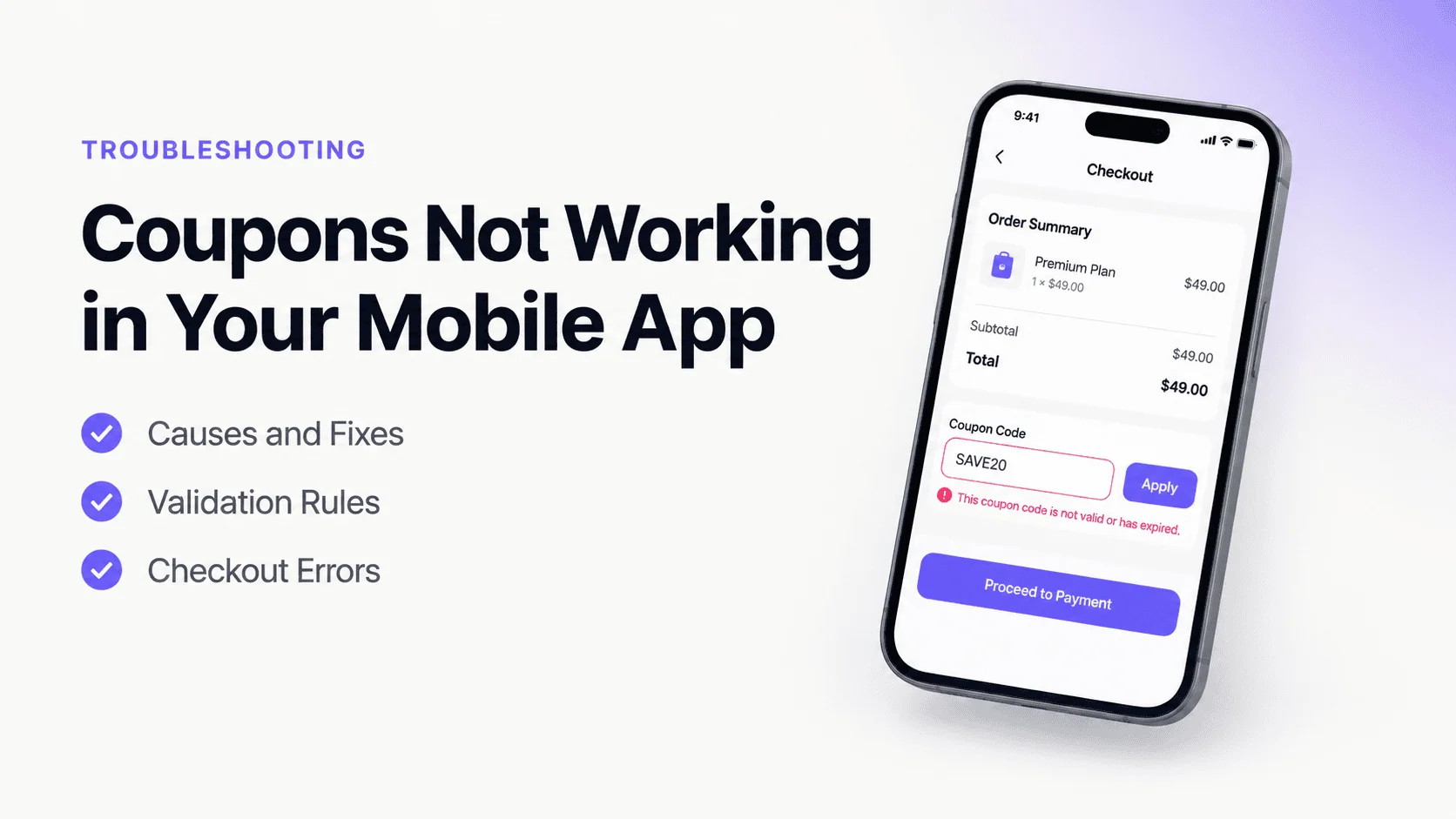
Users enter a valid coupon code but receive an error indicating the code is invalid.
This is one of the most common coupon complaints.
ii. Discount is not applied
The coupon is accepted, but the expected discount does not appear in the order total.
Customers often abandon checkout when this happens.
iii. Coupon works on the website but not in the app
Some users report that a coupon functions correctly on the website but fails inside the mobile app.
This usually points to synchronization or configuration issues.
iv. Coupon disappears during checkout
The discount appears initially but disappears after customers move to another checkout step.
v. Coupon works for some users but not others
Inconsistent coupon behavior often indicates user eligibility rules or account-related restrictions.
vi. Promotional campaigns fail entirely
In severe cases, all discount codes may stop working due to backend issues or configuration errors.
Common Causes of Coupons Not Working in Mobile Apps
Several technical and business-related factors can prevent coupons from functioning correctly.
Coupon has expired
The simplest explanation is often the correct one.
Many coupons include expiration dates.
Once the promotional period ends, the coupon becomes invalid automatically.
Users may continue attempting to use expired codes found in:
- Emails
- Social media posts
- Old advertisements
- Shared promotions
Minimum purchase requirements are not met
Many discount campaigns require customers to spend a minimum amount before a coupon becomes eligible.
Examples include:
- Spend $50 and save 10%
- Spend $100 and receive free shipping
If the cart value falls below the threshold, the coupon will not apply.
Product exclusions
Certain promotions exclude specific products or categories.
For example:
- Sale items
- Gift cards
- Limited-edition products
- Partner merchandise
Customers may not realize that their selected items are ineligible.
User eligibility restrictions
Some coupons are available only to specific customer groups.
Examples include:
- First-time customers
- VIP members
- Returning customers
- Regional audiences
Eligibility restrictions can cause confusion if not communicated clearly.
Backend synchronization issues
Many mobile apps retrieve coupon information from backend systems.
If synchronization fails, the app may:
- Reject valid coupons
- Display outdated promotions
- Apply incorrect discounts
Backend issues are a common cause of coupon failures.
API failures
Coupon validation often depends on API communication.
If API requests fail, the system may be unable to verify:
- Coupon validity
- User eligibility
- Discount amounts
- Promotional rules
As a result, coupons may appear broken.
Cache-related problems
Apps frequently cache promotional data to improve performance.
However, outdated cache information can create conflicts between current promotions and older data.
Users may encounter:
- Expired discounts
- Incorrect offers
- Missing promotions
Time zone mismatches
Promotions often rely on specific start and end dates.
If server time zones and user time zones differ, coupons may activate or expire incorrectly.
Software bugs
Coding errors occasionally affect coupon functionality.
Examples include:
- Validation failures
- Discount calculation errors
- Rule conflicts
- Checkout integration issues
Bugs often become apparent after app updates or promotional launches.
How Coupon Problems Affect Conversions
Coupon issues directly impact customer behavior.
Increased cart abandonment
Many shoppers expect a discount before completing checkout.
If the coupon fails, they may abandon the purchase entirely.
Reduced customer trust
Customers often perceive coupon failures as misleading promotions.
Trust can decline quickly when advertised discounts do not work as expected.
Lower conversion rates
Even minor checkout friction can significantly reduce completed purchases.
Coupon-related issues create unnecessary obstacles during a critical stage of the customer journey.
Negative reviews and support requests
Frustrated users frequently leave negative feedback or contact support for assistance.
This increases operational costs while damaging brand reputation.
How to Fix Coupons Not Working in Your Mobile App
A structured troubleshooting process can help resolve coupon issues efficiently.
1. Verify coupon settings
Begin by reviewing all promotion configurations.
Check:
- Expiration dates
- Start dates
- Usage limits
- Eligibility requirements
- Product restrictions
Incorrect settings are a common source of failures.
2. Test coupon validation rules
Verify that validation logic functions correctly across all scenarios.
Testing should include:
- Eligible users
- Ineligible users
- Different product combinations
- Minimum spend requirements
Comprehensive testing helps identify rule conflicts.
3. Check API functionality
Coupon systems often depend on backend APIs.
Ensure that validation requests:
- Reach the server successfully
- Return accurate responses
- Handle errors appropriately
API monitoring can reveal hidden failures.
4. Review synchronization processes
Verify that promotional data remains synchronized between:
- Backend systems
- Mobile apps
- Ecommerce platforms
- Checkout services
Consistency is essential for reliable coupon functionality.
5. Clear outdated cache data
If promotions have changed recently, cached information may be causing conflicts.
Refreshing cached promotional content often resolves these issues.
6. Improve user messaging
Customers should understand why a coupon isn’t working.
Helpful messages might include:
- Coupon has expired
- Minimum purchase not met
- Product not eligible
- Coupon already used
Clear explanations reduce frustration and support requests.
7. Monitor coupon performance
Track metrics such as:
- Coupon redemption rates
- Validation failures
- Checkout abandonment
- Error frequency
Analytics can help identify emerging issues before they affect large numbers of customers.
Android and iOS Considerations
Coupon functionality may behave differently across platforms.
Android-specific challenges
Potential issues include:
- Cached promotional data
- App version fragmentation
- Device-specific behavior
- Network interruptions
Testing across multiple Android devices is important.
iOS-specific challenges
Common concerns include:
- Session persistence issues
- Cache synchronization delays
- App update timing differences
Regular testing helps maintain consistency across iPhone models.
How AppNatively Helps Create Better Ecommerce Experiences
Reliable promotional campaigns require a stable mobile commerce foundation.
AppNatively helps businesses build native ecommerce apps designed for performance, reliability, and seamless shopping experiences.
A native mobile approach can help improve:
- Checkout performance
- User experience
- Customer engagement
- Promotional campaign execution
- Mobile commerce workflows
- Long-term scalability
By focusing on smooth customer journeys, businesses can reduce friction during critical moments such as coupon redemption and checkout.
Frequently Asked Questions
Why is my coupon code showing as invalid?
The coupon may have expired, failed eligibility checks, reached its usage limit, or encountered a validation issue.
Why does the coupon work on my website but not in the app?
This often indicates synchronization problems, API failures, or app-specific configuration issues.
Can cache issues affect coupons?
Yes. Outdated promotional data stored in cache can prevent new discounts from appearing correctly.
Why is the discount not applied even though the coupon is accepted?
The issue may involve calculation errors, product exclusions, minimum purchase requirements, or backend validation problems.
How do coupon issues affect ecommerce sales?
Coupon failures increase cart abandonment, reduce customer trust, lower conversion rates, and negatively impact overall revenue.
Final Thoughts
When coupons are not working in your mobile app, the consequences extend far beyond a technical inconvenience. Since discounts often influence purchasing decisions, even small coupon failures can result in abandoned carts and lost sales.
Whether the issue stems from expired promotions, eligibility restrictions, synchronization problems, API failures, cache conflicts, or software bugs, identifying the root cause quickly is essential.
By implementing strong validation processes, monitoring promotional performance, maintaining accurate synchronization, and thoroughly testing campaigns before launch, businesses can create a more reliable shopping experience and maximize the effectiveness of their discount strategies.
Share this blog: