To add a new currency, go to X-Currency → Currencies → Add New Currency
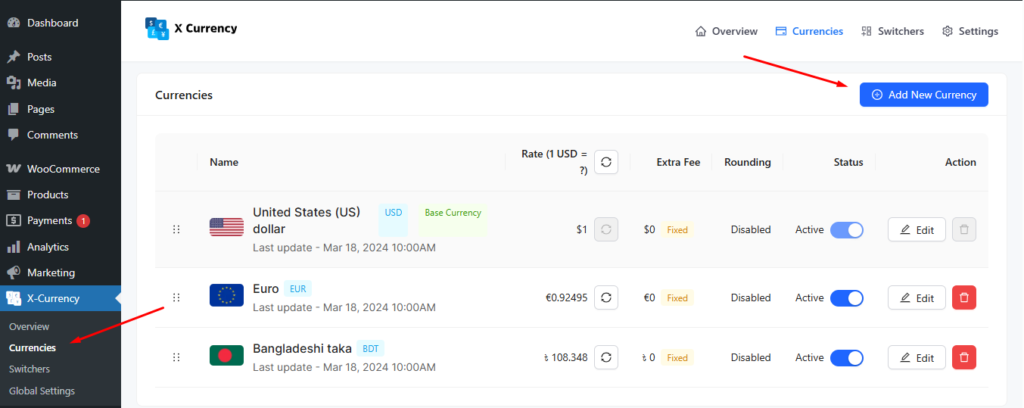
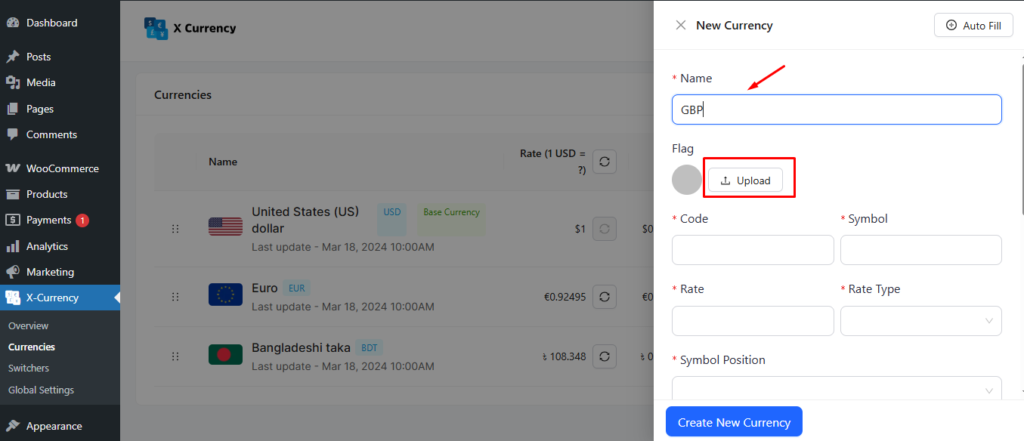
Then, enter the currency name, set its details, and optionally upload its flag for easy identification.
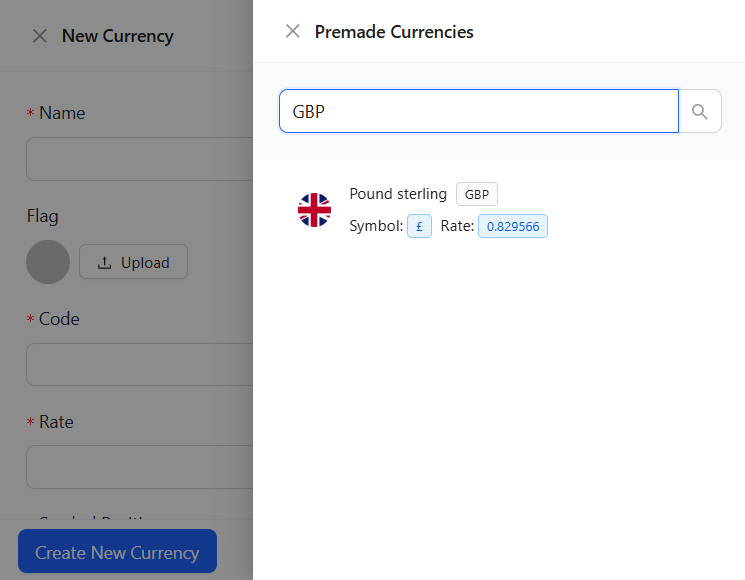
Interestingly enough, you can have the “Auto Fill“ option to set your desired currency.
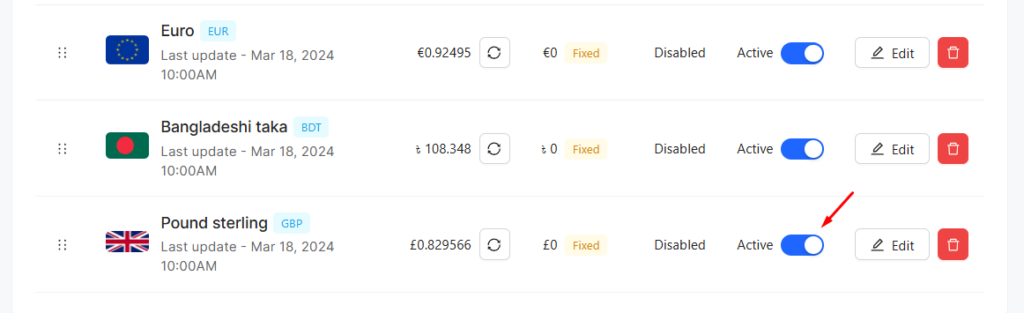
It looks like
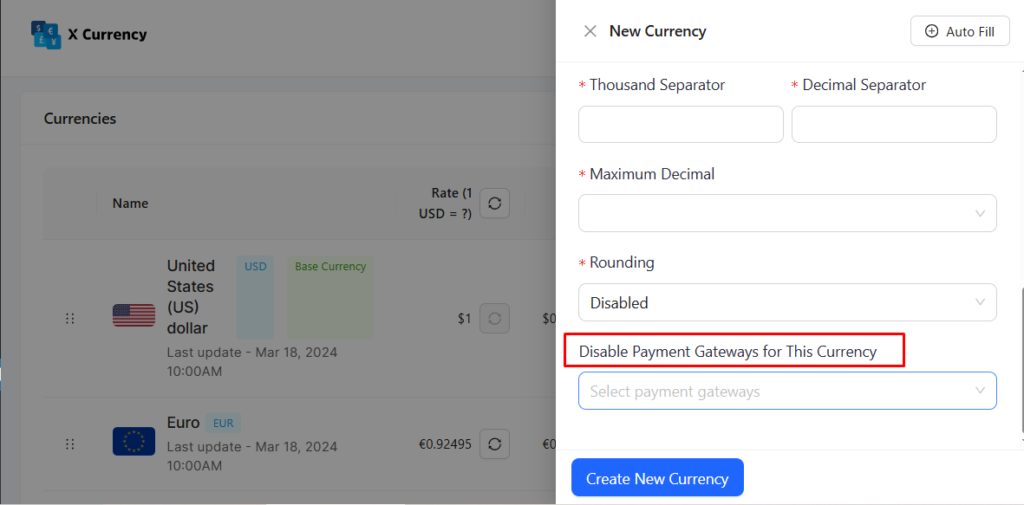
Moreover, you can disable the payment gateways for the currency you set.
Again, you can edit/update the currency whenever you want.
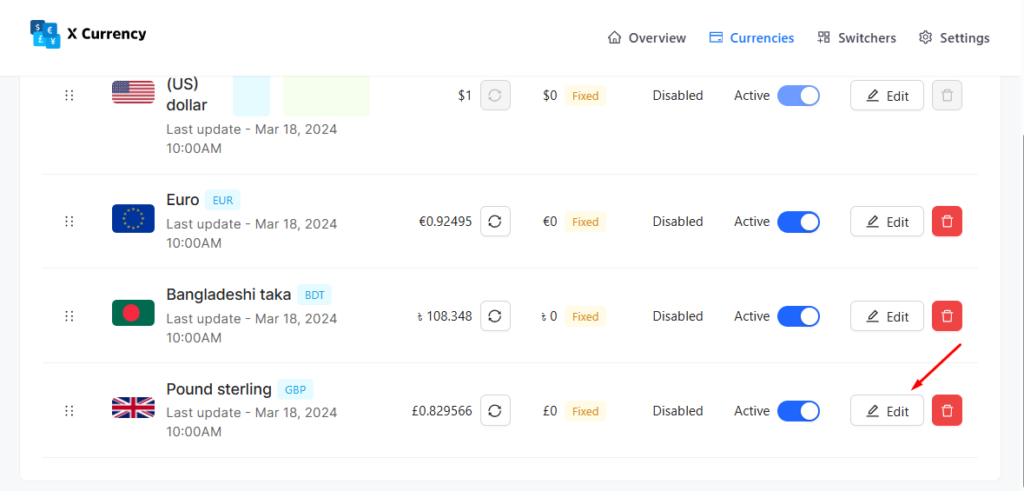
Then, you find it like that
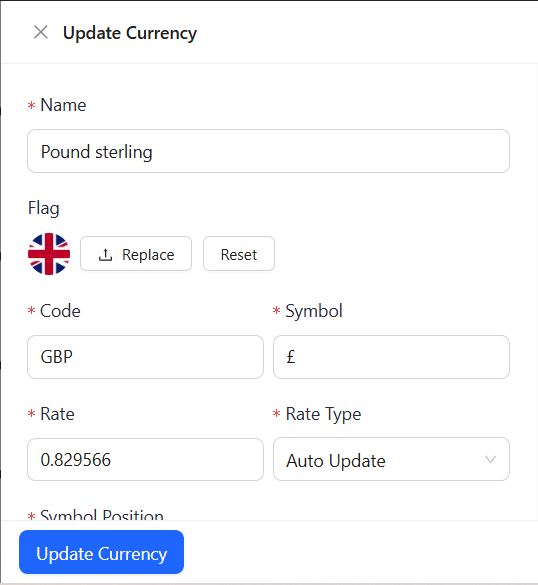
Toggle Active on to enable the currency or off to disable it.
You can also delete the currency if you want. To do this,
Click on the “Delete Button”



