Global shoppers expect to see prices in their own currency. When a WooCommerce store shows only one base currency, customers must calculate exchange rates themselves, which creates hesitation and reduces trust. Even a small moment of confusion can lead to cart abandonment.
Without multi-currency support, WooCommerce stores face lower international conversion rates, higher bounce rates, and checkout friction. Localized pricing, real-time currency conversion, and region-based checkout are no longer optional features. They are essential for improving user experience, strengthening global SEO signals, and maximizing cross-border revenue growth.
In this article, we explore why many WooCommerce stores are losing sales without multi-currency support. So, without further ado, let’s dig deeper.
Why WooCommerce Stores Lose Sales Without Multi-Currency Support
Expanding your WooCommerce store internationally sounds exciting, but many stores lose sales without realizing a simple issue: currency friction.
Shoppers are more likely to abandon carts when they don’t see prices in their local currency, even if they love your products.
1. Currency confusion reduces conversions
Shoppers seeing prices in a foreign currency must mentally convert costs before deciding. This extra step may seem small, but it introduces hesitation and doubt, which increases the chances of abandonment.
Even if the product is appealing, uncertainty over the true cost can stop a customer mid-purchase. Multi-currency support removes this friction and makes the shopping experience seamless, keeping buyers focused on the product instead of math.
2. Trust drops with foreign currency
Customers tend to trust stores that feel local. When someone from Europe or Asia sees prices only in USD, the store appears foreign and potentially unreliable.
Showing familiar local currencies signals that your business serves their region and is committed to their market. This small psychological cue boosts confidence and encourages checkout completion.
3. Checkout fees surprise buyers
Banks and payment processors often add foreign transaction fees that shoppers aren’t expecting. A product that seems reasonably priced can suddenly feel expensive once these fees appear.
Without displaying local currency upfront, customers may feel tricked or misled, leading to abandoned carts. Multi-currency pricing provides transparency, preventing unpleasant surprises and improving trust.
4. Price psychology matters
Raw conversions often look awkward (e.g., $49 → €45.73) and feel unintentional. Rounded local pricing (like €44.99) appears deliberate and natural, which increases purchase likelihood.
By adjusting prices for each market, stores can optimize for local pricing psychology. Even small changes in perceived value can significantly improve conversion rates across regions.
5. Advertising ROI decreases
Sending international ad traffic to a single-currency store often results in low conversion rates. Customers face friction and uncertainty, so your ad spend doesn’t generate expected sales.
Multi-currency support ensures ads convert better because visitors see prices in their own currency, making campaigns more efficient and lowering customer acquisition costs.
6. Competitors gain an edge
Modern competitors often offer local currency pricing, making their stores feel easier and safer to use. Customers naturally gravitate toward businesses that reduce hassle.
Without multi-currency support, your store looks outdated or less professional. Supporting multiple currencies keeps you competitive and prevents losing sales to more customer-friendly options.
How X-Currency Support Boosts WooCommerce Sales
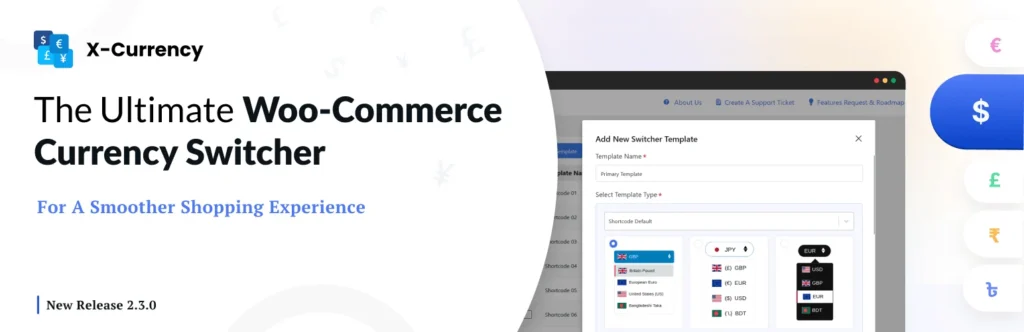
Selling internationally can be tricky if customers can’t easily see prices in their own currency. With X-Currency, WooCommerce stores can display local prices, reduce friction, and boost conversions globally.
Seamless multi-currency shopping
X-Currency is a WooCommerce plugin that allows your store to display prices in multiple currencies, including custom ones like Bitcoin. Shoppers can instantly see products in their preferred currency, reducing friction and hesitation during browsing.
With X-Currency, visitors don’t have to guess exchange rates or worry about hidden fees. This seamless experience keeps customers engaged and increases the likelihood of completing a purchase.
Fully customizable switcher
The plugin provides six ready-made switcher templates and a powerful customizer to design your currency switcher exactly how you want. You can show dropdowns, flags, and currency codes on shop, product, cart, and checkout pages.
Customizable styling ensures the switcher integrates perfectly with your site, giving your store a professional, polished look. A visually appealing switcher also boosts customer confidence and trust in your store.
Accurate product pricing for each currency
X-Currency allows you to set specific prices for each product in every currency. Customers see exact amounts in their chosen currency, including discounts, shipping, and coupons.
This feature ensures transparency at checkout, avoids unexpected costs, and improves conversion rates. You can also adjust pricing automatically with live exchange rates, keeping your store competitive globally.
Geo-targeted currency display
Using visitor IP addresses, X-Currency can automatically show prices in the shopper’s local currency. This personalized experience makes your store feel more customer-friendly and region-specific.
Geo-targeted currency display reduces friction for international buyers, increases trust, and encourages them to complete their purchases without hesitation.
Flexible payment and shipping options
X-Currency lets you configure payment gateways and shipping rates per currency. You can even disable certain payment methods for specific currencies, giving full control over international transactions.
This flexibility ensures that your checkout process runs smoothly for every market, reducing abandoned carts and building confidence in your store’s reliability.
Automatic updates and developer-friendly features
The plugin supports automatic currency rate updates and allows advanced users to apply custom CSS or hooks for even more control. It also offers sticky switchers, modal dropdowns, and other display options for maximum usability.
Automatic updates keep pricing accurate, while developer features make X-Currency highly adaptable for custom WooCommerce setups, helping stores scale without friction.
Final Thoughts
International sales are lost not because your products aren’t good, but because the buying process feels complicated for customers. Without multi-currency support, shoppers hesitate, doubt, or abandon their carts entirely.
Providing prices in local currencies builds trust, simplifies checkout, and makes your store feel customer-friendly. For WooCommerce stores aiming to grow globally, multi-currency support is essential for turning visitors into buyers.