Choosing between a Progressive Web App (PWA), a WebView app, and a native mobile app is one of the most important decisions when taking a website or digital business to mobile.
Each approach offers a different balance of development cost, performance, user experience, device capabilities, offline functionality, maintenance, and scalability.
A PWA can make your website installable without requiring users to download it from an app store. A WebView app can display your existing website inside a mobile application. A native app provides a mobile-first experience with access to platform-specific features and capabilities.
But which approach is right for your business?
The short answer: Choose a PWA if you want an installable web experience with minimal development overhead. Choose a WebView app if displaying your existing website inside an app is your primary requirement. Choose a native app if performance, mobile user experience, device integration, and long-term scalability are priorities.
For businesses that want to turn an existing website into a native iOS and Android app without building everything from scratch, a native app builder such as AppNatively offers another practical option.
In this blog post, we’ll compare all three approaches, explain how they work, explore their advantages and limitations, and help you choose the right one for your business.
Quick Answer: PWA vs WebView vs Native App
| Comparison factor | PWA | WebView App | Native App |
|---|---|---|---|
| Technology | Web technologies | Web content inside a native container | Platform-native or native-rendered technology |
| Installation | Browser-based installation | App store or direct distribution | App store or supported distribution |
| App Store availability | Not typically listed as a conventional app | Yes | Yes |
| Performance | Depends on browser and web implementation | Depends heavily on website and WebView | Optimized for mobile experiences |
| User experience | Web-like | Website-like | Mobile-first |
| Offline functionality | Supported with service workers | Requires additional implementation | Can be built into the app |
| Push notifications | Supported with platform limitations | Requires native integration | Supported |
| Device integration | Browser-dependent | Possible through native bridges | Broad platform access |
| Development cost | Usually low to moderate | Low to moderate | Varies by complexity |
| Maintenance | Web-based | Website and app-container maintenance | App and backend maintenance |
| Best for | Installable web experiences | Simple website access through an app | Full-featured mobile experiences |
The important distinction: A PWA extends a website, a WebView app displays web content inside an app, and a native app delivers an experience designed and rendered for mobile platforms.
What Is a Progressive Web App (PWA)?
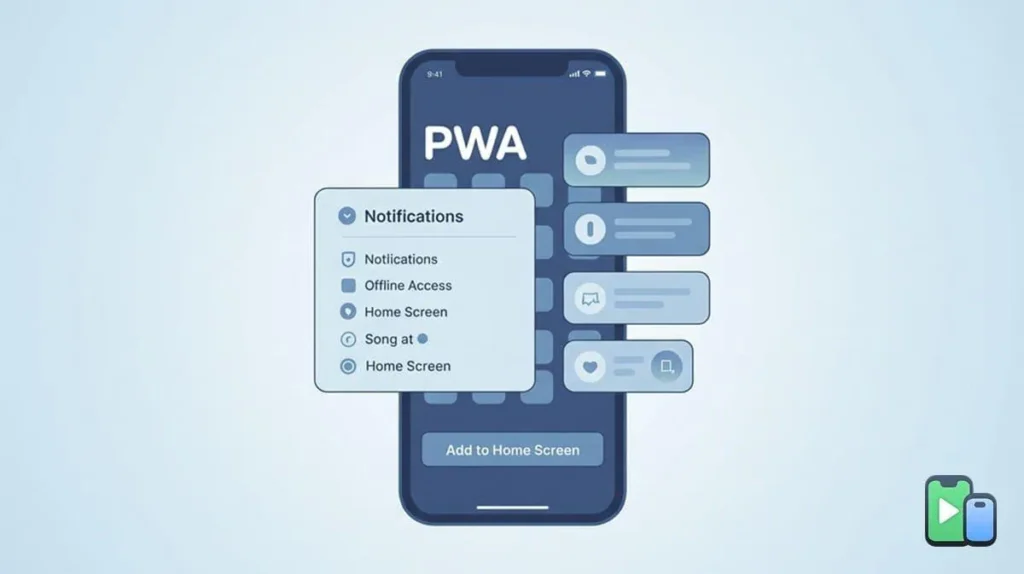
A Progressive Web App (PWA) is a web application built with standard web technologies such as HTML, CSS, and JavaScript that delivers an app-like experience through a web browser.
Unlike traditional websites, PWAs can be installed on supported devices, launch from a home-screen icon, display in a standalone window, cache selected content for offline use, and support push notifications where the platform allows them.
PWAs combine the accessibility of websites with selected capabilities commonly associated with mobile applications.
How does a PWA work?
A PWA typically relies on three important technologies:
- Web App Manifest: Defines the application’s name, icons, theme colors, launch behavior, and other installation-related properties.
- Service Worker: Runs separately from the main web page and can manage caching, offline experiences, and background events.
- HTTPS: Provides a secure connection required for service workers and many modern web capabilities.
When someone visits a PWA-enabled website, they can access it through a browser. Depending on the browser and operating system, they may also install it on their device.
Once installed, the PWA can appear alongside other applications and launch without the usual browser interface. MDN+1
Advantages of PWAs
- Lower development costs: A single web codebase can support multiple platforms.
- No mandatory app store distribution: Users can access the application through a URL.
- Search engine discoverability: Public web pages can be indexed by search engines.
- Installable experience: Users can add the application to their home screens.
- Offline capabilities: Service workers can cache resources and selected content.
- Simplified updates: Developers can update the web application without requiring users to install a traditional app update.
Disadvantages of PWAs
- Limited platform access: Some device APIs are unavailable or restricted depending on the browser and operating system.
- Inconsistent experiences: Installation and feature support differ across platforms.
- Browser dependency: Performance and functionality depend partly on the browser environment.
- App Store limitations: A PWA does not automatically receive a conventional App Store or Google Play listing.
- Offline limitations: Offline access requires deliberate implementation and data synchronization.
- User adoption challenges: Some users prefer downloading applications from familiar app stores.
When should you choose a PWA?
A PWA is a good option when:
- You primarily want to improve your mobile website experience.
- Your audience discovers your business through Google and other search engines.
- You want users to access your product through a URL.
- You need basic offline functionality.
- You want to minimize development and maintenance costs.
- You don’t require extensive native device integration.
Example: A content publishing website, online documentation platform, or lightweight customer portal can benefit from a PWA without necessarily needing a separate mobile application.
What Is a WebView App?
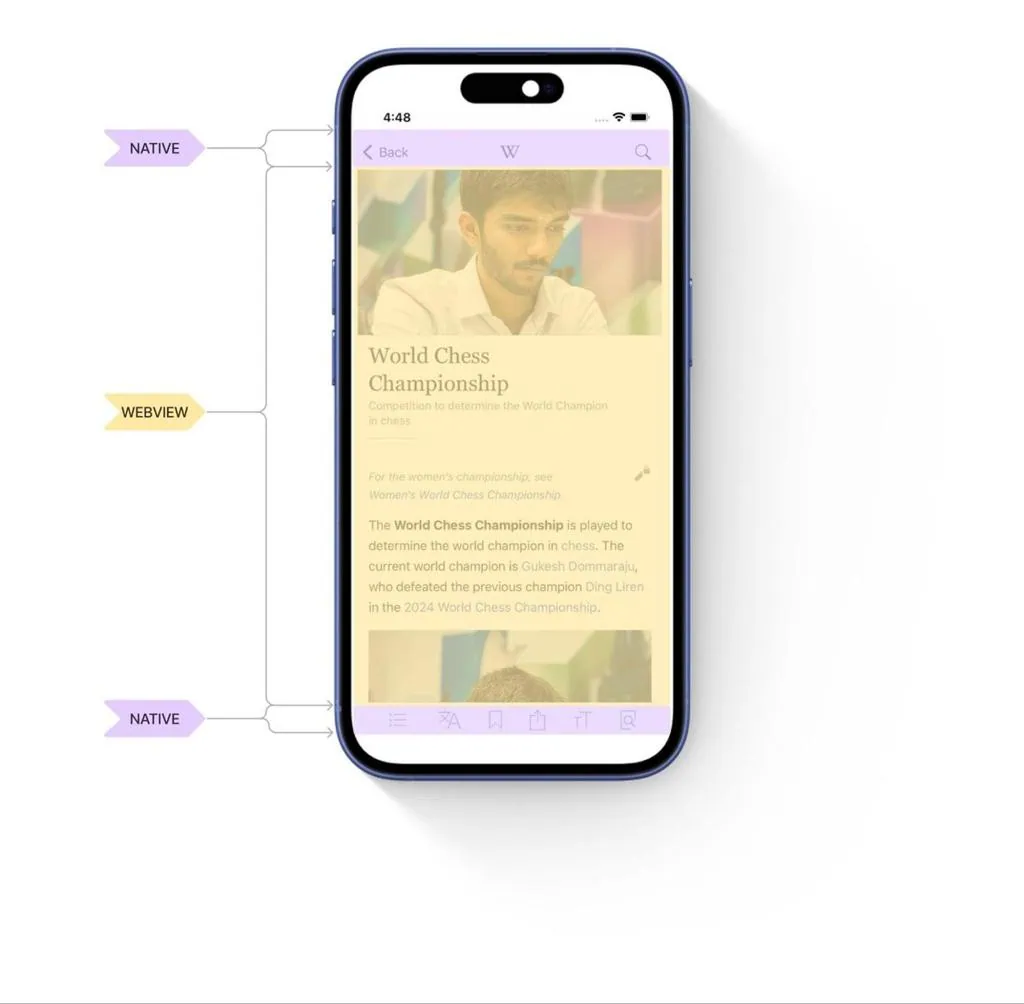
A WebView app is a mobile application that displays web content inside an embedded browser component called a WebView.
Instead of rebuilding the entire website using native mobile components, developers load an existing website or web application inside a mobile application container.
This allows businesses to make their websites accessible through an app icon and, subject to store review, distribute the application through the Apple App Store or Google Play Store.
A WebView app can also integrate selected native features through platform-specific code or a JavaScript bridge.
How does a WebView app work?
A WebView app generally consists of three components:
- Native application container: Provides the mobile application structure and manages the WebView.
- Embedded web browser: Loads and displays website content.
- Website backend: Handles data, authentication, business logic, and other website functionality.
For example, if you have a WooCommerce website, a basic WebView application can load your existing store inside an application.
Customers can browse products, view categories, log in, and make purchases through the website displayed inside the app.
The application essentially provides a mobile entry point to your existing website rather than rebuilding the entire interface as native mobile screens.
Advantages of WebView apps
- Faster initial development: Existing website content can be reused.
- Lower initial costs: Less work may be required compared with developing a complete mobile application.
- Existing backend integration: The app can use the website’s existing APIs and infrastructure.
- Centralized content management: Website administrators can manage much of the content from their existing dashboard.
- App Store distribution: WebView applications can be submitted to mobile app stores if they meet the relevant requirements.
- Native feature integration: Developers can add selected capabilities through native plugins or bridges.
Disadvantages of WebView apps
- Website-dependent performance: A slow or poorly optimized website can result in a slow app experience.
- Limited mobile customization: A basic WebView largely inherits the website’s layout and interactions.
- Connectivity dependency: Website-based content generally requires an internet connection unless caching and offline support are implemented.
- Potential navigation issues: Website navigation may not behave like conventional mobile application navigation.
- Native integration complexity: Advanced device functionality may require additional native development.
- App Store review risks: Simply packaging a website does not guarantee approval.
One important consideration is Apple’s App Review Guideline 4.2, which requires applications to provide functionality and an experience that go beyond a repackaged website. A basic website wrapper may therefore face rejection. Apple Developer+1
When should you choose a WebView app?
A WebView app may be appropriate when:
- Your existing website already provides a satisfactory mobile experience.
- You want a simple app-based entry point to website content.
- Your budget is limited.
- Your application does not require extensive mobile-specific interactions.
- You want to reuse existing website functionality with minimal redevelopment.
Example: A small business with an informational website may use a basic WebView application to provide customers with another way to access its website.
However, if your goal is to provide a complete mobile experience, a basic WebView may not be sufficient.
What Is a Native App?
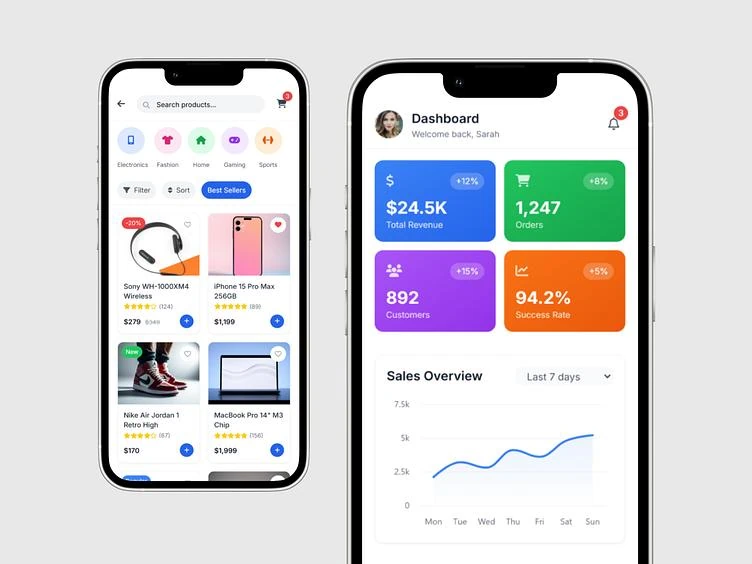
A native mobile app is an application designed and developed for mobile operating systems, such as iOS and Android, using native technologies or frameworks that render native mobile interfaces.
Traditional native development commonly uses Swift or SwiftUI for iOS and Kotlin or Java for Android.
Cross-platform frameworks such as React Native also allow developers to build mobile applications with a shared codebase while rendering platform-native interface components.
Unlike a basic WebView application, a native-rendered application does not simply display the website inside an embedded browser.
Instead, its mobile interface is built from mobile components, while it can connect to an existing website or backend through APIs.
How does a native app work?
A typical native application consists of three major layers:
- Mobile frontend: Handles screens, navigation, interactions, and user interface components.
- Backend or API integration: Connects the application to databases, business logic, authentication, and website services.
- Device integration: Provides access to supported capabilities such as camera, location, notifications, biometrics, and other mobile features.
For example, an eCommerce business can build a native shopping application that connects to its existing WooCommerce backend.
Customers can browse products, search categories, manage their accounts, and place orders through a mobile-first interface without accessing the website inside a WebView.
Advantages of native apps
- Mobile-first user experience: Interfaces can be designed specifically for mobile devices.
- Better performance potential: Native rendering can provide smoother interactions and more responsive interfaces.
- Device integration: Applications can access a broad range of supported device capabilities.
- Push notifications: Native notification integrations help businesses communicate with customers.
- Offline functionality: Applications can store selected data locally and synchronize when connectivity returns.
- Greater customization: Developers have more control over mobile navigation, layouts, interactions, and functionality.
- App Store distribution: Native applications can be published through official app stores after meeting their requirements.
- Scalability: Businesses can add mobile-specific features as their requirements evolve.
Disadvantages of native apps
- Higher development costs: Traditional custom development can require significant investment.
- More development effort: Building and maintaining iOS and Android applications can require specialized skills.
- Ongoing maintenance: Applications need testing, compatibility updates, and platform-specific maintenance.
- App Store submission: Publishing requires developer accounts, review processes, and compliance with platform guidelines.
- Backend integration: Connecting a mobile app to an existing website may require API development or configuration.
When should you choose a native app?
A native app is the right approach when:
- You want to deliver a dedicated mobile experience.
- Your business depends on recurring mobile users.
- You need push notifications and deeper device integration.
- You want customized navigation and mobile interfaces.
- You operate an eCommerce, directory, booking, or membership platform.
- You want to build a long-term mobile product.
Example: An online marketplace can benefit from a native app that offers mobile product discovery, personalized recommendations, account management, order tracking, and push notifications.
PWA vs WebView vs Native App: Detailed Comparison
Understanding the definitions is only the beginning. The real decision comes down to how these approaches perform in practical business scenarios.
Let’s compare them across the factors that matter most.
1. Performance and speed
Performance affects how quickly users can access content, navigate between screens, and complete important actions.
| Approach | Performance characteristics |
|---|---|
| PWA | Depends on browser performance, JavaScript execution, caching, and website optimization. |
| WebView | Depends on the embedded browser, website performance, and the implementation of the app container. |
| Native App | Can provide optimized rendering, responsive interactions, and efficient platform integration. |
A well-optimized PWA can deliver excellent performance, while a poorly developed native app can still be slow.
However, native-rendered applications generally offer more control over interface rendering and mobile interactions than basic WebView applications.
Winner for mobile interface control: Native App.
2. User experience and interface customization
User experience is one of the biggest differences between these three approaches.
A PWA provides an app-like web experience, but its interface is still built using web technologies.
A WebView app displays website content inside a mobile application. Unless additional native components are developed, the experience largely follows the website’s design.
A native app allows developers to create mobile-specific screens, navigation, components, and interactions.
| Feature | PWA | WebView | Native |
|---|---|---|---|
| Custom navigation | Yes | With additional development | Yes |
| Native interface components | Limited | Through native integration | Yes |
| Mobile-first layouts | Yes | Depends on website | Yes |
| Custom app screens | Yes | Requires additional development | Yes |
| Platform-specific interactions | Browser-dependent | Through native bridges | Broad support |
Winner: Native App.
3. Offline functionality
Offline functionality allows users to access selected features without an active internet connection.
- PWA: Uses service workers and browser storage to cache resources and selected data.
- WebView: Requires additional caching, local storage, or offline architecture.
- Native App: Can store data locally and implement offline workflows with synchronization.
None of these approaches automatically makes every feature available offline.
For example, an eCommerce application may display previously cached product information without connectivity, but placing an order still requires an available backend connection.
Winner: Depends on implementation, with native apps offering greater control over complex offline workflows.
4. Push notifications
Push notifications help businesses send updates, reminders, promotions, and transactional messages.
| Approach | Push notification support |
|---|---|
| PWA | Supported on compatible browsers and operating systems, subject to permission and platform restrictions. |
| WebView | Requires native push integration or an appropriate plugin. |
| Native App | Supported through platform notification services. |
PWAs can support web push notifications, but the implementation and user experience vary across platforms.
WebView applications can also support push notifications, but a WebView alone does not automatically provide the functionality. Native integration is generally required.
Native applications offer more direct control over push notification integration.
Winner: Native App for broader integration and control.
5. Device compatibility and hardware access
Modern mobile applications often need access to device features.
Examples include:
- Camera
- GPS and location
- Microphone
- Biometrics
- Bluetooth
- File storage
- Contacts
- Background services
PWAs can access many device capabilities through browser APIs, but availability varies.
WebView applications can use web APIs and native bridges to access selected device functionality.
Native applications provide broader access to platform APIs, subject to operating system permissions and restrictions.
Winner: Native App.
6. Development cost
Development cost depends on complexity, functionality, team size, and maintenance requirements.
| Approach | Typical cost profile |
|---|---|
| PWA | Low to moderate |
| WebView | Low to moderate for basic implementations |
| Native App | Moderate to high for custom development |
A PWA can be cost-effective because businesses can extend an existing website.
A WebView application can also reduce initial development effort by reusing existing website content.
Traditional native development generally requires more resources, particularly when building and maintaining separate iOS and Android applications.
However, native app builders and cross-platform frameworks can significantly reduce this development effort.
Winner for initial development cost: PWA or WebView, depending on requirements.
7. Maintenance and updates
Maintenance is another important consideration, particularly for businesses that already operate a website.
PWA: Updates are generally deployed through the web application. Users receive the latest version through the browser or service worker update process.
WebView: Website content can be updated centrally, but changes to the native application container may require a new app release.
Native App: Mobile frontend updates may require rebuilding and distributing a new application version. Some updates, such as content changes and supported over-the-air updates, can be delivered without a full store release.
The right maintenance model depends on how frequently your application changes and how much functionality is handled by the backend.
Winner for centralized content updates: PWA and WebView.
8. App Store availability
If you want customers to discover your application through the Apple App Store or Google Play Store, distribution requirements matter.
| Approach | App Store distribution |
|---|---|
| PWA | Possible through packaging or supported distribution methods, but not automatic. |
| WebView | Possible if the app meets store requirements. |
| Native App | Standard distribution approach. |
A PWA can be distributed through the web and may also be packaged for app stores.
A WebView application can be submitted to app stores, but simply displaying an existing website may not meet Apple’s minimum functionality requirements.
Native applications are designed for conventional app distribution, although they must still pass platform reviews. MDN+1
Winner for conventional app store distribution: Native App.
PWA vs WebView vs Native App: Which Is Better for Different Businesses?
There is no single approach that works best for every business. Your choice should depend on your business model, customer expectations, technical requirements, and long-term goals.
Here are some practical recommendations.
| Business type | Recommended approach | Why |
|---|---|---|
| Content publishing website | PWA | Installable web experience and search visibility |
| Company website | PWA or WebView | Simple access to existing content |
| WooCommerce store | Native App | Mobile shopping experience and push notifications |
| Online marketplace | Native App | Custom product discovery and navigation |
| Business directory | Native App | Mobile listing experiences, filters, and maps |
| Booking platform | Native App | Mobile booking and notification workflows |
| Online learning platform | PWA or Native App | Depends on offline learning and mobile requirements |
| SaaS dashboard | PWA or Native App | Depends on device integration and usage patterns |
| Customer portal | PWA | Accessible through the web with installation support |
| Social networking platform | Native App | Mobile interactions and device integration |
PWA vs WebView vs Native App: Decision Matrix
Use this decision matrix to identify which approach fits your requirements.
| Your primary requirement | Best choice |
|---|---|
| Lowest initial development effort | PWA |
| Access through a website URL | PWA |
| Basic website inside a mobile app | WebView |
| App Store and Google Play distribution | Native App |
| Mobile-first user experience | Native App |
| Advanced device integration | Native App |
| Custom mobile navigation | Native App |
| Browser-based installation | PWA |
| Complex offline functionality | Native App |
| Reuse existing website backend | All three, with different implementation requirements |
Can You Turn an Existing Website Into a Native Mobile App?
Yes. You don’t necessarily need to rebuild your entire website or create a completely separate backend to launch a native mobile application.
Modern native app development approaches allow businesses to connect their mobile applications to existing website backends through APIs.
For example, if you operate a WordPress website with WooCommerce, you can build a dedicated mobile frontend that communicates with your existing WordPress infrastructure.
This approach allows you to:
- Keep managing products, orders, and customers from WordPress.
- Display website data inside a mobile-first interface.
- Build custom app screens and navigation.
- Integrate mobile-specific functionality.
- Maintain a centralized backend.
- Publish dedicated iOS and Android applications.
The important thing is to distinguish between reusing your website’s backend and simply displaying your website inside an app.
Reusing a backend does not mean reusing the website’s frontend.
A native app can connect to the same database and business logic without rendering the website itself.
How to Build a Native App From Your Website Without Traditional Coding
Traditionally, converting a website into a native mobile application required hiring developers, building mobile interfaces, configuring APIs, and maintaining separate application projects.
However, native app builders have made this process more accessible.
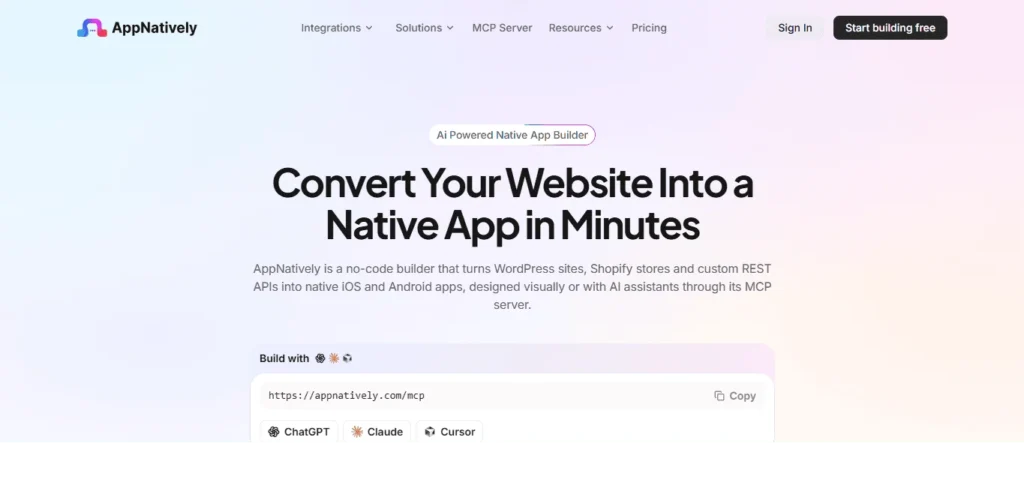
One option is AppNatively.
AppNatively is an AI-powered, drag-and-drop native app builder that helps businesses turn existing websites into native iOS and Android applications.
Rather than wrapping your website inside a WebView, AppNatively uses React Native to render the mobile frontend.
It connects to your existing website through direct API requests, allowing you to use your current website infrastructure without creating an entirely separate backend.
What can you build with AppNatively?
With AppNatively, you can:
- Build custom app screens: Create mobile interfaces using drag-and-drop components.
- Customize navigation: Design application navigation around your business requirements.
- Connect your website: Integrate your existing website and backend through APIs.
- Build directory applications: Create mobile listing experiences with search, filters, and maps.
- Build eCommerce applications: Connect your WooCommerce store and display products through a native mobile interface.
- Configure app branding: Customize application icons, splash screens, and visual elements.
- Integrate push notifications: Communicate with customers through mobile notifications.
- Publish your applications: Prepare your iOS and Android apps for submission through your own developer accounts.
AppNatively also offers AI-assisted app building, over-the-air updates, and integrations that help simplify the development process.
Who should consider AppNatively?
AppNatively can be particularly useful for:
- WooCommerce store owners.
- FluentCart store owners
- SureCart store owners
- Shopify store owners
- WordPress website owners.
- Business directory operators.
- Online booking platforms.
- Membership and LMS websites.
- Agencies building mobile apps for clients.
- Businesses that want native mobile experiences without traditional custom development.
If your goal is to create a mobile-first application while keeping your existing website as the backend, AppNatively is worth considering.
Explore AppNatively to learn how you can build a native mobile app from your website.
Final Verdict: PWA, WebView, or Native App?
The best choice between a PWA, WebView, and native app depends on what you want your mobile experience to accomplish.
A PWA is an excellent choice when you want an installable web experience, browser accessibility, and lower development overhead.
A WebView app makes sense when you want to display existing website content inside a mobile application with minimal redevelopment.
A native app is the stronger choice when your business needs a dedicated mobile experience, customized interfaces, broader device integration, and long-term flexibility.
For businesses that already have a website and want to establish a presence on iOS and Android, a native app does not necessarily mean rebuilding everything from scratch.
You can reuse your existing backend while creating a completely different mobile frontend.
That’s where modern native app builders such as AppNatively become useful. They help bridge the gap between an existing website and a dedicated native mobile application.
Ultimately, don’t choose an app approach simply because it is cheaper or faster to launch. Choose the one that delivers the best experience for your users and supports your business goals.
Frequently Asked Questions (FAQs)
1. What is the difference between a PWA, WebView, and native app?
A PWA is an installable web application that runs through a browser. A WebView app displays website content inside a mobile application container. A native app uses mobile-rendered interfaces and integrates with the operating system to deliver a dedicated mobile experience.
2. Is a PWA better than a native app?
Not necessarily. PWAs are generally more cost-effective to develop and distribute through the web. Native apps provide greater control over mobile interfaces, device integration, and platform-specific functionality. The better choice depends on your business requirements.
3. Is a WebView app considered a native app?
A WebView application is packaged as a mobile application, but its primary interface is web content rendered inside an embedded browser. It may include native components and integrations, but a basic WebView wrapper is not equivalent to a fully native-rendered application.
4. Which is faster: PWA, WebView, or native app?
There is no universal performance ranking because implementation quality matters. Native-rendered applications generally offer more control over mobile interface performance. PWAs and WebView applications can also perform well when their websites and frontend code are optimized.
5. Can a PWA be published on the Google Play Store or Apple App Store?
Yes. A PWA can be packaged using appropriate technologies and submitted through supported distribution methods. However, packaging does not guarantee approval. Each platform has its own technical and review requirements.
6. Can WebView apps send push notifications?
Yes. WebView applications can support push notifications through native integrations and notification services. However, displaying a website inside a WebView does not automatically enable native push notifications.
7. Do PWAs work offline?
Yes, PWAs can work offline when developers implement service workers and appropriate caching strategies. However, offline functionality depends on which resources and data have been stored locally.
8. Are native apps more expensive than PWAs?
Traditional custom native app development generally costs more than building a PWA because it requires additional mobile development and maintenance. However, cross-platform frameworks and native app builders can reduce these costs.
9. Can I convert my existing website into a native app?
Yes. You can connect an existing website’s backend to a native mobile frontend using APIs. This allows you to reuse your existing products, customers, content, and business logic while creating a separate mobile experience.
10. Can a native app use the same database as a website?
Yes. A native application can communicate with the same backend and database used by your website through secure APIs. You don’t necessarily need to create a separate database for your mobile application.
11. Is React Native a native app or a WebView app?
React Native is a framework for building native-rendered mobile applications. It uses JavaScript or TypeScript to create mobile interfaces using native platform components. It is different from a basic WebView application that displays website content inside an embedded browser.
12. Which app approach is best for WooCommerce websites?
A native mobile application is often the better choice for WooCommerce businesses that want a dedicated shopping experience, custom navigation, product discovery, and mobile push notifications. A PWA can be suitable for businesses that primarily want an installable version of their existing store.
13. Which app approach is best for business directory websites?
A native app is a strong choice for directory websites that need mobile listing experiences, location-based discovery, interactive maps, search filters, and push notifications. A PWA can work well when browser accessibility and simpler development are more important.
14. Can I build a native app without hiring developers?
Yes. Native app builders allow businesses to create mobile applications using visual editors and prebuilt components. Some platforms also offer AI-assisted building and integrations with existing website backends, reducing the need for traditional development.
15. Does AppNatively use WebView technology?
No. AppNatively uses React Native to render the mobile application frontend rather than displaying the existing website inside a WebView. It connects to the existing website backend through direct API requests, allowing businesses to build a separate mobile interface while continuing to use their existing website infrastructure.