Your products may be great, but unclear pricing can stop customers in their tracks. When shoppers don’t instantly recognize a currency, trust drops and buying decisions slow down.
A currency switcher in WooCommerce solves this by showing prices in the customer’s local currency automatically or on demand. It creates familiarity, reduces mental effort, and makes your store feel truly global.
If your goal is to attract and convert international customers, this tool becomes essential. A currency switcher helps remove barriers, build confidence, and turn more visitors into buyers.
Currency Switcher in WooCommerce
A currency switcher in WooCommerce is a tool or plugin that enables an online store to display product prices in multiple currencies. It allows customers to select their preferred currency while browsing the store, so they can see prices in the currency they are familiar with. This feature is especially useful for stores that sell internationally, as it provides a smoother and more transparent shopping experience for global customers.
According to a study by BigCommerce, 67% of international shoppers are more likely to complete a purchase if prices are shown in their local currency.
Currency switchers can use automatic currency detection based on a visitor’s location or allow manual selection through a drop-down menu, flags, or buttons. They may also use live exchange rates from external services or allow the store owner to set fixed conversion rates. By showing prices in the customer’s local currency, these tools improve trust, reduce confusion during checkout, and can increase conversion rates for international sales.
How a Currency Switcher Works
A currency switcher in WooCommerce allows an online store to display product prices in different currencies and lets customers select their preferred currency. It improves user experience for international shoppers by showing familiar pricing and reducing confusion at checkout.
1. Currency selection by customers
Most currency switchers provide a visible option, such as a drop-down menu, flags, or buttons, allowing customers to manually select the currency they want. When a selection is made, the plugin recalculates product prices and updates the entire store interface accordingly.
2. Automatic currency detection
Some advanced currency switchers can detect a visitor’s location using their IP address. They automatically display the store’s prices in the local currency without requiring the user to make a choice, creating a smoother shopping experience.
3. Exchange rate conversion
Currency switchers convert the default store currency into the selected currency using exchange rates. These rates can be updated automatically from live financial APIs or set manually by the store owner. Automatic rates ensure up-to-date pricing, while manual rates allow for stable, predictable pricing.
4. Display of converted prices
Once converted, the prices are shown on product pages, shopping carts, and checkout pages. Some plugins also convert taxes and shipping costs to match the selected currency, providing a complete and consistent experience for the customer.
5. Multi-currency checkout
Depending on the plugin, the checkout can either process payments in the store’s base currency or in the customer’s selected currency. Advanced currency switchers allow full multi-currency payments, letting customers pay in their preferred currency while keeping accounting simple for the store owner.
Why You Need a Currency Switcher Plugin
A currency switcher plugin is essential for WooCommerce stores that sell to international customers. It allows your store to display prices in multiple currencies, making it easier for global shoppers to understand costs and complete purchases. Without it, customers may face confusion about prices or hesitate at checkout, which can reduce your conversion rate.
Improve customer experience
When customers can see prices in their own currency, it builds trust and makes shopping more convenient. They don’t have to calculate conversions themselves or worry about hidden charges, which improves overall satisfaction.
Boost International Sales
By showing prices in local currencies, your store becomes more appealing to international buyers. A currency switcher removes barriers for global customers, increasing the chances they will complete a purchase.
Reduce abandoned carts
Many shoppers abandon their carts when they are unsure about the final cost in their own currency. A currency switcher plugin helps prevent this by displaying clear and accurate prices, reducing confusion and cart abandonment rates.
Flexible pricing and marketing
Some currency switchers allow you to set manual exchange rates or offer promotions in specific currencies. This flexibility can help you maintain consistent profit margins, run region-specific campaigns, and manage pricing strategies for different markets.
Simplify multi-currency checkout
Advanced currency switchers enable customers to pay in their selected currency, not just the store’s base currency. This makes the checkout process smoother and increases the likelihood of completing the sale.
A currency switcher in WooCommerce comes with several features that make it essential for stores selling internationally. These features ensure that customers have a smooth shopping experience and that store owners can manage pricing effectively across multiple currencies.
Key Features of a Currency Switcher
A currency switcher in WooCommerce comes with several features that make it essential for stores selling internationally. These features ensure that customers have a smooth shopping experience and that store owners can manage pricing effectively across multiple currencies.
i. Multiple currency support
The primary feature of a currency switcher is the ability to display product prices in multiple currencies. Customers can choose their preferred currency, allowing them to see prices in a familiar format.
ii. Automatic currency detection
Many currency switchers can automatically detect a visitor’s location using their IP address and display prices in the local currency. This saves the customer from having to manually select a currency and makes the shopping experience more convenient.
iii. Exchange rate management
Currency switchers handle currency conversions using live exchange rates from external services or manually set rates by the store owner. Live rates ensure accurate, up-to-date pricing, while manual rates allow for consistent pricing strategies.
iv. Customizable currency selector
Most plugins allow customization of the currency selector’s appearance and placement. It can appear as a drop-down menu, a list of flags, or buttons in the header, sidebar, or product pages, ensuring it fits your store’s design.
v. Multi-currency checkout
Some advanced currency switchers support multi-currency checkout, enabling customers to pay in their chosen currency. This feature eliminates confusion during checkout and enhances the overall customer experience.
vi. Price display across the store
A good currency switcher updates product pages, shopping carts, checkout pages, and sometimes even tax and shipping fees, ensuring prices are consistently displayed in the selected currency throughout the store.
Meet X-Currency: The Ultimate Currency Switcher for WooCommerce
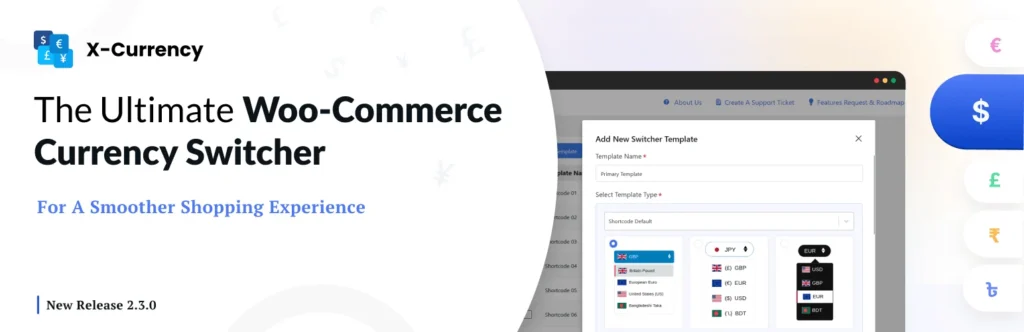
Selling internationally shouldn’t be complicated. With X-Currency, your WooCommerce store instantly becomes a global powerhouse. Let your customers see prices in their own currency, pay seamlessly, and enjoy a shopping experience designed to convert. Stop losing sales to confusion, start turning international visitors into loyal buyers today.
Why X-Currency is a Game-Changer for Your Store:
- Unlimited Currencies, Including Crypto – Add any currency you want, even Bitcoin, giving your customers the freedom to shop their way.
- Custom Flags, Symbols, and Codes—Make your currency switcher visually stunning and aligned with your brand.
- Set Specific Product Prices Per Currency—Control exactly what each customer pays, no messy conversions.
- Automatic Currency Updates—Keep pricing accurate with live exchange rates or set your own fixed rates.
- Geo-IP Local Currency Detection – Automatically show the right currency to each visitor for a personalized experience.
- Flexible Display Options—Drop-downs, sticky sidebars, or ready-made templates, you control how and where customers switch currencies.
- Currency-Based Coupons & Shipping—Offer tailored deals and shipping costs per currency to increase conversions.
- Pay in Selected Currency – Advanced payment gateway support lets customers checkout hassle-free in their chosen currency.
Upgrade to X-Currency Pro—Affordable, Powerful, Essential
For stores that want even more control and advanced features, the Pro version of X-Currency is available at a super cost-friendly price. With Pro, you get enhanced templates, priority support, advanced pricing options, and more ways to boost conversions without breaking your budget.
X-Currency isn’t just a plugin rather it’s a conversion booster. Imagine smoother checkouts, fewer abandoned carts, and happier international customers who feel confident buying from your store.
Stop guessing, start selling globally, and make every visitor feel at home.
Final Thoughts
A currency switcher in WooCommerce is no longer a “nice to have” add on. It is a trust and conversion tool for any store with a global audience. When shoppers see prices in their local currency, hesitation drops, clarity improves, and the path to checkout feels natural. It removes mental math, reduces friction, and quietly signals that your store is built for international customers, not just local ones.
If you are serious about scaling beyond borders, a currency switcher helps you meet customers where they are, speak their financial language, and sell with confidence. In short, it does not just convert currencies. It converts visitors into buyers.