Selling online means competing in a global marketplace, but customers don’t all shop the same way. Prices that feel reasonable in one country can seem expensive or confusing in another. Currency differences, purchasing power, taxes, payment methods, and cultural expectations all influence whether a visitor becomes a buyer.
That’s where localized pricing comes in. In WooCommerce, it goes beyond simple currency conversion, presenting prices in ways that feel native and fair to each region through the right currency, tax structure, rounding, language, and payment options. Done well, it builds trust, reduces cart abandonment, and increases conversions.
WooCommerce enables this with multi-currency tools, geolocation, tax settings, and regional pricing rules. In this post, we’ll cover the best practices to use these features effectively, helping you create a seamless, region-friendly shopping experience that maximizes revenue while keeping pricing clear and transparent.
So, without further ado, let’s dig deeper.
What Is Localized Pricing?
Localized pricing is a strategy where a company sets different prices for the same product or service in different geographic locations. The prices are adjusted based on local factors such as income levels, demand, competition, taxes, and cost of living to make the product more affordable and competitive in each market.
For example, a streaming service might charge $10 per month in the United States but only $4 per month in India, reflecting differences in purchasing power while offering the same service.
Why Localized Pricing Matters for WooCommerce Stores
Localized pricing helps WooCommerce stores serve customers from different regions more effectively. By adapting prices to local markets, store owners can improve customer experience and increase overall performance.
Increases conversions and sales
Localized pricing makes products more affordable for customers in different regions, which encourages them to complete their purchases. When prices align with local purchasing power, shoppers feel the value is fair and are less likely to hesitate at checkout.
As a result, WooCommerce stores often see higher conversion rates and more consistent sales across international markets. This approach helps turn more visitors into paying customers and supports steady business growth.
Builds trust with customers
Showing prices in a customer’s local currency and adjusting costs to match their market creates a smoother and more familiar shopping experience. Customers are more comfortable buying when they clearly understand what they are paying without worrying about extra conversion fees.
This transparency builds trust and strengthens customer relationships over time. When shoppers feel respected and understood, they are more likely to return and recommend the store to others.
Improves global competitiveness
Different regions often have local competitors offering similar products at prices suited to their markets. Without localized pricing, WooCommerce stores may appear too expensive and lose potential customers.
By adapting prices to local conditions, store owners can compete more effectively and attract buyers who might otherwise choose nearby alternatives. This helps the business expand its reach in multiple countries.
Reduces cart abandonment
Unexpected price differences, high conversion charges, or prices that feel too expensive can cause customers to leave their carts before completing checkout. Localized pricing helps avoid these issues by presenting clear and reasonable costs from the start.
When shoppers feel confident about the final price, they are more likely to finish their purchase. This leads to fewer abandoned carts and better overall store performance.
Boosts overall revenue
Although prices may be lower in some regions, localized pricing often increases total sales volume by making products accessible to more people. More customers purchasing at fair prices can generate greater overall revenue than a single fixed price.
Over time, this strategy helps WooCommerce stores grow internationally and create multiple income streams. It allows businesses to maximize profits while still meeting the needs of diverse markets.
Core Elements of Effective Localized Pricing
Localized pricing works best when it is planned carefully and based on real market data. Focusing on the right elements ensures prices remain fair, competitive, and profitable across different regions.
1. Market research and customer insights
Understanding each target market is the foundation of effective localized pricing. Store owners need to analyze customer behavior, purchasing power, demand trends, and local competitors before setting prices.
Accurate research helps determine what customers are willing to pay and prevents overpricing or underpricing. This ensures prices match expectations and improve the chances of success in every region.
2. Currency and exchange rate management
Displaying prices in local currencies makes shopping easier and more transparent for customers. It removes confusion and helps buyers instantly understand the cost without calculating conversions.
Managing exchange rates properly also protects profit margins. Regular updates ensure prices stay accurate and stable despite currency fluctuations.
3. Tax and legal compliance
Different countries and regions have unique tax rules, such as VAT, GST, or sales tax. Including these costs in localized pricing ensures customers see the correct final price at checkout.
Following local regulations also prevents legal issues and builds trust with customers. Compliance keeps the WooCommerce store operating smoothly in global markets.
4. Flexible pricing rules and automation
Using tools or plugins to automate pricing adjustments makes it easier to manage multiple regions. Automated rules can apply different prices based on location, currency, or user roles without manual work.
This saves time and reduces errors while keeping pricing consistent. It also allows store owners to quickly adapt to market changes or promotions.
5. Continuous testing and optimization
Effective localized pricing is not a one-time setup but an ongoing process. Testing different price points and analyzing performance helps identify what works best in each market.
Regular optimization improves conversions and revenue over time. By adjusting strategies based on data, WooCommerce stores can maintain strong results and stay competitive.
WooCommerce Features That Enable Localized Pricing
Localized pricing becomes easier to implement when you use the built-in tools and extensions available in WooCommerce. These features help store owners adjust prices, currencies, and taxes to create a smoother shopping experience for customers worldwide.
Multi-currency support
WooCommerce allows stores to display prices in different currencies, making it easier for international customers to understand product costs. Showing familiar currencies reduces confusion and builds confidence during checkout.
With multi-currency plugins or integrations, exchange rates can update automatically. This ensures accurate pricing while protecting profit margins from currency fluctuations.
Geolocation detection
WooCommerce includes geolocation tools that detect a customer’s location based on their IP address. This helps the store automatically show the correct currency, pricing, and tax settings for each visitor.
By personalizing the shopping experience from the start, customers see relevant prices without needing to manually change their region. This convenience improves engagement and conversions.
Tax management settings
WooCommerce provides flexible tax configuration options that allow store owners to set different tax rates for specific countries or regions. This ensures customers are charged correctly based on local laws.
Accurate tax calculations also prevent surprises at checkout. When the final price is clear, customers are more likely to complete their purchases.
Dynamic pricing and discount rules
Dynamic pricing features enable store owners to create special pricing rules based on location, customer groups, or purchase behavior. This makes it possible to offer region-specific discounts or promotions.
Such flexibility helps stores stay competitive in different markets. Targeted pricing strategies can attract more buyers and increase overall sales.
Integration with pricing plugins
WooCommerce supports many plugins designed specifically for localized pricing and currency switching. These tools make it easier to automate price adjustments and manage multiple regions efficiently.
With the right integrations, store owners can scale their global operations without complex manual work. This saves time while delivering a seamless experience for customers worldwide.
Best Practices for Implementing Localized Pricing
Implementing localized pricing requires careful planning and strategy to ensure it benefits both the store and customers. Following best practices helps WooCommerce stores stay competitive while maintaining profitability.
1. Understand your target markets
Before setting localized prices, research each market thoroughly. Consider factors like purchasing power, local competitors, demand, and cultural differences in shopping behavior.
Knowing your customers helps you set prices that feel fair and attractive, increasing the likelihood of conversions and long-term loyalty in every region.
2. Use accurate currency conversion
Always display prices in the local currency for clarity. Use reliable tools or plugins that update exchange rates automatically to prevent inconsistencies.
Accurate conversions avoid confusion, build trust with customers, and protect your profit margins from currency fluctuations.
3. Include taxes and fees in pricing
Make sure all local taxes, duties, or fees are included in the displayed price. This transparency prevents surprises at checkout and reduces the chance of abandoned carts.
Clear pricing with taxes included also helps the store comply with local regulations and builds credibility with international buyers.
4. Test and optimize regularly
Localized pricing is not a set-and-forget task. Regularly monitor sales, customer behavior, and market trends to see if your prices are effective.
Testing different price points and promotions allows you to refine your strategy, improve conversions, and maximize revenue in each region.
5. Keep communication clear
Inform customers about the currency, pricing, and any regional discounts upfront. Clear messaging helps avoid confusion and builds trust in your brand.
Transparent communication also enhances the shopping experience, encouraging repeat purchases and positive reviews from international customers.
6. Leverage WooCommerce tools and plugins
Use WooCommerce’s multi-currency, geolocation, and dynamic pricing features to automate localized pricing. Plugins make it easier to manage multiple regions without manual adjustments.
Automation ensures consistency, saves time, and allows your store to scale globally while maintaining accurate and fair pricing.
Meet X-Currency: The Ultimate Currency Switcher Plugin for WooCommerce
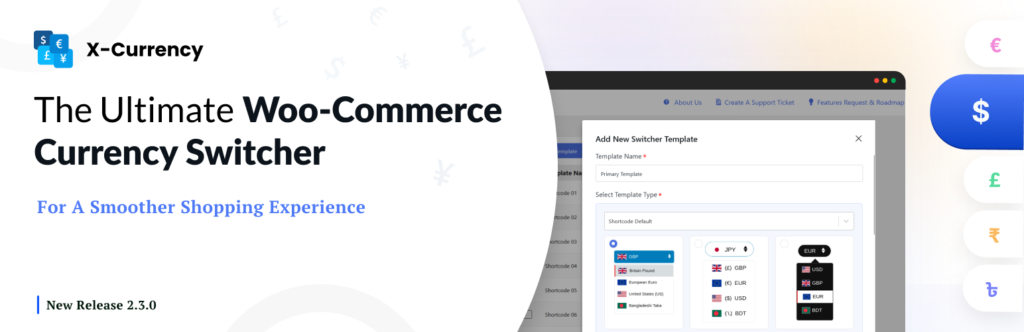
X‑Currency is a WooCommerce multi-currency plugin for WordPress that allows online stores to display prices in multiple currencies. Customers can switch between currencies easily, making it ideal for international shoppers. The plugin supports unlimited currencies, including custom ones like Bitcoin, and allows you to assign symbols, codes, and flags for each currency.
X‑Currency offers multiple switcher designs that can be placed in the toolbar, sidebar, or as a sticky element on the page. Currency rates can be updated automatically or manually, ensuring that prices are always accurate. Customers can view prices and complete checkout in the currency they selected, provided the payment gateway supports it. The plugin also includes Geo-IP detection, which automatically shows a customer’s local currency based on their location.
Additionally, X‑Currency allows store owners to set specific product prices, shipping costs, and coupon amounts for each currency rather than relying solely on conversions. Approximate prices can be displayed on shop, cart, and checkout pages to help customers understand costs before completing their purchase. The plugin can be customized with custom CSS, shortcodes, and flexible placement options, making it easy to integrate seamlessly with your store’s design. It is free, regularly updated, and compatible with the latest versions of WooCommerce.
Final Thoughts
Implementing localized pricing in WooCommerce is more than just converting currencies. It’s about creating a seamless, personalized shopping experience for global customers. By understanding your audience, using accurate exchange rates, adjusting prices for local markets, and leveraging tools like currency switchers, you can build trust, increase conversions, and expand your store’s reach internationally.
Following these best practices ensures your WooCommerce store remains competitive, customer-friendly, and ready to succeed in any market.