A directory website can have thousands of listings, active users, and valuable content, yet still lose engagement if visitors have to open a browser every time they want to search, browse, or book. On mobile, that extra step can make the experience feel slower and less convenient, especially for users who return frequently to discover businesses, services, events, properties, or local listings.
Building a native mobile app used to mean hiring developers, managing separate iOS and Android projects, dealing with APIs and app-store requirements, and investing months of development time. For many directory owners, the cost and technical complexity simply did not make sense.
That is changing in 2026. Modern mobile app builders now make it possible to turn an existing directory website into a native iOS and Android app without rebuilding the entire platform from scratch. The key is choosing a solution that can work with your directory’s existing data, listings, user accounts, search, filters, forms, bookings, and other functionality while still giving you control over the mobile experience.
In this blog post, we’ll explore the best mobile app builders for directory websites in 2026 and beyond, what features directory owners should look for, how different approaches compare, and how to choose the right solution for your specific directory platform.
What Should a Directory Owner Look For in a Mobile App Builder?
Before comparing platforms, it helps to understand what makes a directory app different from a typical content or blog app.
A directory isn’t just a collection of pages. It usually contains structured information such as:
- Business or property listings
- Categories and subcategories
- Locations
- Maps
- Search and filters
- Listing images
- Reviews and ratings
- User accounts
- Favorites or wishlists
- Listing submissions
- Paid listings
- Booking or inquiry forms
- Messaging
- Memberships
- Notifications
- Payments
- Custom fields
A good mobile app builder therefore needs to do more than display website content.
1. Directory data synchronization
Your listings, categories, users, reviews, and other data should remain connected to the existing website.
If you have 5,000 listings on your website, manually recreating them inside the app isn’t practical.
2. Native mobile experience
Look beyond the word “native.” Different platforms use different architectures.
Some website-to-app platforms use WebView technology to display website content inside an app, while other platforms provide native mobile screens and components.
That distinction can affect customization, navigation, performance, and how much of the app experience can be designed independently of the website.
3. Search and filtering
Search is arguably one of the most important functions of a directory.
Users should be able to find listings by things such as:
- Keyword
- Category
- Location
- Custom fields
- Price
- Availability
- Ratings
- Other directory-specific attributes
4. Maps and location
Many directories are fundamentally location-based. Restaurants, real estate, hotels, local businesses, events, doctors, service providers, and attractions all benefit from map-based discovery.
5. User accounts
If your website allows users to register, manage listings, save favorites, submit reviews, or book services, the mobile experience needs to account for those workflows.
6. Push notifications
A directory app can use notifications for:
- New listings
- Listing updates
- New messages
- Booking reminders
- Promotional offers
- Review requests
- Saved-search alerts
- Membership notifications
7. Customization
Your app shouldn’t necessarily look like every other directory app.
The ability to customize navigation, screens, listing layouts, branding, colors, buttons, and user flows becomes increasingly important as your directory grows.
8. App Store and Google Play publishing
The platform should support the actual publishing workflow, including the Android and iOS builds you need and the relevant store requirements.
9. Future updates
A directory isn’t static.
You may change your listing layout today, introduce a new category tomorrow, and completely redesign your navigation six months later.
Your app builder needs to make ongoing changes practical.
The 3 Mobile App Builders We’ll Compare
For this comparison, we’re looking at:
All three can help businesses create mobile applications without traditional app development from scratch, but they approach the problem differently.
| Feature | AppNatively | AppMySite | Shoutem |
|---|---|---|---|
| iOS apps | Yes | Yes | Yes |
| Android apps | Yes | Yes | Yes |
| No-code/visual building | Yes | Yes | Yes |
| Existing website connection | Yes | Yes | Yes |
| Directory-focused integrations | Strong | More general website/WordPress approach | General integrations |
| Native app approach | Native screens/components | Website-to-app WebView for website conversion, plus custom app builder | Native app builder |
| Visual customization | Extensive | Extensive | Extensive |
| Push notifications | Yes | Yes | Yes |
| Maps/directory functionality | Strong with supported integrations | Depends on website/integration | Available through features/integrations |
| OTA updates | Yes | Website changes can sync without store update; app-level changes may require a build | Platform supports app publishing/updates |
| Custom APIs | Yes | Supported in custom workflows/products | API/integration options |
| Directory plugin integrations | Directorist, GeoDirectory, HivePress, Business Directory Plugin, aDirectory, Listdom, Brilliant Directories, and others. | Strong WordPress/WooCommerce ecosystem | General integrations |
| Agency use | Yes | Yes | Yes |
| Built-in app features | Yes | Yes | Yes |
| MCP support | Yes | Not a core advertised capability | Not a core advertised capability |
| Best fit | Directory, WooCommerce, SureCart, FluentCart and website-based native apps | Website/WordPress/WooCommerce to app | Broad no-code app creation |
N.B.: The info above is subject to changes over time
1. AppNatively
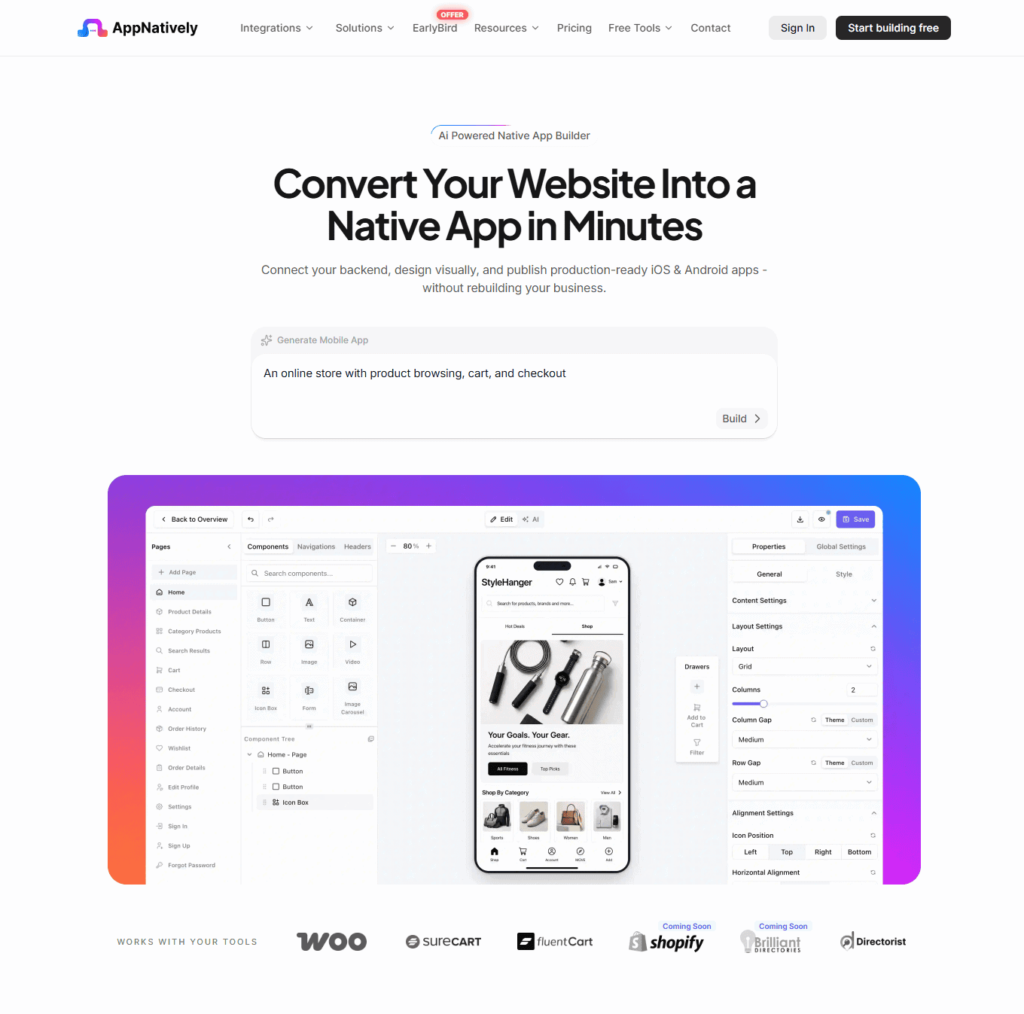
Best suited for: Directory owners who want a native mobile experience connected to an existing website, particularly WordPress-based directories.
AppNatively takes a somewhat different approach from a traditional website-to-app wrapper.
The platform is positioned around connecting an existing backend or website, designing the mobile experience visually, and publishing native iOS and Android apps. Its current platform specifically lists directory integrations including Directorist, GeoDirectory, HivePress, Business Directory Plugin, and aDirectory, alongside integrations for commerce and forms.
That makes the platform particularly relevant to directory owners who have already invested heavily in their website and don’t want to rebuild their directory database for mobile.
Directory integrations
This is one of AppNatively’s clearest areas of differentiation.
Its integration ecosystem currently includes:
- Directorist
- GeoDirectory
- HivePress
- Business Directory
- aDirectory
- Classified directory functionality
- WooCommerce
- SureCart
- FluentCart
- Various form platforms
The GeoDirectory integration, for example, supports listing synchronization, categories, reviews, native map browsing, map pins, clustering, search, and filters based on directory fields.
This matters because a directory app isn’t useful if your listings have to be manually recreated.
With a supported integration, the goal is to keep the existing directory as the source of truth while presenting the information through a dedicated mobile interface.
Native screens instead of simply displaying the website
AppNatively positions its platform around production-ready native iOS and Android apps with visually designed mobile screens. Its current platform includes components and prebuilt screens for areas such as search, filters, authentication, user dashboards, wishlists, carts, and checkout.
For directory owners, this gives you an important distinction to consider.
Instead of simply taking your website and putting it inside an app container, you can build a mobile interface around the underlying website data and workflows.
That can give you more freedom to create:
- Dedicated listing screens
- Mobile-first search
- Category navigation
- Map-based discovery
- Custom dashboards
- Favorites
- Native forms
- Custom navigation
- Personalized user flows
The exact functionality will depend on your integration and configuration, so directory owners should test their specific workflows before committing.
Directory search and filters
Search is central to almost every directory.
AppNatively’s GeoDirectory integration, for example, supports native search and filtering by category, city, and custom fields.
This is particularly relevant for directories with complex filtering.
A restaurant directory might need:
Cuisine → Location → Price → Rating
A real estate directory could need:
Property type → Location → Price → Bedrooms → Amenities
A business directory might need:
Category → City → Service → Business type
The more structured your directory is, the more important it becomes to evaluate how your chosen app builder handles those fields.
Maps
Location-based discovery is another important directory feature.
AppNatively’s GeoDirectory integration currently supports interactive native maps with pins, clustering, and detail views.
For directories where location is central to discovery, this can be particularly useful.
Think about:
- Restaurants
- Hotels
- Real estate
- Doctors
- Local services
- Attractions
- Events
- Travel directories
A map shouldn’t simply be an embedded website element. For a mobile-first directory, map discovery can be part of the core navigation experience.
OTA updates
One of AppNatively’s notable features is OTA, or over-the-air, updates.
The platform says changes can be published to users without requiring a new App Store or Google Play review for those OTA-supported changes.
This can be useful for directory businesses because mobile products change frequently.
For example, you may want to:
- Adjust a screen
- Change a layout
- Modify navigation
- Update certain app content
- Improve an existing workflow
without forcing users to download a new version every time.
As with any OTA system, store policies and the type of change matter. Major native functionality changes can still require a new app build and store submission.
Push notifications
AppNatively provides unlimited push notification functionality powered by Firebase. Its platform describes support for notification campaigns including titles, messages, images, and deep links.
For a directory, this opens up useful engagement scenarios.
For example:
New listing
12 new restaurants were added in Downtown.
Saved category
5 new businesses joined your favorite category.
Promotion
Local businesses are offering exclusive weekend deals.
Booking
Your appointment is tomorrow at 10 AM.
Push notifications can turn a directory from something users occasionally visit into something they return to regularly.
Visual customization
AppNatively provides a visual app-building environment with design controls and real-time preview functionality. Its AppNatively Go feature allows users to scan a QR code and see changes on a physical device while designing.
For agencies and directory owners, this can reduce the friction of repeatedly generating builds just to test small design changes.
You can control areas such as:
- Navigation
- Screens
- Branding
- Colors
- App icon
- Splash screen
- Search
- Filters
- User dashboard
- Listing presentation
The platform is therefore positioned more as a visual mobile application builder than a simple “website URL to app” converter.
Custom APIs and backend connections
AppNatively also supports connections to existing website data, custom APIs, and backend services.
This matters when your directory doesn’t fit neatly into a standard plugin ecosystem.
For example, an agency might have:
- A custom WordPress directory
- A Laravel backend
- A custom REST API
- A proprietary listing database
- A booking system
- A membership system
The ability to connect existing backend infrastructure can make the platform more flexible for these projects.
MCP support and AI-ready workflows
Another emerging capability that sets AppNatively apart is its support for MCP (Model Context Protocol).
MCP provides a standardized way for AI systems to interact with external tools, services, and data. For an app builder, this opens up possibilities beyond traditional visual no-code workflows.
With MCP support, AppNatively can be positioned for a future where AI assistants can work more directly with app-building workflows, connected services, data sources, and development tools.
For directory businesses, this could become particularly useful as AI-driven workflows become more common. For example, AI-assisted systems could potentially help with tasks such as:
- Working with directory data and connected services
- Automating parts of app configuration
- Assisting with app-building workflows
- Connecting AI agents with external tools
- Managing repetitive development tasks
- Building more intelligent workflows around APIs and integrations
This is important because the future of app building is increasingly moving beyond simple drag-and-drop interfaces. AI agents and standardized protocols such as MCP can make it possible for software tools to communicate and work together more intelligently.
For directory owners, the immediate value is still the existing app-building and integration functionality. MCP is more of a future-facing advantage, particularly for agencies, developers, and teams looking to incorporate AI into their mobile app workflows.
That gives AppNatively another dimension that is worth considering when evaluating an app builder
Who should consider AppNatively?
AppNatively makes the most sense for directory owners who want:
- A native iOS and Android experience
- Existing website data connected to the app
- Directory-specific integrations
- Native search and filtering
- Native map experiences
- Visual customization
- Push notifications
- OTA updates
- Custom API support
- An app that can evolve beyond simply displaying website pages
Its directory integrations are one of the platform’s strongest differentiators, particularly for WordPress directory businesses.
Potential limitations to consider
AppNatively is still a relatively newer platform compared with some established app-building products.
That means directory owners should evaluate:
- Whether their exact plugin is supported
- Whether all custom fields sync as expected
- How custom workflows behave
- Whether their specific payment or booking system is supported
- Which functionality requires a new build
- What level of custom API work is necessary
For a highly customized directory, a live test using the actual website is more valuable than relying solely on a feature list. So, try its Trial Version before upgrading to Pro.
2. AppMySite
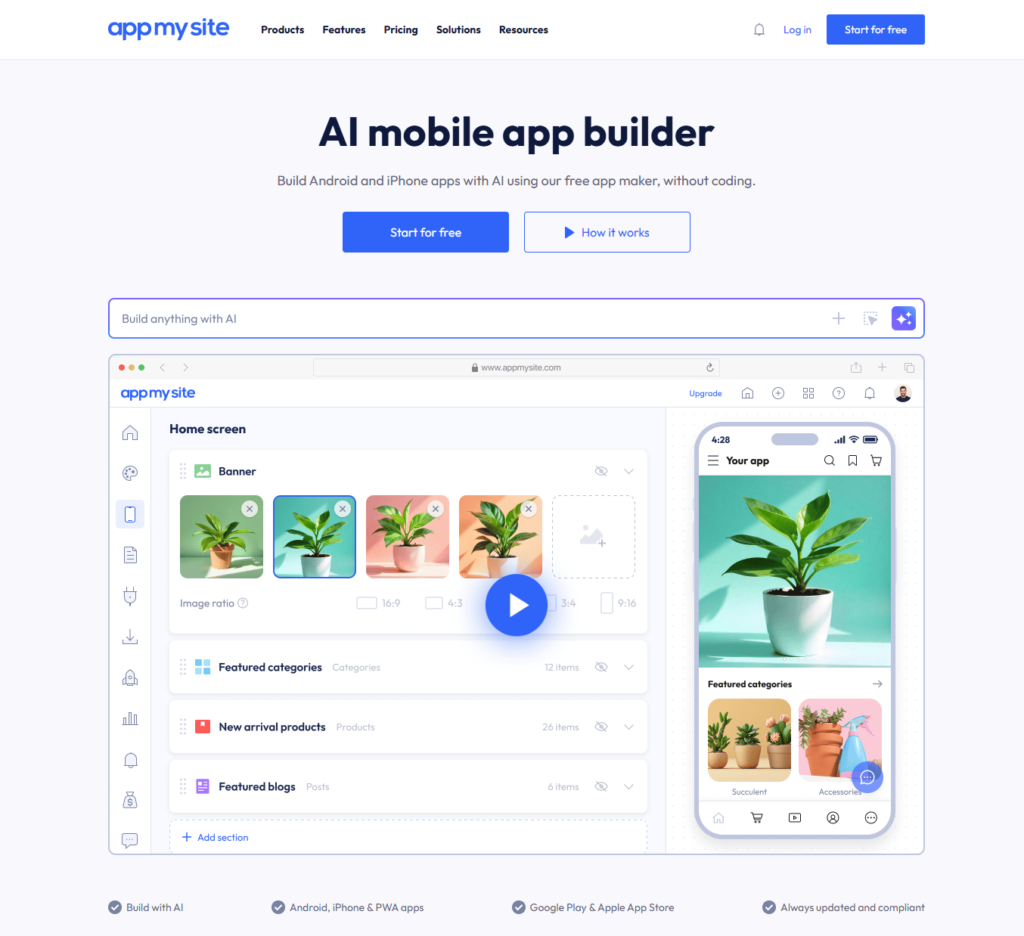
Best suited for: Website owners, particularly WordPress and WooCommerce users, who want a mature website-to-mobile-app workflow.
AppMySite is one of the more established names in the website-to-app space.
Its platform supports Android and iOS apps and has a broad feature set covering WordPress, WooCommerce, Shopify, custom apps, push notifications, app design, publishing, and more. AppMySite currently states that more than 800,000 users have used its platform.
For directory owners, however, there is an important architectural distinction to understand.
Website-to-app approach
AppMySite’s website-to-app product explicitly states that it displays website content through WebView screens. The website remains the source of content and functionality, while the app adds mobile app functionality around it.
That approach has a significant advantage:
Your existing website functionality can remain the foundation of the app.
AppMySite states that website functionality such as browsing, login, forms, shopping flows, checkout, and payments can work inside the app because the website is displayed through WebView screens.
For a directory owner whose website already works extremely well on mobile, this can be attractive.
You don’t necessarily need to recreate every website workflow as a separate native screen.
WordPress support
AppMySite has a dedicated WordPress-to-app product and supports WordPress websites with features such as automatic website synchronization and push notifications.
For WordPress directory owners, this makes the platform relatively straightforward to consider.
If your directory already has:
- WordPress
- A directory plugin
- Responsive pages
- User accounts
- Search
- Forms
- Payments
you can use the existing website as the underlying application experience.
WooCommerce
Although this article focuses on directories, many directory businesses also have commerce functionality.
AppMySite has deep WooCommerce functionality covering product categories, product lists, filters, product details, carts, coupons, checkout, payments, and order history.
This becomes relevant for hybrid businesses such as:
- Local business directories with online ordering
- Restaurant directories
- Marketplace directories
- Service directories
- Product directories
- Booking websites with payments
Design customization
AppMySite provides visual customization options for app branding, fonts, layouts, icons, navigation, dark mode, and other app elements.
This allows you to create a branded application rather than simply publishing an unmodified website.
However, directory owners should distinguish between customizing the app shell and rebuilding the entire directory interface as native mobile screens.
That distinction becomes particularly important when comparing AppMySite with a platform built around native screens.
AI app building
AppMySite has also expanded into AI-assisted app creation.
Its current platform allows users to describe an app and use AI to generate content, visuals, branding, layouts, and structure, followed by further customization.
For people starting from an idea rather than an existing directory, this can be useful.
For an established directory, however, the more important question remains how well the existing directory data and workflows translate into the mobile experience.
Push notifications
Push notifications are supported, including notifications intended to bring users back to the app.
A directory could use these for:
- New listings
- New content
- Promotions
- Events
- Booking reminders
- User engagement
App Store publishing
AppMySite supports Android and iOS builds.
For Android, it can generate APK files for testing and AAB files for Google Play. For iOS, it can generate the IPA file required for the App Store workflow.
This gives website owners a complete route from website to store submission.
A major advantage: website functionality remains relevant
One of AppMySite’s strongest characteristics is also its core architectural choice.
If your website already handles something correctly, that functionality can continue to work inside the app.
AppMySite specifically states that website functions such as logins, forms, checkout, payments, and other interactions can work through its WebView approach.
This can substantially reduce the amount of functionality that needs to be recreated.
Potential limitations to consider
The WebView architecture is also something directory owners should evaluate carefully.
If your goal is:
“I want my website available as an app.”
then AppMySite’s approach can be highly relevant.
If your goal is:
“I want to redesign my directory as a completely mobile-first native application.”
then you should compare its website-to-app architecture carefully with platforms that build the interface around native screens.
Another consideration is directory-specific integration.
AppMySite has a broad website, WordPress, WooCommerce, Shopify, and custom-app ecosystem, but directory owners should verify their specific directory plugin and all required workflows before choosing the platform.
Pricing: Check out their official website.
3. Shoutem
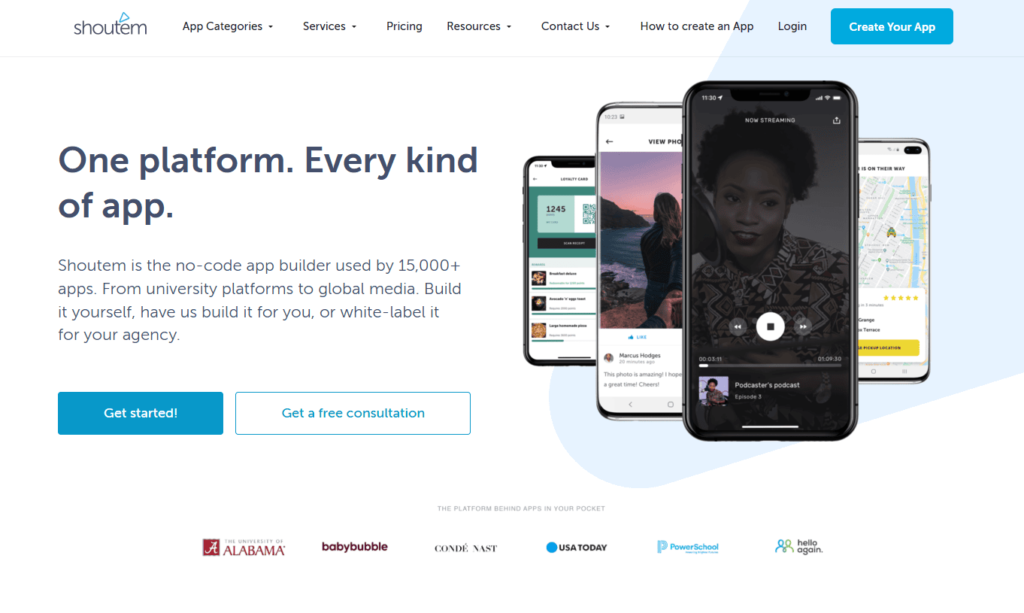
Best suited for: Businesses, communities, content publishers, and agencies looking for a broad no-code mobile app platform with prebuilt features and templates.
Shoutem takes a broader approach to app creation.
Its platform provides templates, drag-and-drop functionality, integrations, content management, analytics, monetization tools, user management, social features, and other app components. Shoutem says its platform has been used for more than 15,000 apps.
For directory businesses, its strength is flexibility through prebuilt app functionality rather than being primarily positioned around specific WordPress directory plugins.
No-code app builder
Shoutem’s app builder uses a visual approach.
The company describes a workflow based around:
- Selecting a template
- Branding the app
- Importing content
- Publishing to app stores
It also offers prebuilt features that can be added to the app.
This can be useful for directory businesses that need a combination of content, community, and engagement functionality.
Templates and prebuilt features
Shoutem has a large library of prebuilt features and templates.
Its feature set includes:
- User profiles
- Social feeds
- Events
- Blog/news
- Push notifications
- Monetization
- User management
- Integrations
- Analytics
- Media
- Offline functionality
The platform specifically highlights its integration suite, including connections with services such as WordPress and Shopify.
For a community-oriented directory, these features could be useful.
For example, a local community directory might need:
Listings + Events + Community Feed + User Profiles + Push Notifications
Shoutem can approach that kind of application as a combination of existing app features.
Directory use cases
Shoutem doesn’t appear to position itself as specifically around WordPress directory plugins in the same way that AppNatively positions integrations with platforms such as Directorist and GeoDirectory.
Instead, its broader feature system can be used to assemble different types of apps.
This distinction matters.
If you have a standard business directory, Shoutem can be considered.
If your directory relies heavily on a specific WordPress directory plugin with complex custom fields, user dashboards, listing submission workflows, reviews, and advanced filters, you’ll want to verify exactly how that data and functionality will be connected.
Offline functionality
Shoutem highlights offline functionality among its app capabilities, including examples such as offline navigation maps.
Offline capability can be particularly interesting for directories used in:
- Travel
- Tourism
- Events
- Local guides
- Outdoor activities
For example, a tourism directory could potentially provide useful information even when connectivity is limited.
Push notifications
Push notifications are another major part of the Shoutem ecosystem.
The platform supports sending notifications to individuals, groups, or broader audiences and allows scheduled notifications.
This can work well for directories that have a strong community or promotional component.
Monetization
Shoutem also offers monetization features including advertising, in-app purchases, and subscriptions.
That can be useful for directories with business models such as:
- Premium memberships
- Paid subscriptions
- Featured content
- Advertising
- In-app purchases
The exact monetization workflow should be evaluated against your directory’s payment architecture before implementation.
Agency and white-label use
Shoutem explicitly offers options for agencies and white-label applications.
This can be useful if you are not building one directory for yourself but instead want to build apps for multiple clients.
Potential limitations to consider
The main question for a directory owner is not whether Shoutem can build an app. It clearly can.
The question is how closely it can reproduce your existing directory’s specific data model and workflows.
If your directory is heavily customized, investigate:
- Listing synchronization
- Custom fields
- Search filters
- User dashboards
- Listing submissions
- Reviews
- Memberships
- Booking workflows
- Payments
- Maps
- API requirements
A platform with a large feature library isn’t automatically the same thing as a platform with a dedicated integration for your directory technology.
Pricing: visit their website.
AppNatively vs AppMySite vs Shoutem: Detailed Comparison
Now let’s compare the three platforms from the perspective of an actual directory owner.
1. Native app architecture
This is one of the biggest differences.
AppNatively
AppNatively focuses on native mobile screens and components connected to existing website data and APIs. Its current platform describes production-ready native iOS and Android apps and visual native screen building.
AppMySite
AppMySite’s website-to-app product explicitly uses WebView screens to display website content and functionality inside the app.
Shoutem
Shoutem is a native no-code app platform with templates and prebuilt features for assembling applications.
What this means for directory owners:
If your priority is simply bringing your existing website into an app, AppMySite’s model can be attractive.
If your priority is designing a mobile experience around native screens, AppNatively deserves particular attention.
If you want to assemble an app from a broad library of predefined features, Shoutem offers that approach.
2. Directory plugin support
This is where AppNatively has a particularly strong case for WordPress directory businesses.
AppNatively currently lists integrations for:
- Directorist
- GeoDirectory
- HivePress
- Business Directory
- aDirectory
alongside other platforms like Listdom and Brilliant Directories.
Its GeoDirectory integration specifically supports listing sync, categories, reviews, maps, search, filters, and custom fields.
AppMySite has a strong WordPress ecosystem and can work with website functionality through its WebView architecture, but directory owners should verify their specific directory plugin and workflows.
Shoutem provides a broad integration ecosystem, including WordPress and Shopify, but it is not primarily marketed around dedicated integrations for the major WordPress directory plugins.
For a directory built specifically on Directorist, GeoDirectory, HivePress, or a similar supported platform, dedicated integration can reduce the amount of custom work required.
3. Customization
AppNatively
Strong emphasis on visual native screen design, components, layouts, navigation, search, filters, dashboards, and app-specific experiences.
AppMySite
Strong visual controls for branding, layouts, navigation, fonts, icons, colors, dark mode, and other app-level settings.
Shoutem
Strong template and feature-based customization, with a large selection of prebuilt components.
For a directory owner who wants to reproduce the website closely, AppMySite’s approach may be appealing.
For someone who wants to rethink the experience specifically for mobile, AppNatively’s native-screen approach offers more room to design the app independently.
Shoutem sits more toward the feature-and-template approach.
4. Search and filtering
For directories, this category deserves special attention.
AppNatively’s GeoDirectory integration currently supports native search and filtering by category, city, and custom fields.
AppMySite can leverage the functionality already present on the website through its WebView approach.
Shoutem provides various content and integration capabilities, but directory owners should verify how their particular external directory data source handles advanced filtering.
The important point is this:
Don’t test the app using only five listings.
Test it with your real directory.
Use:
- 100+ listings
- Multiple categories
- Multiple locations
- Custom fields
- Reviews
- Images
- User accounts
- Search combinations
That’s where architectural differences become obvious.
5. Maps
AppNatively has a particularly relevant feature for location-based directories through its GeoDirectory integration, which includes native maps, pins, clustering, and listing detail views.
AppMySite can display website-based map functionality through its website-to-app model.
Shoutem supports app features and integrations that can be used for location-oriented experiences, including offline navigation functionality.
For a restaurant or business directory, all three should be evaluated against the actual map experience rather than simply whether “maps” appears on the feature list.
6. Push notifications
All three platforms provide push notification capabilities.
AppNatively supports unlimited push campaigns with Firebase, including deep links.
AppMySite supports push notifications as part of its website-to-app platform.
Shoutem supports individual, group, and scheduled notifications.
The bigger question is how deeply notifications connect with your directory.
For example:
User saves “Dentists in Austin.”
Can you notify that user only when a relevant dentist is added?
That type of targeted functionality matters much more than simply having a “Send Push Notification” button.
7. Updates after launch
AppNatively provides OTA updates for supported changes, allowing changes to reach users without an app-store review for each OTA update.
AppMySite says website changes can appear in the app without requiring a new store submission because the app loads the live website. App-level changes that affect the build can still require a new build and store submission.
Shoutem provides a managed app-building and publishing platform, with the ability to update applications through its ecosystem.
For directories that evolve frequently, update architecture should be part of your buying decision.
8. Custom APIs
This can become important as your directory grows.
AppNatively explicitly supports connecting existing website data, custom APIs, and backend services.
AppMySite also has a custom app builder and broader support for custom app projects.
Shoutem provides API-based integrations through its broader integration ecosystem.
If you’re running a custom directory rather than a standard WordPress installation, talk to each provider before purchasing.
9. Agency and multi-client use
This is important for developers and agencies.
An agency might want to build:
- A restaurant directory app
- A real estate directory app
- A local business directory app
- A hotel directory app
for different customers.
AppNatively’s visual builder and integrations can be useful for this type of workflow.
AppMySite also supports agencies and client app projects.
Shoutem explicitly offers white-label options for agencies.
For agencies, pricing should therefore be evaluated per client, per app, and per publishing account rather than simply comparing monthly subscription prices.
What About Performance?
Performance is one area where you should avoid making assumptions from marketing terminology alone.
“Native,” “hybrid,” “WebView,” and “no-code” describe architecture, but the real user experience depends on many factors.
For a directory, performance can be affected by:
- Number of listings
- Image sizes
- API response times
- Search implementation
- Map loading
- Network conditions
- Caching
- Backend hosting
- Number of simultaneous requests
- Mobile device capabilities
A directory with 50 listings is very different from one with 100,000 listings.
Before launching, test:
- Home screen loading
- Search
- Filters
- Listing details
- Maps
- Images
- Login
- Favorites
- Listing submission
- Checkout or booking
Which Platform Is Best for Different Types of Directory Websites?
Rather than giving one universal winner, it makes more sense to match each platform to a particular project.
1. For a WordPress directory using Directorist
AppNatively deserves close consideration because Directorist is among its listed integrations.
If your goal is a native mobile experience with directory-specific functionality, the dedicated integration can simplify the architecture.
2. For a GeoDirectory website
AppNatively has a dedicated GeoDirectory integration with listing sync, reviews, categories, maps, search, filters, and custom fields.
That makes it particularly relevant for GeoDirectory-powered businesses.
3. For a directory that mainly needs its existing website inside an app
AppMySite may be worth serious consideration.
Its WebView-based website-to-app approach allows existing website functionality to remain the underlying experience.
4. For a community-focused directory
Shoutem can be interesting when your directory is more than listings and needs social feeds, user profiles, events, content, notifications, and community features.
5. For a highly customized native mobile experience
AppNatively is particularly relevant because its platform focuses on visual native screen building, custom APIs, native directory integrations, and mobile-specific components.
6. For an agency building many types of apps
All three can be considered, but the decision should come down to:
- White-label options
- Number of apps
- Client management
- Publishing workflow
- Integration requirements
- Custom API support
- Per-app costs
Shoutem specifically highlights white-label agency use. AppNatively keeps it on its roadmap.
How Much Does a Directory App Builder Really Cost?
Price shouldn’t be measured only by the monthly subscription.
Your actual cost can include:
- App builder subscription
- Apple Developer account
- Google Play developer account
- API usage
- Map services
- Firebase or notification services
- Premium directory plugins
- Payment processing
- Custom development
- Agency fees
- App store publishing assistance
A cheaper builder can become expensive if you need significant custom development.
Likewise, a more expensive platform can make financial sense if it eliminates months of development work.
For this reason, calculate total cost of ownership, not just the headline subscription price.
What About App Store Approval?
No app builder can guarantee App Store or Google Play approval.
Your app still needs to comply with the respective store’s requirements.
Apple and Google evaluate applications based on their current policies, functionality, content, privacy practices, permissions, metadata, and other requirements.
AppMySite explicitly notes that Apple review and approval still happen through Apple’s App Store process even though the platform prepares the app build.
The same principle applies regardless of which builder you choose.
A Practical Test Before Choosing
This is perhaps the most important part of the entire comparison.
Don’t choose an app builder based solely on screenshots.
Take your actual directory and run a proof-of-concept.
Test #1: Listings
Can all relevant listing information appear correctly?
Test #2: Custom fields
Do your custom directory fields work?
Test #3: Search
Can users find listings quickly?
Test #4: Filters
Do multiple filters work together?
Test #5: Maps
Can users browse listings geographically?
Test #6: User accounts
Can users log in, manage profiles, save listings, or submit content?
Test #7: Reviews
Do ratings and reviews synchronize correctly?
Test #8: Payments
If you sell listings or services, can users complete the entire payment workflow?
Test #9: Notifications
Can you send relevant notifications to the right users?
Test #10: Updates
What happens when you change your directory six months after launch?
This test will tell you more than a generic feature comparison.
AppNatively vs AppMySite vs Shoutem: The Bottom Line
There isn’t one platform that is objectively the right choice for every directory website.
The three platforms solve slightly different problems.
AppNatively
AppNatively is particularly compelling for directory businesses that want a native mobile experience connected to an existing directory backend.
Its current directory integrations, including Directorist, GeoDirectory, HivePress, Business Directory, and aDirectory, are a meaningful advantage for supported WordPress directory setups. Its GeoDirectory integration also demonstrates how directory-specific functionality such as listings, categories, reviews, maps, search, filters, and custom fields can be handled.
Its native-screen approach, custom API support, OTA updates, visual builder, real-time preview, and unlimited push notifications also make it worth considering for directory owners who want more than a website inside an app.
AppMySite
AppMySite is particularly relevant for website owners who want to bring their existing website functionality into an app quickly.
Its WebView-based website-to-app approach means the existing website remains central to the experience, which can reduce the need to recreate website functionality. It also has a broad WordPress, WooCommerce, Shopify, custom app, publishing, and push notification ecosystem.
For directories with a strong existing mobile website, that can be a practical approach.
Shoutem
Shoutem is a broad no-code app platform with templates, prebuilt features, integrations, social functionality, content tools, monetization, analytics, notifications, and agency/white-label options.
It can be particularly interesting for directories that are evolving into community, content, event, or membership applications rather than remaining purely listing platforms.
So, What Is the Best Mobile App Builder for Directory Websites in 2026?
The answer depends on what you mean by “best.”
If you want your existing website inside an app with minimal disruption, AppMySite’s website-to-app approach is worth examining.
If you want a broader no-code platform with templates, community features, content, monetization, and agency capabilities, Shoutem is worth evaluating.
If you want a native mobile experience built around an existing directory website, with dedicated directory integrations and deeper mobile customization, AppNatively stands out as a platform worth putting at the top of your evaluation list, particularly when you’re using a supported directory ecosystem such as Directorist, GeoDirectory, HivePress, Business Directory, aDirectory, Listdom, or Brilliant Directories.
But don’t decide on a comparison table alone.
Connect your real directory, test your real listings, run your real search filters, test your maps, log in as a real user, submit a listing, test notifications, and see how the app behaves after making changes.
That’s the point where the difference between an app builder that simply creates an app and one that actually fits your directory business becomes clear.
Frequently Asked Questions (FAQs)
Can I turn a WordPress directory website into a mobile app?
Yes. Platforms such as AppNatively and AppMySite support website-based app creation, while the exact approach depends on your directory plugin and architecture. AppNatively currently lists several dedicated directory integrations, including Directorist, GeoDirectory, HivePress, Business Directory, and aDirectory.
Do I need to rebuild my directory for a mobile app?
Not necessarily. The purpose of connecting an app builder to your existing website or backend is to avoid rebuilding the entire business from scratch. However, the amount of work required depends on your directory platform, custom functionality, and the app architecture you choose.
Can directory apps have push notifications?
Yes. AppNatively, AppMySite, and Shoutem all provide push notification capabilities.
Can a directory app have maps?
Yes. The exact implementation varies. AppNatively’s GeoDirectory integration currently supports native maps, pins, clustering, and listing detail views.
Can I publish my directory app to both iOS and Android?
Yes. All three platforms discussed here support iOS and Android app creation and publishing workflows, although the exact build and submission process differs between platforms.
Is a WebView app the same as a native app?
No. A WebView-based app displays web content inside an application container, while a native app uses native mobile screens and components. Some platforms support both approaches, so it’s important to understand exactly what architecture you’re purchasing.
Should I choose an app builder or hire developers?
If your directory uses supported integrations and you want to launch without maintaining a full mobile development team, a no-code app builder can reduce development complexity. Custom development may make more sense when your requirements go substantially beyond what available integrations and APIs can support.