Building a mobile app no longer requires hiring a large development team, learning Swift or Kotlin, or spending months turning an existing website or business platform into a mobile experience.
Modern mobile app builders let businesses, agencies, entrepreneurs, publishers, ecommerce stores, and website owners create apps for Android and iOS with visual tools and significantly less technical work.
But there is an important distinction.
Not every app builder is designed for the same type of project.
Some are better suited to WordPress. Others focus on ecommerce. Some emphasize templates and prebuilt features, while others provide visual control, APIs, publishing tools, push notifications, and native app workflows.
So, what is the best mobile app builder for Android & iOS in 2026?
For this comparison, we will explore 5 options:
The goal is not simply to count features. It is to understand what each platform is built for, who should consider it, and where its approach may fit different mobile app projects.
For businesses comparing mobile app builders in 2026, AppNatively, Mobiroller, Shoutem, AppPresser, and AppMySite are five platforms worth evaluating. The right choice depends on the website or backend being connected, required integrations, Android and iOS requirements, customization needs, publishing workflow, and ongoing app maintenance.
Quick Answer: What Is the Best Mobile App Builder in 2026?
The answer depends on what you need to build.
AppNatively is particularly suited to businesses that want to turn existing websites, ecommerce stores, directory platforms, booking systems, or custom APIs into customizable native Android and iOS apps through a visual builder. Its current platform includes visual app building, OTA updates, unlimited builds, push notifications, real-time mobile previews, and integrations with platforms such as WordPress, WooCommerce, Shopify, SureCart, FluentCart, Directorist, GeoDirectory, HivePress, and other directory solutions out there in the market.
Mobiroller focuses on no-code app creation with a large library of modules, Android and iOS publishing, ecommerce capabilities, push notifications, analytics, monetization, and reseller functionality.
Shoutem takes a broader no-code approach built around templates, extensions, content management, analytics, engagement features, and native Android and iOS apps.
AppPresser is especially relevant to WordPress users because it is designed around WordPress websites and supports use cases including WooCommerce, BuddyPress, BuddyBoss, LearnDash, memberships, podcasts, and other WordPress-powered projects.
AppMySite provides tools for creating Android, iOS, and PWA experiences from websites, ecommerce platforms, or custom projects, with features including app previews, push notifications, deep linking, analytics, app builds, and store publishing.
The right choice ultimately comes down to your backend, integrations, desired level of customization, publishing requirements, and how much control you want over the app experience.
What Is a Mobile App Builder?
A mobile app builder is a software platform that allows individuals or businesses to create mobile applications without developing every part of the application from scratch.
Depending on the platform, a mobile app builder can provide:
- Visual app design
- Drag-and-drop components
- Native Android and iOS builds
- Website-to-app conversion
- Ecommerce integrations
- API connections
- Push notifications
- User authentication
- Analytics
- App previews
- App Store publishing
- Google Play publishing
- App updates
- Custom branding
The biggest advantage is development efficiency.
Instead of building an entire mobile application manually, you can connect an existing backend, configure your app, customize the interface, test it, and prepare it for distribution.
However, “no-code” does not automatically mean “limited.”
The quality of a mobile app builder depends heavily on how much control it gives you over the frontend, backend integrations, app behavior, updates, publishing, and long-term maintenance.
Native vs. WebView App Builders: Why It Matters
One of the first questions to ask when choosing a mobile app builder is:
Does it produce a native app experience, or primarily package a website inside an app shell?
This distinction matters because mobile users expect applications to behave like mobile applications.
A modern mobile app may need:
- Native navigation
- Push notifications
- Device capabilities
- Deep links
- Offline functionality
- Fast screen transitions
- Mobile-specific layouts
- App Store and Google Play compatibility
- Background capabilities
- Secure authentication
- Native interaction patterns
Some platforms combine web content and native capabilities, while others emphasize native rendering and mobile-first experiences.
For this reason, don’t evaluate an app builder solely by asking:
“Can it turn my website into an app?”
Ask:
“What kind of mobile experience does it create from my website or backend?”
That is a much more useful question.
The 5 Best Mobile App Builders for Android & iOS in 2026
1. AppNatively
Best for: Websites, WooCommerce, directories, booking platforms, custom APIs, and businesses that want visual control over native Android and iOS apps.
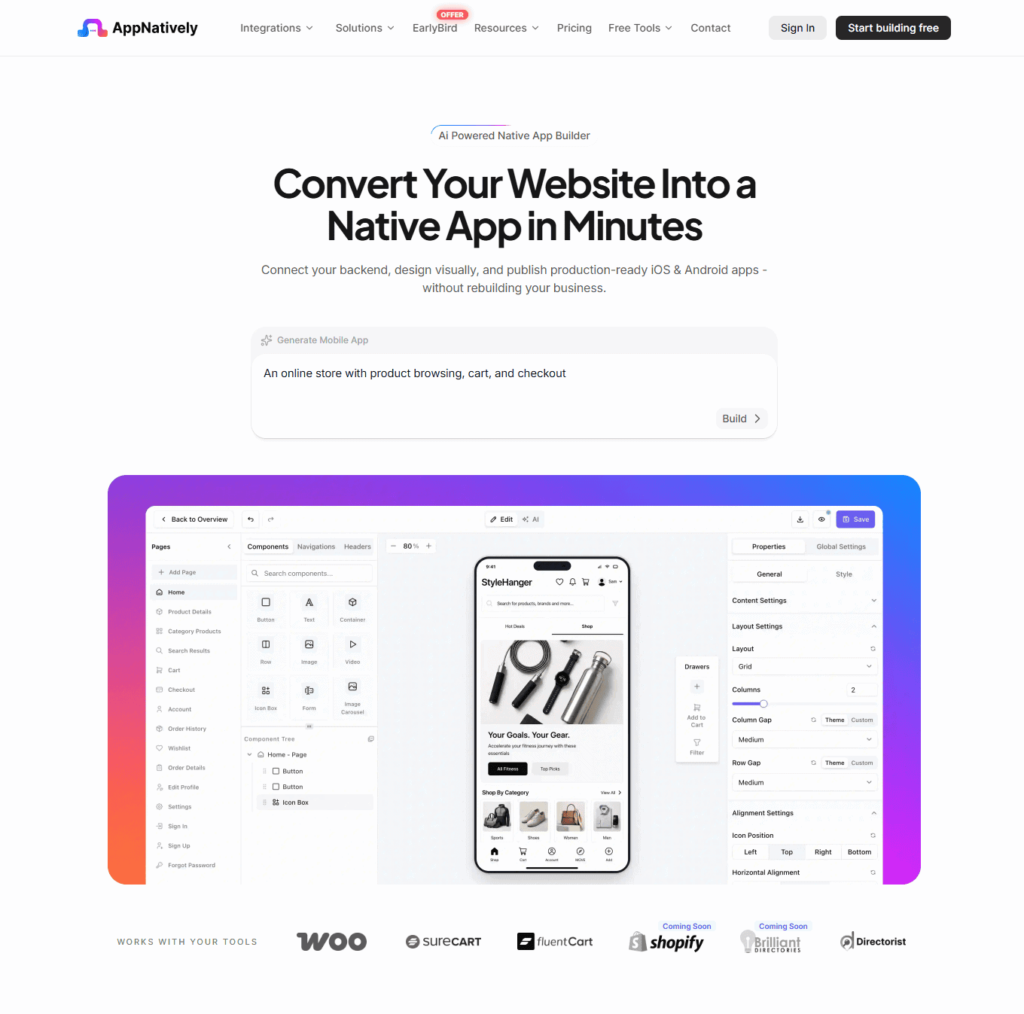
AppNatively is an AI-powered native mobile app builder designed to turn existing websites and business platforms into customizable Android and iOS applications.
Its workflow is straightforward:
Connect → Design → Launch
You connect your website, ecommerce platform, directory, booking system, or custom API. Then you visually build your mobile screens using components and preview the experience before generating your app builds.
AppNatively currently supports integrations including WordPress, WooCommerce, SureCart, FluentCart, Shopify, and directory platforms such as Directorist, GeoDirectory, HivePress, Business Directory Plugin, aDirectory, and Brilliant Directories. It also provides custom API connectivity.
Key AppNatively Features
- Native Android and iOS apps
- Visual drag-and-drop app builder
- AI-powered app building
- Real-time mobile preview
- OTA updates
- Unlimited app builds
- Unlimited push notifications
- Firebase integration
- Custom APIs
- WordPress integration
- WooCommerce integration
- Shopify integration
- SureCart integration
- FluentCart integration
- Directory integrations
- App icons
- Splash screens
- Custom app screens
- GitHub integration
- Google Drive integration
- MCP server
- App Store publishing
- Google Play publishing
One particularly interesting capability is OTA updates.
AppNatively says changes can be delivered to users without requiring a new store review or forcing users to download a new app version for every supported change.
That can make ongoing app management considerably more convenient.
Why AppNatively Stands Out
The biggest differentiator is the combination of website/backend connectivity and visual native app customization.
For example, a WooCommerce store doesn’t necessarily need to rebuild its entire ecommerce backend. A directory website doesn’t necessarily need to recreate listings from scratch. A business using custom APIs can connect its existing infrastructure and build the mobile experience around it.
This makes AppNatively particularly interesting for:
- WooCommerce stores
- Shopify stores
- Directory websites
- Booking websites
- Membership platforms
- Content websites
- SaaS products
- Agencies
- Custom API projects
- WordPress businesses
The platform also emphasizes real-time physical-device preview through AppNatively Go, allowing users to scan a QR code and see changes on their own phone while building.
Who Should Consider AppNatively?
AppNatively makes the most sense if you already have a website or backend and want more than simply placing that website inside an app.
It is especially relevant when visual customization, native app workflows, integrations, OTA updates, push notifications, and backend connectivity are important requirements.
2. Mobiroller
Best for: Businesses, publishers, ecommerce companies, communities, and agencies looking for a mature no-code app platform with many prebuilt modules.
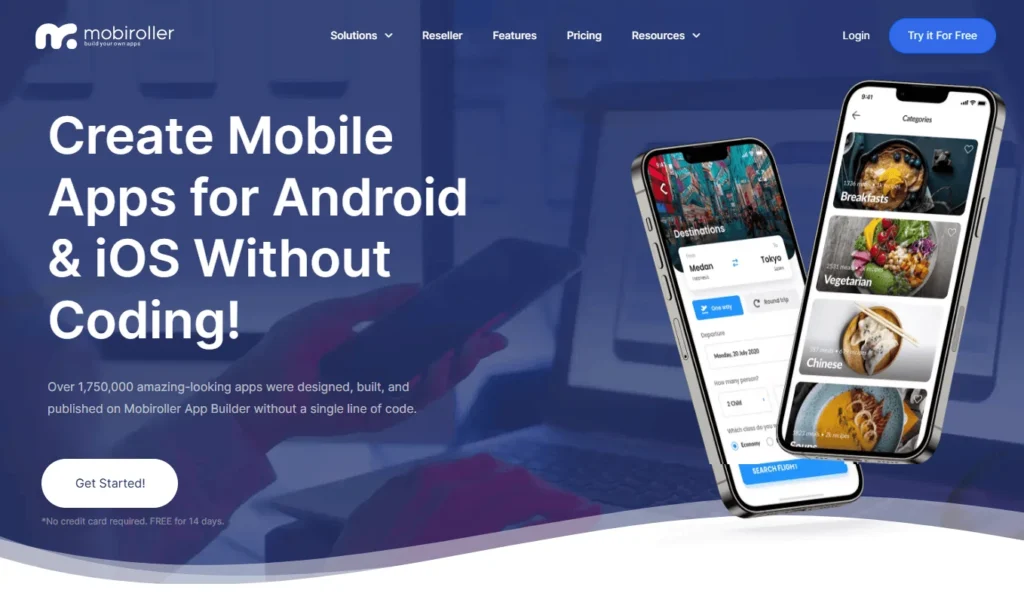
Mobiroller is a no-code mobile app builder that supports Android and iOS applications.
The platform says users can customize more than 80 features and create apps without coding. It supports Google Play, Apple App Store, and Huawei AppGallery publishing.
Key Mobiroller Features
- No-code app building
- Android apps
- iOS apps
- Ecommerce
- Push notifications
- Multiple languages
- User registration
- User segmentation
- Analytics
- Chat
- Advertising
- In-app purchases
- Templates
- Shopify integration
- Reseller functionality
- App Store publishing
Mobiroller also provides real-time updates, meaning changes made through its backend can be reflected in the application.
Its platform is particularly interesting for businesses that want a module-driven approach rather than building every component from scratch.
Who Should Consider Mobiroller?
Mobiroller can be a practical choice for:
- Ecommerce businesses
- Content publishers
- Communities
- Restaurants
- News websites
- Agencies
- App resellers
- Businesses that need multiple apps
Its reseller program can also be relevant to agencies creating apps for multiple clients.
3. Shoutem
Best for: Businesses and organizations that want a template-driven no-code app building experience with extensions and built-in engagement features.
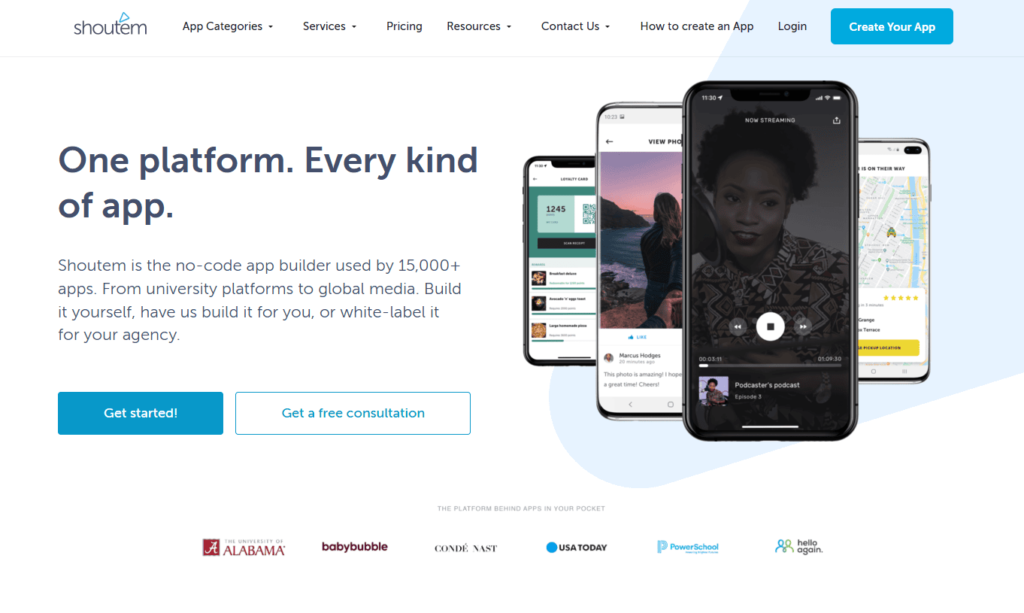
Shoutem has been in the no-code mobile app space for years and provides tools for building Android and iOS apps.
Its approach revolves around templates, extensions, content management, design tools, analytics, and engagement functionality.
Key Shoutem Features
- Android apps
- iOS apps
- No-code development
- App templates
- UI design tools
- Extensions
- Content management
- Analytics
- Push notifications
- Events
- Blogs and news
- Ecommerce-related functionality
- App publishing
For example, Shoutem’s current app-builder pages describe workflows where users select a template, configure the app layout, install features, and publish.
Who Should Consider Shoutem?
Shoutem can be a good fit for businesses that want to get an application running without designing every aspect of the mobile architecture themselves.
It may be particularly relevant for:
- Content apps
- Communities
- Events
- Blogs
- Restaurants
- Media businesses
- Local businesses
- Organizations
The platform’s extension-based approach can make adding common functionality simpler for users who prefer prebuilt capabilities.
4. AppPresser
Best for: WordPress websites that need a mobile app closely connected to the WordPress ecosystem.
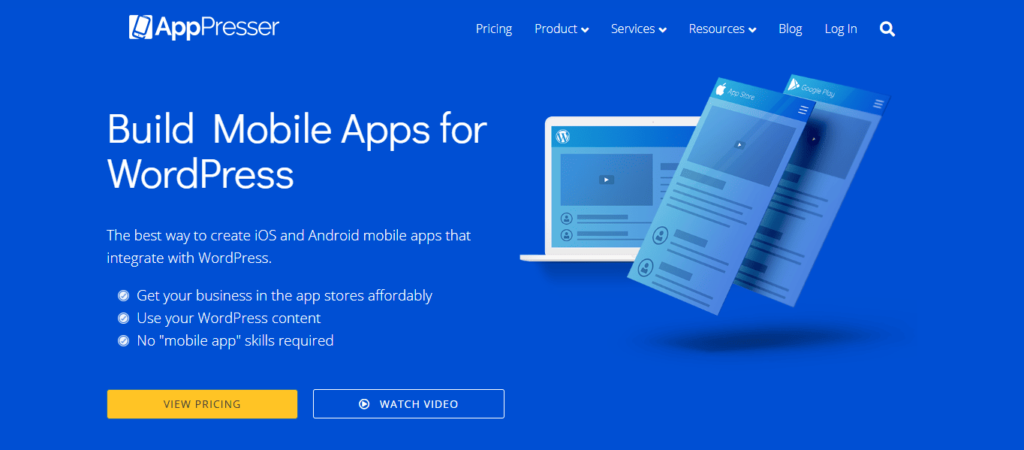
AppPresser takes a distinctly WordPress-oriented approach.
The platform allows users to create apps from WordPress websites and specifically highlights use cases such as WooCommerce, memberships, BuddyPress, BuddyBoss, podcasts, LearnDash, schools, churches, events, organizations, and WordPress-based businesses.
Key AppPresser Features
- WordPress integration
- WooCommerce support
- BuddyPress support
- BuddyBoss support
- LearnDash support
- Membership apps
- Podcast apps
- Visual app customization
- Live app preview
- Device testing
- App page builder
- App Store submission workflow
Its visual customizer provides live feedback while designing the application.
Who Should Consider AppPresser?
AppPresser is worth considering if WordPress is at the center of your business and your app needs to interact closely with WordPress functionality.
It can be particularly relevant for:
- WooCommerce websites
- Membership websites
- Online courses
- BuddyPress communities
- BuddyBoss communities
- WordPress publishers
- Schools
- Organizations
If your project is heavily dependent on WordPress plugins, compatibility with your specific plugin stack should be one of the first things you investigate.
5. AppMySite
Best for: Businesses looking for a website-to-app platform with Android, iOS, PWA, ecommerce, customization, analytics, and publishing capabilities.
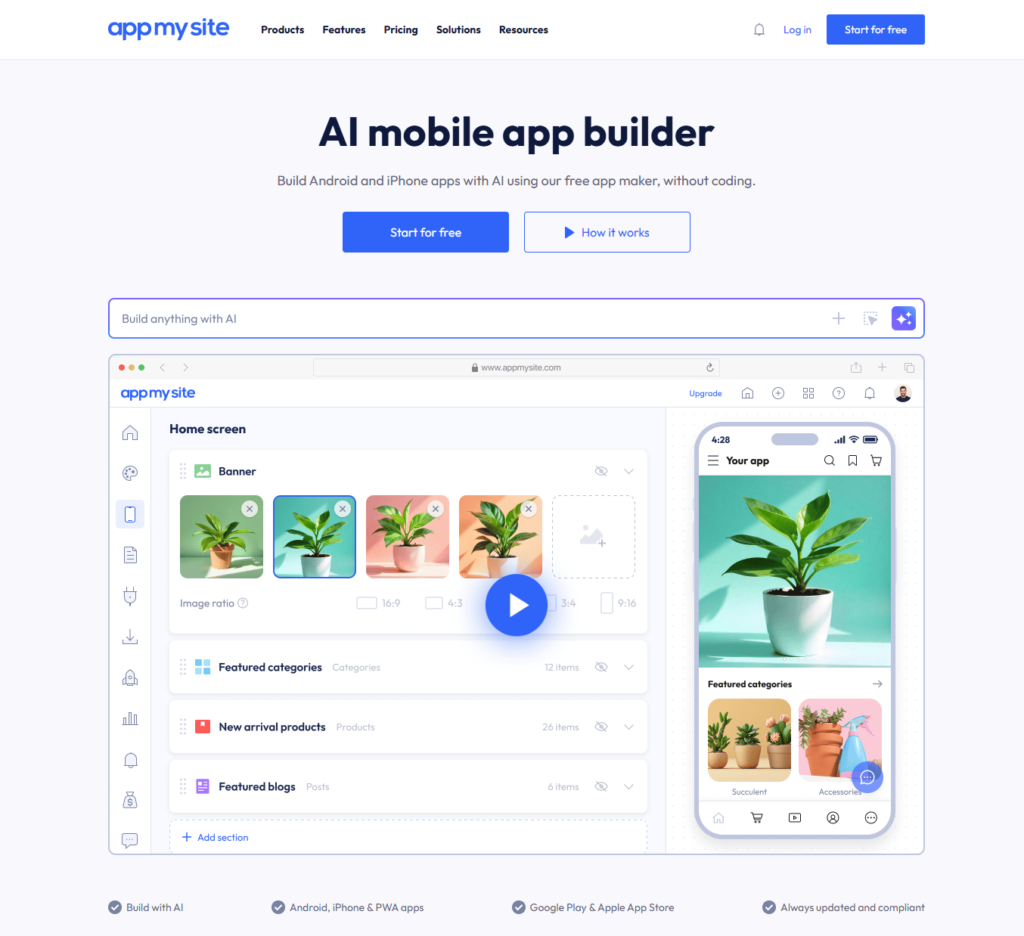
AppMySite provides tools for creating Android and iOS applications from websites, stores, or custom projects.
Its current platform also includes an AI app builder, allowing users to generate and refine app content, layouts, branding, and structure through AI prompts.
Key AppMySite Features
- Android app builder
- iOS app builder
- PWA support
- WordPress
- WooCommerce
- Shopify
- Custom app creation
- AI app builder
- Push notifications
- Deep linking
- Analytics
- Multilingual apps
- App previews
- Google Play publishing
- Apple App Store publishing
The platform says it can create native Android and iPhone apps and also supports PWA experiences.
Who Should Consider AppMySite?
AppMySite can be relevant to:
- WordPress businesses
- WooCommerce stores
- Shopify stores
- Publishers
- Ecommerce companies
- Agencies
- Businesses converting websites into apps
- Businesses wanting AI-assisted app creation
Its broader platform approach makes it useful for organizations that want mobile apps alongside other mobile distribution options such as PWAs.
Mobile App Builder Comparison: 2026
Here is a practical comparison of the 5 platforms based on their currently documented capabilities.
| Feature | AppNatively | Mobiroller | Shoutem | AppPresser | AppMySite |
|---|---|---|---|---|---|
| Android Apps | ✓ | ✓ | ✓ | ✓ | ✓ |
| iOS Apps | ✓ | ✓ | ✓ | ✓ | ✓ |
| No-Code Building | ✓ | ✓ | ✓ | ✓ | ✓ |
| Visual Builder | ✓ | ✓ | ✓ | ✓ | ✓ |
| Website to App | ✓ | ✓ | ✓ | ✓ | ✓ |
| WordPress | ✓ | ✓ | ✓ | ✓ | ✓ |
| WooCommerce | ✓ | ✓ | ✓ | ✓ | ✓ |
| SureCart | ✓ | — | — | — | — |
| FluentCart | ✓ | — | — | — | — |
| Shopify | ✓ | ✓ | ✓ | ✓ | ✓ |
| Push Notifications | ✓ | ✓ | ✓ | ✓ | ✓ |
| App Store Publishing | ✓ | ✓ | ✓ | ✓ | ✓ |
| Google Play Publishing | ✓ | ✓ | ✓ | ✓ | ✓ |
| Custom APIs | ✓ | — | — | — | ✓ |
| OTA Updates | ✓ | ✓ | — | — | ✓ |
| Real-Time Mobile Preview | ✓ | ✓ | ✓ | ✓ | ✓ |
| AI App Building | ✓ | — | — | — | ✓ |
| Directory Integrations | ✓ | — | — | — | — |
| MCP | ✓ | — | — | — | — |
Info is subject to changes over the time
Note: Feature availability can depend on the platform, plan, integration, or specific app configuration. Always verify the exact requirements before choosing a platform.
Best Mobile App Builder for Different Use Cases
There is no single feature that makes an app builder appropriate for every business.
Your ideal platform depends on what you are actually building.
1. Best Mobile App Builder for WooCommerce
If your business runs on WooCommerce, look closely at:
- Product synchronization
- Categories
- Cart
- Checkout
- Customer accounts
- Payment workflows
- Push notifications
- Deep links
- App navigation
- Order management
AppNatively, AppPresser, and AppMySite all provide WooCommerce-related app capabilities, but their implementation and customization approaches differ.
2. Best Mobile App Builder for WordPress
WordPress users have several options.
AppPresser takes a WordPress-first approach and supports a wide range of WordPress-centric use cases.
AppMySite provides WordPress integration alongside broader website, ecommerce, and custom app functionality.
AppNatively focuses on connecting WordPress and other business platforms with a visual native app-building workflow.
Your existing plugin stack should be a major part of the decision.
3. Best Mobile App Builder for Directory Websites
Directory websites have requirements that are often very different from blogs.
A directory app may need:
- Listing feeds
- Search
- Advanced filters
- Maps
- Geolocation
- User accounts
- Listing submission
- Reviews
- Categories
- Favorites
- Booking
- Payments
- Push notifications
- Custom APIs
This is one area where backend compatibility becomes particularly important.
AppNatively is designed to connect with directory platforms such as Directorist and other directory solutions, while also supporting custom APIs.
For directory owners, therefore, the question isn’t simply:
“Which builder has the most features?”
It is:
“Which builder can work with my directory’s data, workflows, filters, accounts, maps, and APIs?”
4. Best Mobile App Builder for Ecommerce
For ecommerce businesses, your app builder should support more than displaying products.
Look for:
- Product synchronization
- Categories
- Search
- Filters
- Customer accounts
- Cart
- Checkout
- Orders
- Push notifications
- Deep links
- Product pages
- Promotions
- Analytics
Mobiroller, AppNatively, and AppMySite all provide ecommerce-oriented capabilities, while the best fit depends on the ecommerce platform and the level of customization required.
5. Best Mobile App Builder for Agencies
Agencies have a different set of requirements.
An agency may need to:
- Build multiple apps
- Manage different clients
- Apply custom branding
- Reuse workflows
- Publish apps to client accounts
- Provide ongoing maintenance
- Send push notifications
- Make frequent updates
- Reduce development overhead
Mobiroller explicitly offers reseller functionality for businesses creating multiple apps for clients.
AppNatively also focuses on multi-platform integrations and a visual workflow that can be useful for agencies working with different website and backend environments.
What Should You Look for in a Mobile App Builder?
Choosing a mobile app builder based only on screenshots or the number of templates can lead to problems later.
Use this checklist instead.
1. Native Android and iOS Support
Confirm that the platform supports the operating systems you actually need.
If you need both platforms, check whether both are included in your plan.
2. Backend Integration
This is one of the most important factors.
Ask:
Can the app communicate with my existing backend?
For example:
- WordPress
- WooCommerce
- Shopify
- Directory plugins
- Booking systems
- Membership platforms
- Custom APIs
- SaaS backends
3. Customization
A template may look great initially, but your app could eventually need something different.
Check whether you can customize:
- Screens
- Navigation
- Components
- Branding
- Icons
- Splash screens
- Layouts
- Visibility rules
- Content
4. Push Notifications
Push notifications can be one of the most useful reasons to have a mobile app.
Look for:
- Segmentation
- Scheduling
- Deep links
- Images
- Campaign management
- Analytics
5. App Updates
Ask how app updates work.
Some changes may require a new store build. Others can potentially be delivered through OTA mechanisms.
This can have a major impact on long-term maintenance.
6. App Store Publishing
Your platform should make the publishing process clear.
Look for support around:
- Google Play
- Apple App Store
- APK
- AAB
- IPA
- Certificates
- Signing
- Store requirements
- App review
AppMySite, for example, documents APK, AAB, and IPA generation as part of its app build workflow.
7. API Support
If your business uses a custom backend, API support can be more important than having dozens of templates.
A flexible API connection can allow you to bring your own data and workflows into the mobile application.
How Much Does a Mobile App Builder Cost?
Pricing varies significantly between platforms and plans.
Some platforms charge monthly subscriptions, while others structure pricing around apps, features, publishing, or services.
For example, Mobiroller currently publishes plans that vary based on app type and capabilities, including separate Android and Android+iOS options.
App builder pricing should therefore be evaluated against your actual requirements rather than simply comparing the lowest advertised monthly price.
Consider the total cost of:
- Builder subscription
- Number of apps
- Android access
- iOS access
- Publishing
- Build generation
- Push notifications
- Additional integrations
- White labeling
- Support
- Maintenance
A cheaper builder can become expensive if your required features are locked behind additional plans.
Mobile App Builder vs. Custom App Development
The traditional route looks like this:
Idea → Designer → Developers → Backend → Testing → App Store → Maintenance
A mobile app builder can simplify this to:
Connect → Design → Test → Build → Publish
That doesn’t mean app builders eliminate development entirely.
Complex applications may still require:
- Custom APIs
- Backend development
- Authentication
- Database architecture
- Security
- Third-party integrations
- Native functionality
- Custom code
The value of a good builder is that it can remove much of the repetitive infrastructure work.
Mobile App Builder vs. Website-to-App Converter
These terms are sometimes used interchangeably, but they can represent different approaches.
A basic website-to-app converter may primarily package existing website content into an app environment.
A more advanced mobile app builder can provide:
- Native screens
- Mobile navigation
- Custom components
- API integrations
- Push notifications
- Deep links
- Native device capabilities
- Custom app logic
- Visual screen design
This distinction is particularly important for businesses that want the app to become a meaningful product channel rather than simply another way to access their website.
How to Choose the Right Mobile App Builder
Use this five-step process.
Step 1: Identify Your Backend
What powers your business today?
WordPress?
WooCommerce?
Shopify?
Directory software?
Custom API?
Something else?
Step 2: List Your Must-Have Features
Write down the features your app actually needs.
For example:
- Login
- Products
- Listings
- Maps
- Booking
- Payments
- Push notifications
- Chat
- Offline access
Step 3: Check Integration Compatibility
Don’t assume an app builder supports your exact setup simply because it supports your platform.
Check the specific plugin, API, ecommerce system, or backend.
Step 4: Test the Builder
Use the trial or demo where available.
Build one important screen.
Connect your backend.
Test navigation.
Test login.
Test your most important workflow.
Step 5: Test Publishing and Maintenance
Before committing, understand:
- How builds are generated
- How updates work
- How store submissions work
- How certificates are handled
- How push notifications work
- What happens if your website changes
- What happens if your app needs a major update
This is where many app-builder comparisons stop too early.
Why AppNatively Is Worth Considering in 2026
The mobile app builder market has changed.
Businesses no longer necessarily want to choose between:
“Build everything from scratch”
and
“Put my website inside an app.”
There is increasing demand for a middle ground:
Connect an existing backend + visually build a real mobile experience.
That’s the space AppNatively is targeting.
Its current platform combines website and API connectivity with visual native app building, real-time mobile previews, OTA updates, push notifications, unlimited builds, and publishing workflows.
Its integration approach is also broader than a single CMS, with support for ecommerce platforms and directory solutions.
For businesses that already have a functioning website or backend, this can reduce the need to recreate their business infrastructure simply to launch a mobile app.
The Future of Mobile App Builders
The next generation of app builders will likely be less about simply dragging components onto a screen.
AI is already becoming part of the app-building workflow.
For example, AppNatively currently provides AI-assisted app creation where users can describe what they want and then refine the resulting content, layouts, visuals, and structure.
AppMySite is also positioning AI alongside visual app development.
But AI-generated screens are only one part of a production application.
A serious mobile application still needs:
- Authentication
- APIs
- Data synchronization
- Push notifications
- Security
- App updates
- Store compliance
- Backend connectivity
- Testing
- Analytics
- Maintenance
The future isn’t simply AI that generates an app.
It is increasingly about AI + visual development + integrations + deployment + ongoing management.
Frequently Asked Questions About Mobile App Builders
What is the best mobile app builder in 2026?
There is no universal answer because different platforms target different use cases. AppNatively, Mobiroller, Shoutem, AppPresser, and AppMySite each take different approaches to app creation, integrations, customization, and deployment.
What is the best mobile app builder for Android?
The best Android app builder depends on your project requirements. Look for native Android support, Google Play publishing, backend integrations, customization, push notifications, and long-term update capabilities. In this case, AppNatively might be your next fit.
What is the best mobile app builder for Android & iOS?
If you need both Android and iOS, compare the platforms based on native build support, integrations, visual customization, publishing, notifications, updates, and pricing. AppNatively, Mobiroller, Shoutem, AppPresser, and AppMySite all support Android and iOS workflows in different ways.
Can I turn my website into a mobile app?
Yes. Several modern mobile app builders can connect a website or backend and create mobile applications from it. The exact experience depends on the platform and integration.
Can I build an Android and iOS app without coding?
Yes. No-code platforms such as AppNatively, Mobiroller, Shoutem, AppPresser, and AppMySite provide visual tools designed to reduce or eliminate traditional coding requirements for many common app projects.
Can a mobile app builder create a native app?
Several platforms in this comparison describe their output as native Android and/or iOS applications. However, “native” can refer to different technical architectures, so businesses with specific native requirements should verify the implementation and supported capabilities of the platform they choose.
Can I build an ecommerce mobile app?
Yes. Mobiroller, AppNatively, AppPresser, and AppMySite all provide ecommerce-related functionality or integrations.
Can I build a WordPress mobile app?
Yes. WordPress-focused options include AppPresser, AppNatively, and AppMySite, although their approaches and supported integrations differ.
Do mobile app builders support push notifications?
Push notifications are supported by multiple platforms in this comparison, including AppNatively, Mobiroller, Shoutem, and AppMySite
Final Thoughts
Choosing a mobile app builder in 2026 is less about finding the platform with the longest feature list and more about finding the platform that fits your existing technology stack.
If your project is heavily focused on WordPress, AppPresser offers a WordPress-centric approach.
If you want a module-driven no-code platform with extensive features and reseller capabilities, Mobiroller is worth examining.
If you prefer templates, extensions, and a broader no-code approach, Shoutem provides another option.
If you want a broader website-to-app platform with AI-assisted creation, ecommerce support, PWA capabilities, and extensive publishing functionality, AppMySite is another platform to evaluate.
And if your goal is to connect an existing website, ecommerce store, directory, booking platform, or custom API and visually create a native Android and iOS experience with ongoing updates and mobile-specific functionality, AppNatively is designed around that workflow.
The most useful question isn’t:
“Which mobile app builder has the most features?”
It’s:
“Which mobile app builder gives me the right combination of integrations, customization, native capabilities, deployment, and long-term control for my business?”
Once you answer that, the right platform becomes much easier to identify.