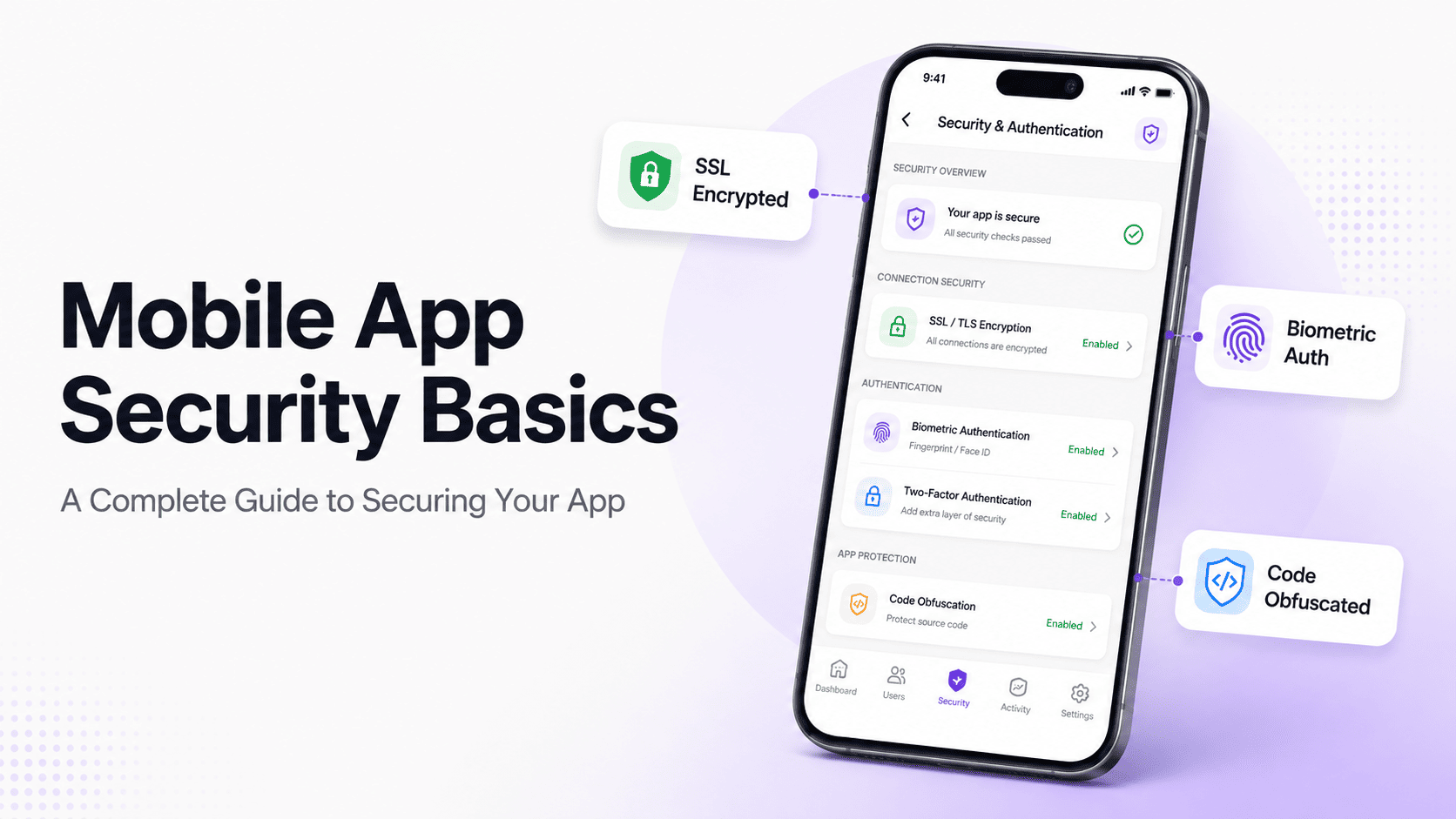
Mobile App Security Basics: A Complete Guide to Securing Your App

Md Al Amin
Md Al Amin is the Founder and Lead…
In this article
Mobile apps have become a critical part of how businesses interact with customers. From eCommerce and banking to booking, healthcare, education, and directories, users increasingly expect businesses to offer fast and convenient mobile experiences.
But building a mobile app is only half the job.
Security needs to be considered from the beginning of the development process. A poorly secured app can expose user information, authentication credentials, payment data, API keys, and other sensitive information. Even a small security weakness can become a serious problem when an application has thousands or millions of users.
The good news is that mobile app security does not have to be complicated.
By understanding the fundamentals and following established security practices, developers and businesses can significantly reduce common risks.
In this blog post, we’ll explain the basics of mobile app security, the most common threats, essential security practices, and what businesses should consider before launching an Android or iOS application.
What Is Mobile App Security?
Mobile app security refers to the practices, technologies, and processes used to protect a mobile application from unauthorized access, data theft, malicious attacks, and other security threats.
It covers much more than the application code itself.
A secure mobile app needs protection across multiple layers, including the application, APIs, backend infrastructure, user authentication, stored data, network communication, and third-party services.
For example, an app might have secure code but still be vulnerable if its API exposes sensitive information without proper authorization.
This is why mobile app security should be treated as a complete system rather than a single feature.
Why Is Mobile App Security Important?
Mobile applications often process information that users expect businesses to protect. Depending on the application, this information may include names, email addresses, phone numbers, passwords, financial information, purchase history, location data, private communications, business records, and other sensitive information.
A security breach can have consequences far beyond technical problems. Businesses may face financial losses, customer complaints, regulatory consequences, reputational damage, account takeovers, and loss of customer trust.
Security is particularly important because mobile applications operate in environments that developers do not completely control. Users may connect through public networks, install applications on compromised devices, use outdated operating systems, or interact with malicious applications.
A secure application therefore needs multiple layers of protection rather than relying on one security mechanism.
Common Mobile App Security Threats
Understanding the most common security threats makes it easier to identify where an application needs stronger protection. Some vulnerabilities come from application code, while others originate from APIs, backend systems, authentication mechanisms, third-party dependencies, or incorrect configuration.
The following threats are among the most important areas developers and businesses should consider when planning mobile application security.
1. Insecure data storage
Mobile applications sometimes store information locally to improve performance or provide functionality when the device is offline. However, storing sensitive information without appropriate protection can create a significant security risk.
Examples of potentially sensitive information include authentication tokens, personal details, session information, API credentials, and application configuration data. Sensitive information should not be stored in plain text when secure storage mechanisms are available.
Android and iOS provide platform-specific security features that developers can use for sensitive information. Using these mechanisms is generally safer than creating a custom storage or encryption system without a strong security reason.
2. Weak authentication
Authentication is responsible for verifying a user’s identity. If authentication is poorly implemented, attackers may be able to access accounts through stolen credentials, brute-force attacks, credential stuffing, or weaknesses in password recovery systems.
A strong authentication system should use secure credential handling, appropriate session management, rate limiting, and additional verification where necessary. Applications that handle sensitive information should also consider multi-factor authentication as an additional layer of protection.
Authentication should also cover account recovery. A secure login process is not enough if an attacker can easily bypass it through a poorly designed password reset mechanism.
3. Broken authorization
Authentication and authorization are two different security concepts. Authentication determines who a user is, while authorization determines what that user is allowed to access or modify.
For example, a customer may be successfully authenticated but should only be able to view their own orders. If changing an identifier in an API request allows that customer to retrieve another customer’s order, the application has a serious authorization vulnerability.
Authorization checks should be enforced on the server rather than relying on the mobile application’s interface. Hiding a button or restricting an action inside the app does not provide sufficient security because attackers can communicate with APIs directly.
4. Insecure API communication
Most modern mobile applications depend heavily on APIs to communicate with backend systems. The mobile application may request user information, product data, orders, payments, account information, or other resources through these APIs.
If APIs are poorly secured, attackers may be able to manipulate requests, access unauthorized information, or perform actions they should not be allowed to perform.
Applications should use encrypted communication, validate authentication credentials, enforce authorization, validate incoming data, apply appropriate rate limits, and return only the information required by the client.
5. Hardcoded secrets
Developers sometimes place API keys, tokens, passwords, private credentials, or other secrets directly inside application code. This can be dangerous because mobile applications are distributed to users and can potentially be downloaded, inspected, and reverse engineered.
Code obfuscation can make analysis more difficult, but it should not be considered a reliable way to hide sensitive credentials. Anything included inside a client application should be treated as potentially discoverable.
Sensitive secrets should generally remain on secure backend infrastructure whenever possible. The mobile application should communicate with the backend through controlled and authenticated interfaces instead of receiving unnecessary private credentials.
6. Insecure network connections
Mobile applications frequently operate over networks that developers cannot control. Users may connect through public Wi-Fi, mobile networks, corporate networks, or other environments where traffic could potentially be monitored or manipulated.
Sensitive communication should therefore use HTTPS with properly configured TLS. Developers should also avoid disabling certificate validation simply because doing so makes testing or development easier.
Security configurations used during development should be reviewed before production deployment. A temporary development shortcut can become a serious production vulnerability if it is accidentally left enabled.
Secure Data Encryption
Encryption is one of the fundamental components of mobile application security. It helps prevent unauthorized parties from understanding sensitive information even if they gain access to the underlying data.
However, encryption needs to be applied appropriately. Developers should consider both information moving between systems and information stored on devices or servers.
Data in transit
Data in transit refers to information moving between the mobile application and backend services. Examples include login credentials, API requests, user information, order details, and other application data.
This communication should be protected through HTTPS and modern TLS configurations. Developers should also ensure that sensitive endpoints do not accidentally allow unencrypted connections.
Encryption protects communication, but it does not replace authentication or authorization. A securely encrypted request can still be dangerous if the server accepts an unauthorized action.
Data at rest
Data at rest refers to information stored on a device, server, database, or other storage system. Sensitive information should receive appropriate protection based on its importance and the risks associated with exposure.
Mobile platforms provide secure storage capabilities that developers should use instead of storing credentials or sensitive tokens in ordinary files or easily accessible application storage.
Businesses should also consider whether they need to store sensitive information at all. Reducing the amount of sensitive information collected and retained can significantly reduce the potential impact of a security incident.
Secure Authentication Practices
Authentication is one of the most important components of an application because it protects user accounts and determines who can access protected functionality.
A strong authentication system should be designed around the application’s security requirements rather than simply adding a login screen. Password management, account recovery, session handling, token storage, multi-factor authentication, and suspicious login detection can all affect the overall security of an account.
i. Use strong password protection
Passwords should never be stored as plain text. If a database containing plain-text passwords is compromised, attackers immediately gain access to user credentials.
Passwords should instead be processed using a modern password hashing algorithm designed specifically for password storage. Appropriate salting and configuration are also important to make password cracking more difficult.
Businesses should also encourage users to choose strong, unique passwords and should protect login endpoints against repeated automated attempts.
ii. Consider multi-factor authentication
Multi-factor authentication adds another layer of protection by requiring users to provide more than one type of authentication factor.
For example, an application might combine a password with a verification code, authentication app, security key, or another supported factor.
Even if an attacker obtains a user’s password, an additional authentication factor can make unauthorized account access significantly more difficult.
iii. Protect sessions and tokens
Once a user has authenticated, the application needs a secure way to maintain that authenticated state. Poor session management can allow stolen tokens to remain valid for too long or provide unnecessary access.
Authentication tokens should be stored securely, have appropriate expiration policies, and be revocable when necessary. Highly sensitive applications may require additional controls around session duration, device management, and suspicious activity.
Input Validation And Secure Data Handling
Applications should never assume that information received from users or external systems is trustworthy. Attackers can manipulate requests regardless of what the mobile application’s interface allows them to enter.
Input validation helps reduce risks associated with malicious or unexpected data.
Validate user input
User input should be validated before it is processed by the application or backend. This includes information submitted through registration forms, search fields, profile updates, API requests, file uploads, and other application features.
Validation should consider data type, format, length, allowed values, and other business rules relevant to the specific field.
Validate information on the server
Client-side validation is useful for improving the user experience, but it should never be treated as the primary security control.
An attacker can bypass the mobile interface and send requests directly to an API. Important validation and authorization checks therefore need to happen on trusted backend infrastructure.
The server should assume that every request may have been modified or generated by an untrusted client.
Secure File Uploads
Applications that allow users to upload images, documents, videos, or other files introduce additional security considerations.
An attacker may attempt to upload malicious content, extremely large files, unexpected file formats, or files designed to exploit weaknesses in processing systems.
Validate uploaded files
Applications should validate file size, content type, format, and other relevant characteristics rather than trusting the filename or extension alone.
The application should also consider whether uploaded content actually needs to be processed and what systems will interact with it.
Control file access
Uploaded files should be stored with appropriate access controls. Sensitive files should not automatically become publicly accessible simply because they were uploaded through the application.
Depending on the application, additional controls such as malware scanning, isolated processing, and restricted storage may also be appropriate.
Third-Party SDK And Dependency Security
Modern mobile applications rarely consist entirely of code written by the application’s own development team. Developers commonly use third-party libraries and SDKs for analytics, advertising, authentication, payments, crash reporting, maps, social features, and other functionality.
These dependencies can save development time, but they also introduce additional security considerations.
1. Review third-party dependencies
Developers should maintain an inventory of third-party libraries and regularly review whether each dependency is still necessary.
Outdated dependencies may contain known vulnerabilities, while unnecessary libraries increase the application’s overall attack surface.
Keeping dependencies updated and removing unused components can reduce security risks over the application’s lifetime.
2. Understand third-party data collection
Businesses should understand what information third-party SDKs collect and how that information is transmitted or processed.
An analytics or advertising SDK, for example, may have access to certain application data or device information. Developers should evaluate whether the data collection is necessary and consistent with the application’s privacy and security requirements.
Mobile App Permissions And Privacy
Mobile operating systems provide permission systems that control access to sensitive device capabilities. These may include location, camera, microphone, contacts, photos, notifications, and other resources.
Applications should request only the permissions required for their actual functionality.
Follow the principle of least privilege
The principle of least privilege means giving an application, user, service, or component only the access it genuinely needs.
If an application does not need access to contacts, there is little reason to request contact permissions. Limiting permissions reduces the potential impact if the application or device is compromised.
Explain why permissions are needed
Users are more likely to trust applications that clearly explain why sensitive permissions are required.
Permission requests should be connected to actual features rather than requesting every available permission immediately after installation.
This approach can improve both privacy and user confidence while reducing unnecessary access to sensitive device resources.
Code Protection And Reverse Engineering
Mobile applications are distributed directly to users, which makes them different from many traditional backend systems. An attacker can potentially download the application package and analyze how it works.
Reverse engineering can reveal application logic, endpoints, configuration details, and other useful information.
i. Use code obfuscation where appropriate
Code obfuscation can make application logic more difficult to understand after reverse engineering. It can be useful as part of a broader defense strategy, particularly for applications where protecting proprietary logic is important.
However, obfuscation should not be treated as a replacement for secure architecture.
ii. Keep sensitive logic on the backend
Critical business rules, authorization decisions, payment validation, and other security-sensitive operations should be enforced on trusted backend systems whenever possible.
The mobile application should be treated as an untrusted client. Even if the application interface prevents a particular action, an attacker may attempt to reproduce the underlying API request manually.
Secure Payment Processing
Applications that handle payments require additional security considerations because financial information can be highly sensitive.
Businesses should avoid creating custom payment infrastructure when established payment providers can securely handle the sensitive portions of a transaction.
Use trusted payment providers
Reputable payment providers offer infrastructure specifically designed for handling payment transactions and security requirements.
The application should integrate with these systems according to their recommended security architecture rather than attempting to store or process sensitive payment information unnecessarily.
Minimize payment data storage
Businesses should carefully consider whether payment information needs to be stored at all. Reducing stored financial information can reduce the potential impact of a data breach.
Payment-related authentication, transaction verification, and authorization should also be handled carefully because an attacker who gains access to an account may attempt unauthorized transactions.
Mobile App Security For Android And iOS
Android and iOS both provide built-in security features that developers should take advantage of rather than bypassing them.
The exact implementation differs between the two platforms, but the underlying principles remain similar: isolate applications, protect sensitive information, control permissions, secure communication, and limit unauthorized access.
1. Android app security
Android provides security capabilities such as application sandboxing, permission controls, Android Keystore, secure networking configuration, and other platform-level protections.
Developers should use these capabilities where appropriate and keep applications compatible with current Android security recommendations.
The application should also avoid requesting unnecessary permissions or storing sensitive information in locations that are easily accessible.
2. iOS app security
iOS provides application sandboxing, Keychain, permission controls, secure hardware capabilities on supported devices, and other platform security features.
Developers should use Apple’s recommended mechanisms for protecting credentials and sensitive information rather than creating unnecessary custom solutions.
As with Android, application security also depends heavily on how the app communicates with backend systems.
Mobile App Security Testing
Security testing should not be treated as a final step immediately before launch. Testing throughout development makes it easier to discover and fix vulnerabilities before they reach production.
Different testing approaches can identify different types of problems.
Static analysis
Static analysis examines application code without requiring the application to run.
It can help identify insecure coding patterns, exposed secrets, vulnerable dependencies, and other issues that may be difficult to identify through manual testing alone.
Dynamic analysis
Dynamic analysis examines the behavior of an application while it is running.
This can help identify problems involving authentication, authorization, network communication, local storage, application behavior, and other runtime conditions.
Penetration testing
Penetration testing involves controlled attempts to identify and exploit security weaknesses.
For applications that handle sensitive information, professional penetration testing can provide valuable insights into vulnerabilities that may not be identified through ordinary development and quality assurance processes.
Dependency scanning
Third-party libraries should be monitored for known security vulnerabilities.
Automated dependency scanning can help development teams identify outdated or vulnerable components and prioritize updates before those vulnerabilities become a larger problem.
Mobile App Security Best Practices
A strong mobile security strategy does not depend on one feature or technology. It combines multiple defensive layers throughout the application architecture.
i. Minimize sensitive data
The safest sensitive information is often information that does not need to be collected or stored in the first place.
Before collecting personal or financial information, businesses should determine whether it is genuinely necessary for the application’s functionality.
ii. Never trust the client
The mobile application should be considered an untrusted environment.
Important security decisions such as authorization, transaction validation, access control, and sensitive business rules should be enforced on backend systems that the attacker cannot directly modify.
iii. Use established security standards
Developers should avoid creating custom encryption, authentication, or security protocols unless there is a strong and well-understood reason to do so.
Established security standards and platform-provided mechanisms have generally been tested and reviewed more extensively than custom implementations.
iv. Keep dependencies updated
Security maintenance continues after an application is published.
Developers should monitor dependencies, operating system changes, security advisories, and other relevant updates so vulnerabilities can be addressed before they create serious problems.
v. Monitor the application
Security monitoring can help businesses identify suspicious behavior, unusual login patterns, API abuse, repeated authentication failures, and other indicators of potential attacks.
Monitoring should be combined with a clear incident response process so the team knows what to do when a security issue is detected.
What About No-Code And App Builder Platforms?
No-code and low-code platforms have made mobile app development more accessible to businesses that do not want to build every component from scratch.
However, using an ordinary app builder does not eliminate the need to think about security. Businesses should still understand how the platform handles authentication, API communication, data storage, permissions, integrations, updates, and application publishing.
Evaluate the platform architecture
Before choosing an app builder, businesses should understand how the generated application communicates with backend systems and whether sensitive information is handled securely.
It is also worth reviewing how the platform manages authentication credentials, API requests, third-party integrations, and application updates.
Protect the existing website backend
When an existing website is converted into a mobile application, the mobile app should continue to respect the security controls already implemented by the website and backend.
The mobile application should not create a separate path that allows users to bypass authentication, authorization, payment validation, or other existing security mechanisms.
This is particularly important for eCommerce, directory, booking, membership, and SaaS applications where the mobile app depends heavily on an existing backend.
Build your native app without compromising security. AppNatively helps you transform your existing website into a secure, scalable mobile experience while keeping your backend at the core.
Start building with AppNatively and bring your website to Android and iOS with confidence.
Mobile App Security Checklist
Before launching an Android or iOS application, businesses and development teams should review the application’s security architecture carefully.
Sensitive information should be protected both during transmission and when stored. Authentication credentials and tokens should use secure storage, while APIs should enforce authorization on every sensitive operation.
The application should request only necessary device permissions, avoid hardcoded secrets, validate server-side input, and carefully review third-party libraries and SDKs.
Authentication, password recovery, account management, API authorization, file uploads, payment flows, and session handling should all be tested before launch.
Security testing should also continue after release because new vulnerabilities can appear as the application, dependencies, operating systems, and backend infrastructure evolve.
Security After App Launch
Launching a mobile application is not the end of security work. In many cases, it is the beginning of the application’s long-term security lifecycle.
New vulnerabilities can be discovered in operating systems, third-party libraries, backend services, and application dependencies after an app has already been released.
1. Keep the application updated
Businesses should have a process for releasing security updates when vulnerabilities are discovered.
Depending on the architecture, this may involve updating the mobile application, backend services, dependencies, or multiple components simultaneously.
2. Monitor for suspicious activity
Backend monitoring can help identify unusual API requests, repeated failed logins, abnormal account behavior, unexpected traffic patterns, and other potential indicators of attacks.
The earlier suspicious behavior is identified, the more quickly a business can investigate and respond.
3. Create a vulnerability reporting process
Businesses should provide an appropriate way for users, researchers, or other parties to report security vulnerabilities.
A clear reporting process can help organizations discover problems that internal testing may have missed.
Frequently Asked Questions About Mobile App Security
What is the most important mobile app security practice?
There is no single security feature that can protect an application from every possible threat. Strong authentication, secure authorization, encrypted communication, secure storage, input validation, dependency management, and regular security testing should work together as multiple layers of defense.
Is HTTPS enough to secure a mobile app?
No, HTTPS only protects communication between systems. It does not prevent problems such as weak authentication, broken authorization, insecure local storage, hardcoded credentials, vulnerable APIs, malicious application behavior, or insecure backend logic.
Should API keys be stored inside a mobile app?
Sensitive private keys and credentials should generally not be embedded directly into mobile applications. Since applications can potentially be reverse engineered, sensitive secrets should be kept on secure backend infrastructure whenever possible.
How should passwords be stored?
Passwords should never be stored as plain text. They should be processed using a strong password hashing algorithm designed for password storage, with appropriate salting and configuration to make offline password cracking more difficult.
Do mobile apps need security testing?
Yes, especially when an application handles personal, financial, business, or authentication information. Security testing can identify weaknesses that normal functional testing may not detect and can help businesses address vulnerabilities before attackers discover them.
Is mobile app security different from website security?
Mobile and web applications share many security principles, including authentication, authorization, API security, encryption, and input validation. Mobile applications also introduce additional concerns such as device storage, application permissions, reverse engineering, mobile packages, and platform-specific security controls.
Can no-code apps be secure?
Yes, a no-code or app builder application can be secure when the underlying platform and architecture implement appropriate security practices. Businesses should still evaluate how the platform handles APIs, authentication, data storage, permissions, integrations, updates, and backend communication.
Final Thoughts: Mobile App Security Basics
Mobile app security is a continuous process rather than a feature that can simply be switched on before launch. The most secure applications are designed with security in mind from the architecture stage and continuously reviewed throughout development, testing, deployment, and maintenance.
The fundamentals are straightforward: collect only the information you need, protect sensitive data, encrypt communication, secure authentication, enforce authorization on the backend, validate all incoming data, use secure platform capabilities, review third-party dependencies, and test the application regularly.
For businesses building a mobile app from scratch or turning an existing website into a native mobile experience, security should be considered a core product requirement rather than an optional technical improvement.
A mobile application needs to do more than work correctly. It needs to protect the people and businesses that rely on it.
Share this blog:

About Md Al Amin
Md Al Amin is the Founder and Lead Developer at Crafium, where he leads product architecture and technical innovation. With more than 6 years of experience in software development within the tech industry, he specializes in building scalable, high-performance digital solutions. Outside of work, Al Amin enjoys researching emerging technologies, with a strong interest in AI and next-generation software trends.