Everything You Need to Know About Popups

William Tan
William Tan is a Digital Marketer at Crafium,…
In this article
Popups are everywhere online and let’s be honest, most people find them annoying. Poorly timed or pushy popups interrupt visitors, frustrate users, and often drive them away, costing businesses valuable engagement and conversions.
But ignoring them completely means missing out on one of the most effective ways to capture attention and grow your audience.
The truth is, when done right, popups can boost sign-ups, increase sales, and deliver the right message at the perfect moment.
In this guide, you’ll learn everything you need to know about popups how to use them strategically, avoid common mistakes, and turn them into a powerful tool for growth.
So, without further ado, let’s dig deeper.
What Are Popups?
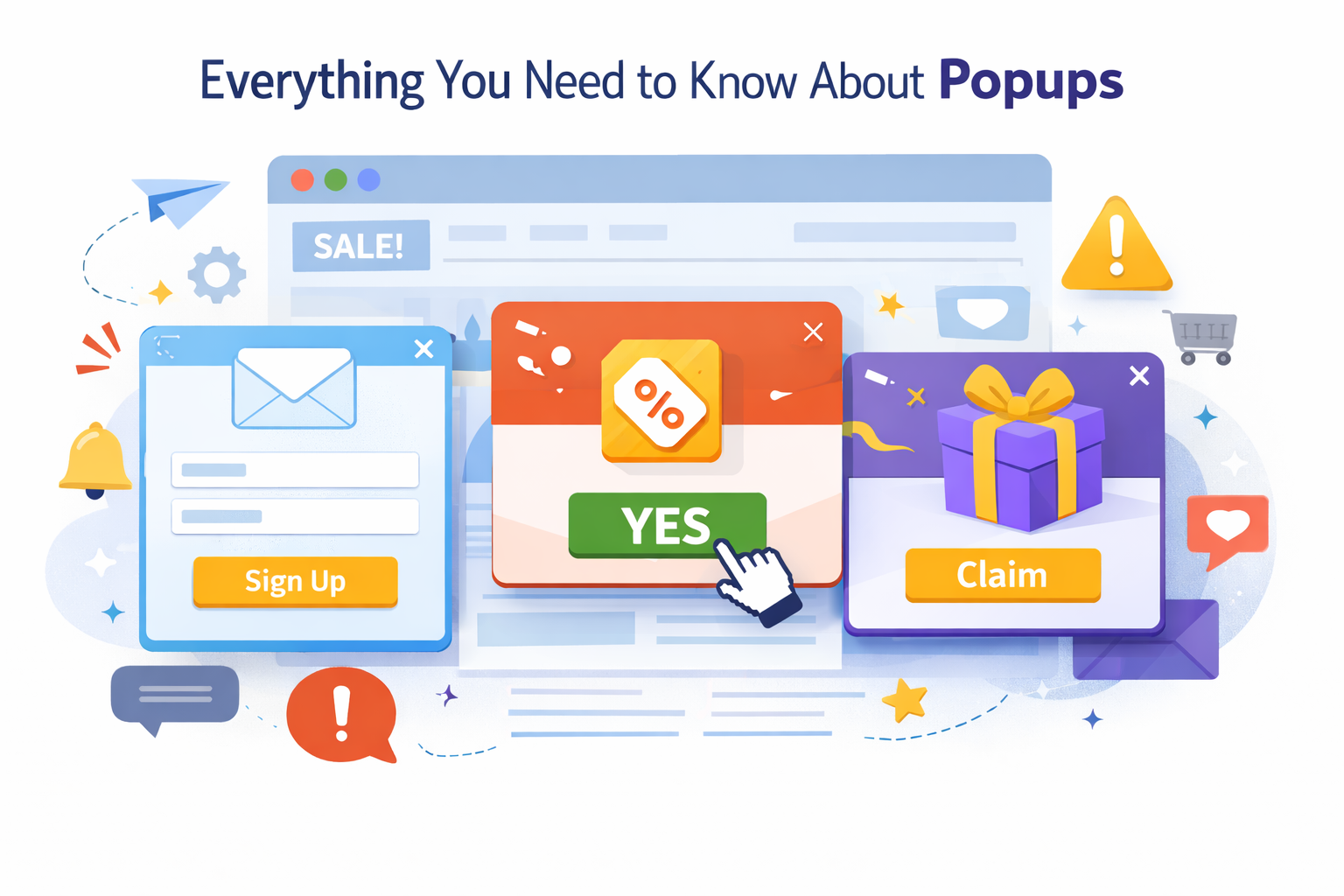
Popups (or pop-up windows) are small windows or overlays that appear on top of a webpage or app while you’re using it. They’re designed to grab your attention quickly, usually to show a message, ask for an action, or display an ad.
Here’s a simple breakdown:
What popups are used for
Popups can be helpful or annoying, depending on how they’re used.
Common helpful uses:
- Login or sign-up forms
- Cookie consent messages
- Notifications (“File uploaded successfully ”)
- Chat support boxes
- Important alerts or warnings
Common annoying uses:
- Advertisements
- “Subscribe now!” prompts
- Autoplay videos
- Multiple windows opening at once
Why Popups Work
Popups are effective because they combine psychology, visibility, and timing to influence user behavior. When designed correctly, they guide attention, reduce distractions, and make it easier for people to take action. Below are the key reasons they consistently perform well.
1. They capture attention immediately
Popups work because they interrupt the normal browsing experience. Instead of blending into the page like banners or sidebars, they appear directly in front of the content the user is focused on. This interruption forces the brain to pause and evaluate the new information.
Human attention naturally shifts toward movement or sudden changes on a screen. A popup creates exactly that kind of disruption, which makes it almost impossible to ignore. Since the message is placed front and center, users are far more likely to read it compared to elements that sit passively in the background.
Because of this high visibility, popups typically receive much higher engagement rates than traditional ads or embedded forms.
2. They create a sense of urgency
Another reason popups are effective is that they often use urgency to encourage quick decisions. Messages like “Limited time offer,” “Only a few spots left,” or “Before you go…” create the feeling that waiting might mean missing out.
This taps into a psychological principle known as FOMO — the fear of missing out. When people believe an opportunity might disappear, they are more likely to act immediately instead of postponing the decision.
By adding countdown timers, deadlines, or exclusive deals, popups reduce hesitation and push users toward faster action, which increases conversions.
3. They reduce distractions and simplify choices
Webpages can be overwhelming. There are menus, links, images, and multiple calls to action competing for attention. Too many options can lead to decision fatigue, where users choose to do nothing at all.
Popups solve this by narrowing the focus. Instead of presenting many choices, they typically offer just one clear action such as subscribing, downloading, or confirming. This simplicity makes the decision easier and faster.
When users don’t have to think too hard about what to do next, they’re more likely to follow through.
4. They appear at the right moment
Timing plays a big role in why popups work. Modern popups aren’t random but they’re often triggered by user behavior, such as scrolling halfway down a page, spending a certain amount of time on a site, or attempting to leave.
Because they appear at moments when interest is already high (or when someone is about to exit), the message feels more relevant. For example, offering a discount just before a user leaves can persuade them to stay and complete a purchase.
This context-sensitive timing makes popups feel more helpful and less intrusive, which improves their effectiveness.
5. They encourage direct interaction
Popups usually include interactive elements like buttons, forms, or input fields. This encourages users to take immediate action rather than passively consume information.
Instead of saying “Find our newsletter somewhere on the page,” the popup places the form directly in front of the user. The shorter the path between seeing the offer and completing the action, the higher the chance of conversion.
By removing extra steps, popups make engagement quick and effortless.
Different Types of Popups
Popups come in different styles and formats depending on their purpose, timing, and how much they interrupt the user. Some are designed to fully stop the user until they respond, while others appear more subtly. Understanding the different types helps you choose the right one for the right situation and avoid frustrating visitors.
i. Modal Popups
Modal popups are the most noticeable and interruptive type. They appear in the center of the screen and usually darken or blur the background content, preventing users from interacting with the page until they close the popup or complete an action.
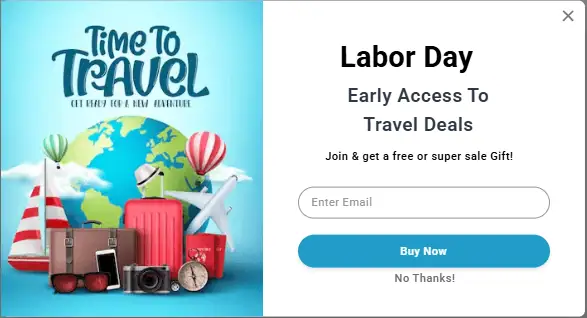
Because they demand full attention, modal popups are very effective for important tasks such as logging in, confirming an action, filling out a form, or accepting terms and conditions. They work well when the message is critical and shouldn’t be ignored.
However, since they block the user’s progress, overusing them can feel annoying. That’s why they’re best reserved for essential actions rather than frequent promotions.
ii. Lightbox Popups
Lightbox popups are similar to modal popups but are generally softer and more visually focused. They often display images, videos, or short forms while dimming the background slightly. Unlike hard modals, they feel less aggressive and more like an enhanced viewing experience.
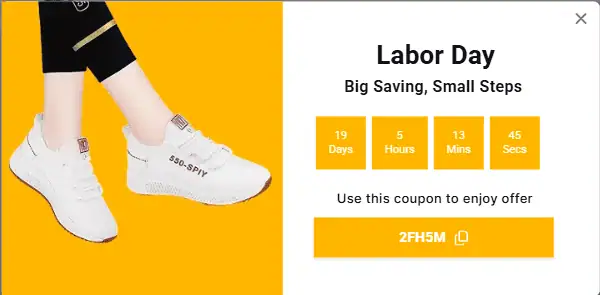
These are commonly used for things like image galleries, product previews, or promotional offers. Instead of navigating away from the page, users can quickly view content and then return to where they left off.
Lightboxes strike a good balance between visibility and usability, making them popular for marketing and design-focused websites.
iii. Exit-Intent Popups
Exit-intent popups appear when the system detects that a user is about to leave the page, such as when their cursor moves toward the browser’s close button or back button. Their goal is to catch attention at the last possible moment.
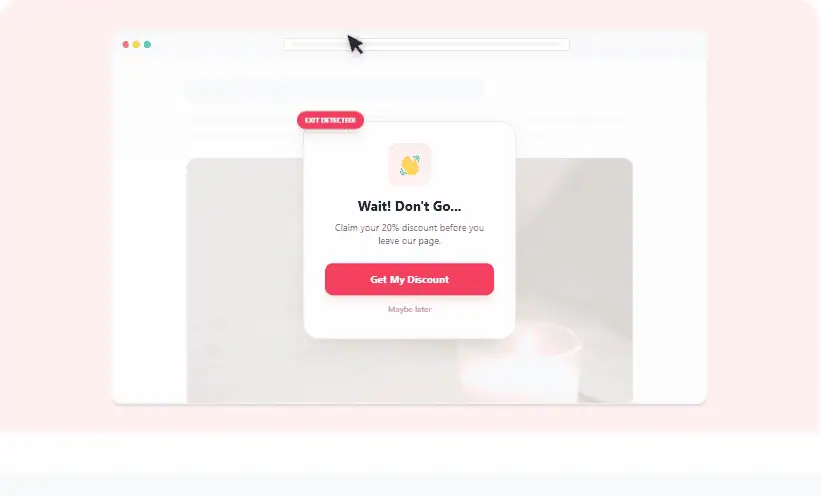
These popups are often used to offer discounts, special deals, or reminders like “Before you go, get 10% off” or “Don’t forget to subscribe.” Since the visitor was already leaving, there’s little risk of disrupting their experience, which makes this type feel less intrusive.
Because of their timing, exit-intent popups are especially effective for recovering abandoned carts or capturing email signups.
iv. Slide-In Popups
Slide-in popups enter smoothly from the side or bottom of the screen instead of appearing abruptly in the center. They take up less space and don’t block the main content, allowing users to continue browsing.
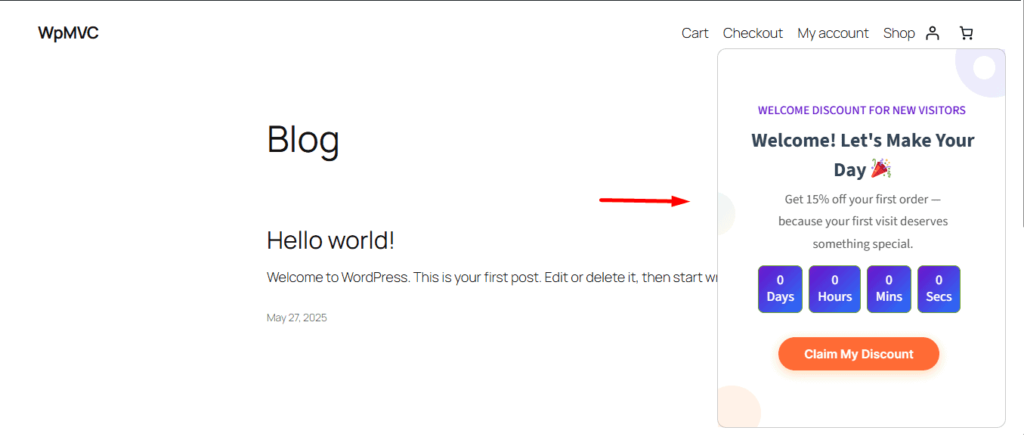
This subtle approach makes them feel less disruptive while still being noticeable. They’re often used for chat widgets, newsletter signups, or small promotions.
Slide-ins work well when you want to present information without interrupting the user’s flow, making them ideal for maintaining a positive user experience.
v. Notification or Toast Popups
Notification popups, sometimes called “toast messages,” are small, temporary messages that appear briefly to provide feedback. They usually disappear automatically after a few seconds.
These are commonly used for confirmations like “Message sent,” “Item added to cart,” or “Saved successfully.” Their purpose is informational rather than promotional.
Because they don’t require interaction and vanish on their own, they’re the least intrusive type of popup and help improve usability by keeping users informed without distraction.
vi. Full-Screen Popups
Full-screen popups take over the entire screen, replacing the page content with a focused message or offer. They are highly attention-grabbing and are often used for major announcements, onboarding steps, or important promotions.
Since they completely dominate the screen, they’re extremely effective at driving action. However, they can also feel overwhelming if used too frequently.
For this reason, full-screen popups should be used sparingly and only when the message is significant enough to justify the interruption.
vii. Time-Based Popups
Time-based popups appear after a visitor has spent a specific amount of time on a page, such as 10, 30, or 60 seconds. The idea behind this type is simple: if someone stays on a page longer, they’re probably interested in the content.
By waiting a short period before appearing, these popups feel less aggressive than instant ones. They allow users to first engage with the page and understand its value. Once interest is established, the popup presents an offer, subscription form, or helpful message.
This type works especially well for newsletters, free downloads, or special deals because it targets users who are already somewhat invested rather than brand-new visitors who might leave immediately.
viii. Scroll-Triggered Popups
Scroll-triggered popups appear after a user scrolls a certain percentage down the page, such as 40%, 60%, or 80%. This behavior shows active engagement because scrolling indicates that the user is reading or exploring the content.
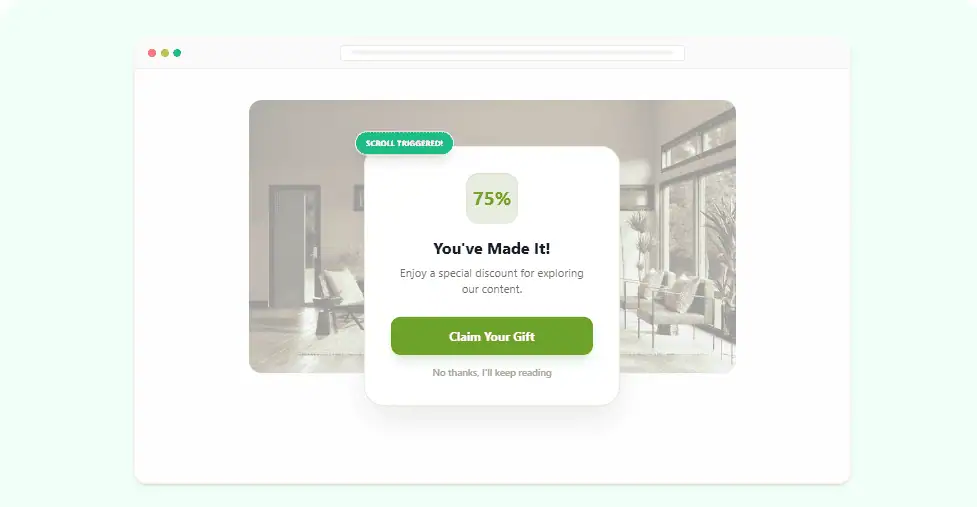
Since the popup appears after meaningful interaction, the message feels more relevant. For example, after reading most of an article, a popup might offer a related guide or ask the user to subscribe for similar content.
This method improves timing and reduces interruptions. Instead of guessing when a visitor is interested, the popup responds directly to their behavior.
ix. Click-Activated Popups
Click-activated popups only appear when a user intentionally clicks a button, link, or image. Unlike other types, these are completely user-initiated rather than automatic.
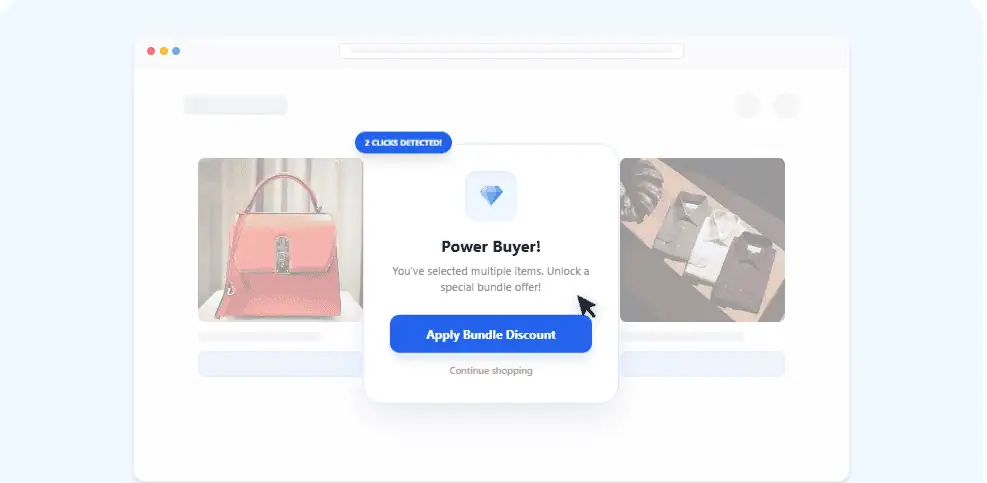
Because the user chooses to open them, they feel helpful rather than intrusive. For example, clicking “Learn More,” “View Details,” or “Sign Up” might open a popup with additional information or a form.
These are commonly used for login forms, product details, or extra content. Since they don’t interrupt the browsing experience, they’re one of the most user-friendly popup types while still being effective.
x. Floating Bar Popups
Floating bars are thin banners that stick to the top or bottom of the screen while users scroll. They remain visible at all times without covering the main content.

This constant visibility makes them effective for announcements, promotions, or calls to action like “Free shipping on orders over $50” or “Sign up for updates.” Because they don’t block interaction, users can easily ignore or engage with them at their own pace.
Floating bars strike a balance between visibility and subtlety, making them ideal for ongoing messages that don’t require immediate action.
xi. Gamified Popups
Gamified popups add an element of fun or interactivity to increase engagement. These often include features like spin-to-win wheels, quizzes, scratch cards, or small challenges that reward users with discounts or prizes.
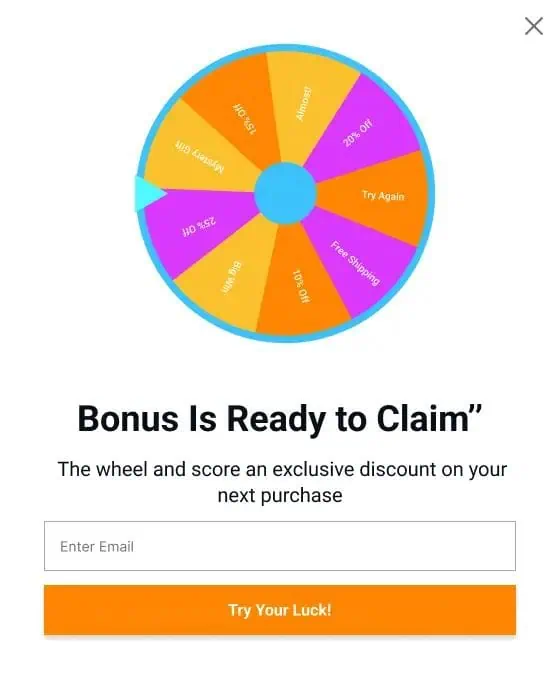
The reason they work is psychological. Games trigger curiosity and excitement, encouraging people to participate. Instead of simply offering “10% off,” the experience feels more entertaining and memorable.
However, they should be used carefully and tastefully. Overusing flashy or gimmicky designs can reduce trust, so they work best for casual, e-commerce, or promotional environments.
xii. Multi-Step or Wizard Popups
Multi-step popups guide users through a series of small steps instead of asking for everything at once. For example, step one might ask a simple question, step two requests an email, and step three confirms the result.
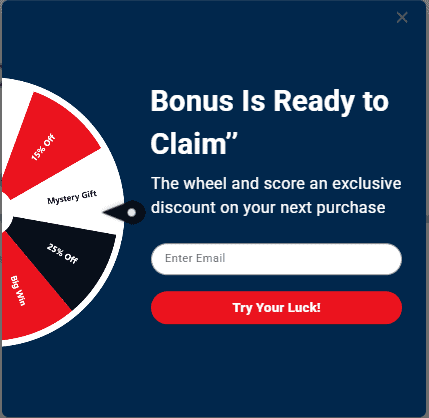
Breaking tasks into smaller pieces reduces overwhelm. People are more likely to complete a process when it feels quick and manageable rather than long and complicated.
These popups are commonly used for surveys, onboarding flows, or lead generation forms. By gradually collecting information, they often achieve higher completion rates than single large forms.
xiii. Mobile-Optimized Popups
Mobile popups are specifically designed for smartphones and tablets. Since mobile screens are smaller, traditional popups can feel overwhelming or hard to close.
Mobile-friendly versions use smaller layouts, bottom sheets, or slide-ups that fit naturally within the screen. They also include larger buttons for easy tapping and minimal text for quick reading.
Designing popups for mobile is important because intrusive or poorly sized popups can frustrate users and cause them to leave. When done correctly, mobile popups maintain usability while still capturing attention.
Best Practices for Effective Popups
Popups can be highly effective tools for engagement, lead generation, and conversions but only if they are used thoughtfully. Poorly designed or mistimed popups often annoy users, reduce trust, and even hurt a website’s performance.
The following best practices focus on user experience, timing, relevance, and design to make popups work without being intrusive.
Use opups sparingly
One of the most important rules is to avoid overloading your visitors. Showing multiple popups at once or repeatedly can feel aggressive and push users away. Instead, focus on quality over quantity.
Limit popups to one or two key messages per page or session, and ensure that each popup provides real value, such as offering a discount, a newsletter subscription, or a helpful alert. By showing fewer popups, each one has a higher chance of being noticed, read, and acted upon.
Trigger popups at the right time
Timing is critical for effective popups. A message that appears too early or too late can frustrate users or get ignored. Popups should be triggered when the user is most receptive. For example, exit-intent popups can catch users as they attempt to leave the page.
Scroll-triggered popups appear after a user has engaged with enough content to show genuine interest. Time-based popups, on the other hand, can appear after the user has spent a meaningful amount of time on the page. Presenting the popup at the right moment ensures higher engagement and a better user experience.
Make the offer clear and valuable
Users are much more likely to interact with popups when the content is relevant and valuable. Generic or vague messages, such as a simple “Subscribe now,” rarely motivate action. Popups should clearly explain the benefit to the user, whether it is gaining access to a free guide, receiving a discount, or learning something new.
The message should remain short and focused, with one main goal per popup. Using action-oriented language, such as “Claim Your Discount” or “Download Free Guide,” helps users quickly understand the value and take action.
Keep design simple and user-friendly
Popups should grab attention without overwhelming users. A clean, minimalist design improves readability and reduces frustration. Effective popups use contrasting colors for call-to-action buttons, avoid excessive text or flashy animations, and include clear close buttons that are easy to find.
On mobile devices, popups should fit the screen without covering all content, ensuring that users can engage with the message comfortably. Well-designed popups feel intentional, helpful, and professional.
Personalize popups whenever possible
Personalization increases the relevance of popups and can make users more likely to engage. Tailoring messages to user behavior, location, or preferences enhances the experience. For instance, product recommendations can be based on browsing history, discounts can be offered on items left in the cart, and returning visitors can be greeted differently from first-time users. Personalized popups create a sense of attention and relevance, encouraging interaction and increasing conversions.
Test and optimize popups regularly
Even the best-designed popup can fail if it is not tested. Regular testing allows you to understand what resonates with your audience and improve popup performance. It is important to experiment with timing, copywriting, and design elements such as color, layout, and animation.
A/B testing helps determine which versions generate the best results, allowing for continuous optimization and better engagement over time.
Respect user experience
Finally, popups should never be intrusive or frustrating. Poor experiences can lead to higher bounce rates and reduce user trust. Users should always be able to close a popup easily without friction. Multiple popups should not stack on top of each other, and auto-playing audio or video should be avoided. By respecting the user’s experience, popups can capture attention effectively while maintaining engagement and trust.
Meet OptinCraft-The Powerful WordPress Popup Plugin
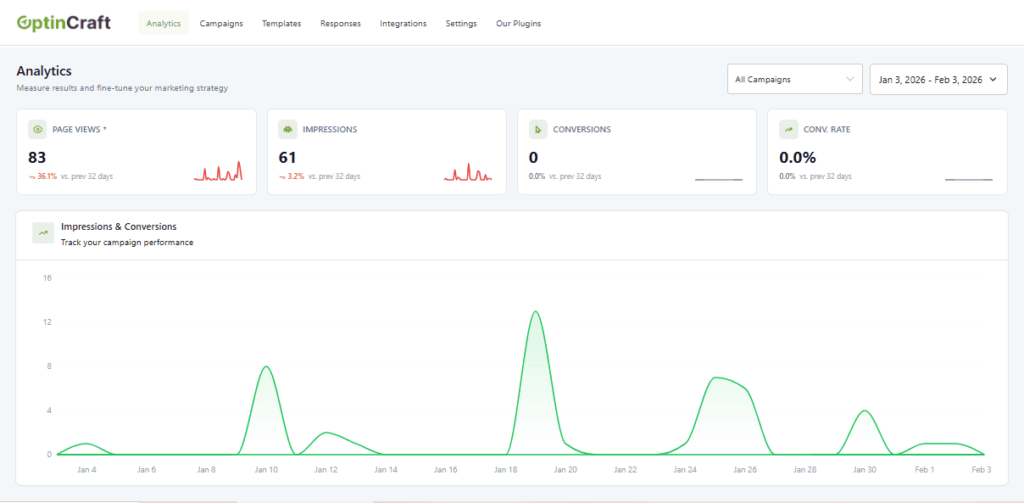
OptinCraft is a WordPress plugin that helps you create custom popups easily to capture leads, boost engagement, and increase conversions on your website without having to write any code.
🔧 Key Features
- Drag‑and‑Drop Popup Builder: Create and design popups visually right in your WordPress dashboard — just drag elements like text, images, buttons, and countdown timers onto the canvas.
- Multiple Popup Styles: Build a variety of popup types such as lightbox popups, floating bars, slide‑ins, and sidebar popups to fit your campaign goals.
- Responsive Design: All popups are mobile‑friendly and look great on phones, tablets, and desktops. You can even create popups specifically for mobile users.
- Smart Triggers & Targeting: Choose when and where popups appear — on page load, after inactivity, by scroll, on exit intent, and more (some advanced triggers may require Pro).
- Countdown Timers & Scheduling: Add urgency with countdown timers and schedule popups to show only during specific dates or times.
- Templates Library: Ready‑to‑use templates help you launch campaigns quickly.
- Analytics Dashboard: See how your popups perform with real‑time data on impressions, clicks, conversions, and device breakdowns.
- Integrations: Works with tools like WooCommerce and Mailchimp, and more integrations are available in Pro versions.
🆓 Free vs. Pro
The free version already includes powerful features like basic popup building, targeting options, and responsive layouts. Upgrading to a Pro plan unlocks advanced targeting, behavior triggers, and premium integrations.
🚀 Why Use It
OptinCraft is designed to be user‑friendly even for beginners while still offering enough flexibility for more advanced campaigns. It’s lightweight and optimized so it won’t slow down your site, and it works with most WordPress themes and page builders.
Conclusion
Popups are powerful tools for engaging visitors, capturing leads, and boosting conversions, but only when used thoughtfully. The effectiveness of a popup depends on its timing, design, and relevance. A well-targeted popup can provide value to your audience, while poorly executed popups can frustrate visitors and harm your site’s experience. Understanding the different types of popups and how to trigger them strategically is key to maximizing their impact.
When done right, popups don’t just interrupt; they enhance. They can guide users toward signing up for newsletters, completing purchases, or discovering important content, all without feeling intrusive. By focusing on user experience, testing different approaches, and providing clear value, popups can become an essential part of your marketing strategy, helping you grow your audience and achieve meaningful results.
Frequently Asked Questions (FAQs)
Are popups effective?
Yes, when used strategically. Popups can boost email sign-ups, sales, or engagement, but poorly timed or irrelevant popups can annoy visitors and reduce conversions.
Are popups bad for SEO?
If used responsibly, popups won’t hurt SEO. Google discourages intrusive interstitials that block content on mobile, so popups should be easy to close and not cover the main content immediately.
Can popups annoy visitors?
Yes, if overused or intrusive. Avoid popups that appear immediately, cover the entire screen without value, or repeat too often. Strategically timed and relevant popups are far less likely to annoy users.
What tools can I use to create popups?
There are many tools, including WordPress plugins like OptinCraft.
Should popups be used on all pages?
Not necessarily. Popups work best on high-traffic pages, blog posts, or landing pages where visitors are more likely to convert. Avoid cluttering every page with multiple popups.
How do I track popup performance?
Use analytics to track impressions, clicks, and conversions. Many popup tools include built-in dashboards that show real-time performance and user engagement.
Share this blog:

About William Tan
William Tan is a Digital Marketer at Crafium, specializing in WordPress solutions and online growth strategies. He’s passionate about helping businesses expand their digital presence through smart marketing and data-driven insights.