Personalizing your message based on where a visitor came from creates a seamless experience. If a user clicks a link from Facebook, showing them a “Welcome Facebook Fans” popup feels relevant and increases engagement.
OptinCraft’s Referrer Targeting (Pro) allows you to display specific campaigns only to visitors arriving from a particular website or search engine.
How to Set Up Traffic Source Targeting #
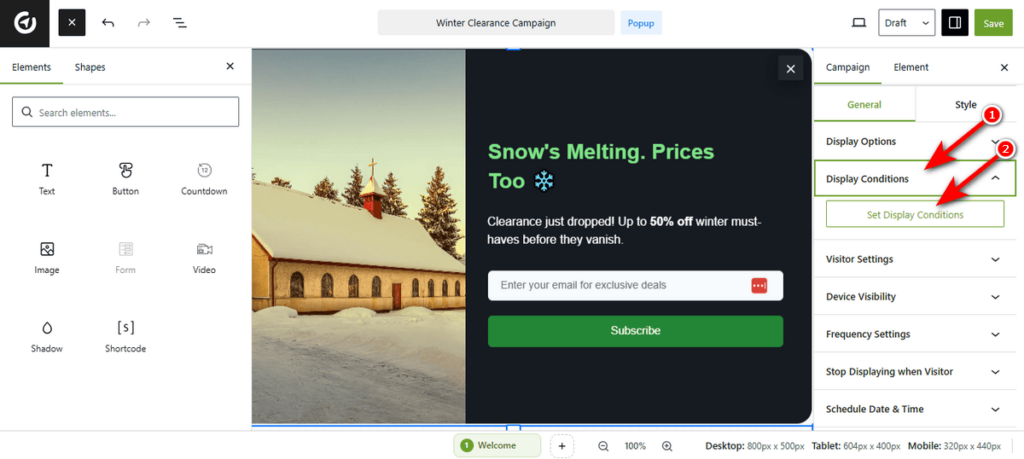
Open your campaign and head over to the “Display Conditions” tab. Click “Set Display Conditions” to open the rule builder.
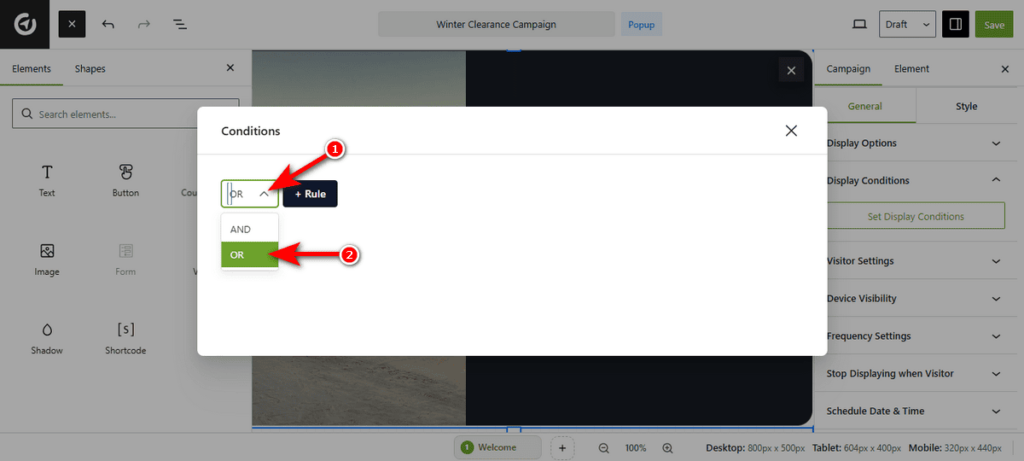
Then, you’ll notice a popup. Select the ‘OR’ operator from the dropdown menu to reveal the logic we’ll be using to track the traffic source for our campaign.
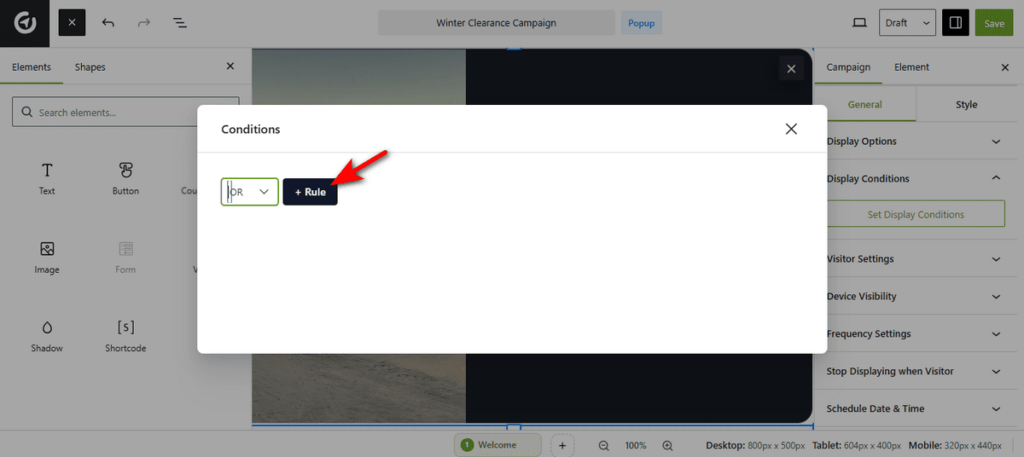
Now, hit the “+ Rule” button to start setting up a condition for your campaign.
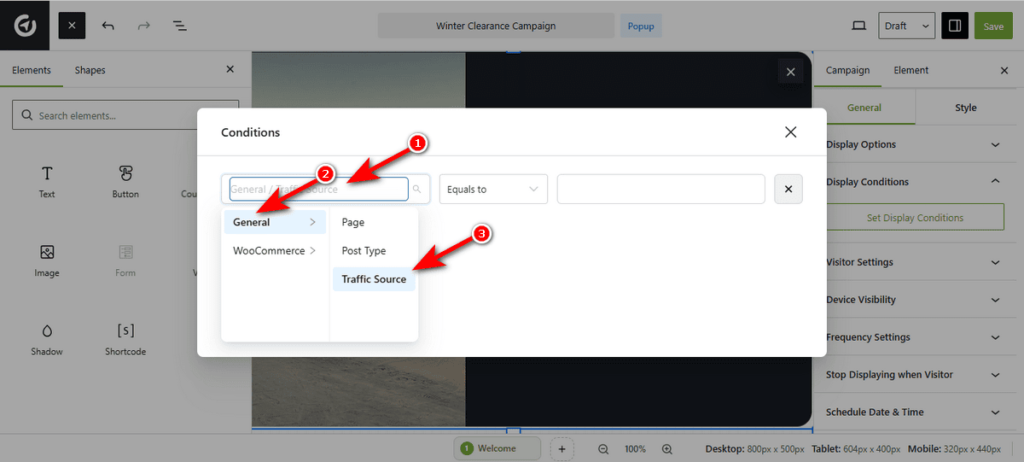
You’ll notice two dropdown menus and one field. Click the first dropdown menu, head over to ‘General,’ and lastly, select “Traffic Source.” This tells OptinCraft to check the visitor’s previous URL.
Now, choose the logic for the rule using the 2nd dropdown menu. You can either select ‘Contains’ (matches part of a URL) or Equal To (matches the exact URL).
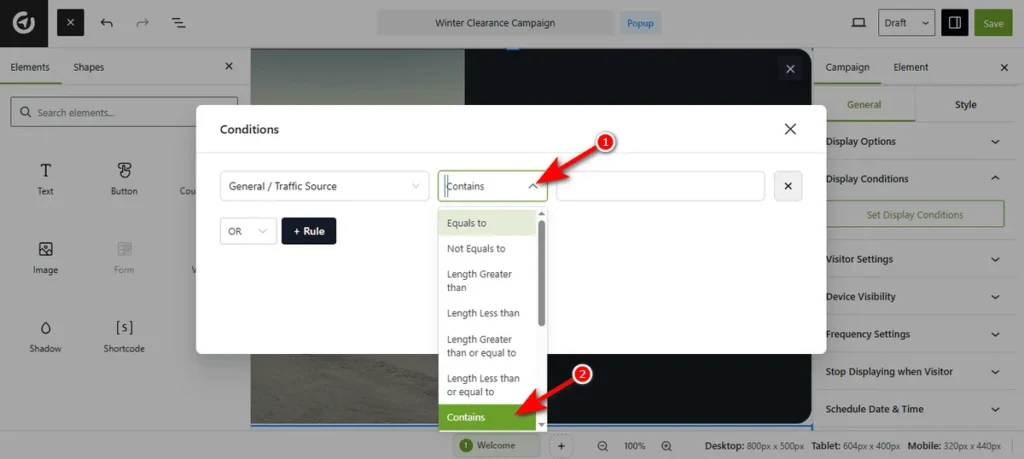
In the text field, type the domain name you want to target (e.g., www.google.com or facebook.com).
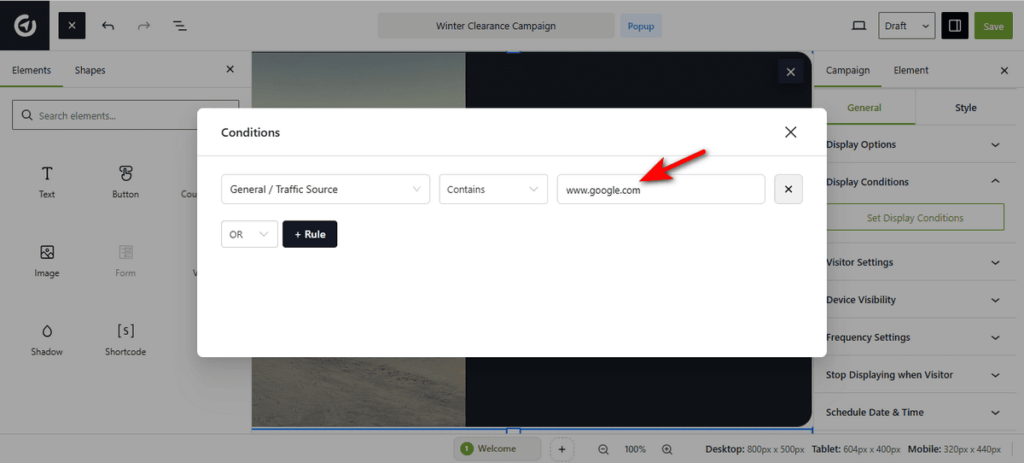
Finally, hit the ‘Save’ button. That’s it.
Now, only visitors coming from that specific site will see your campaign.


