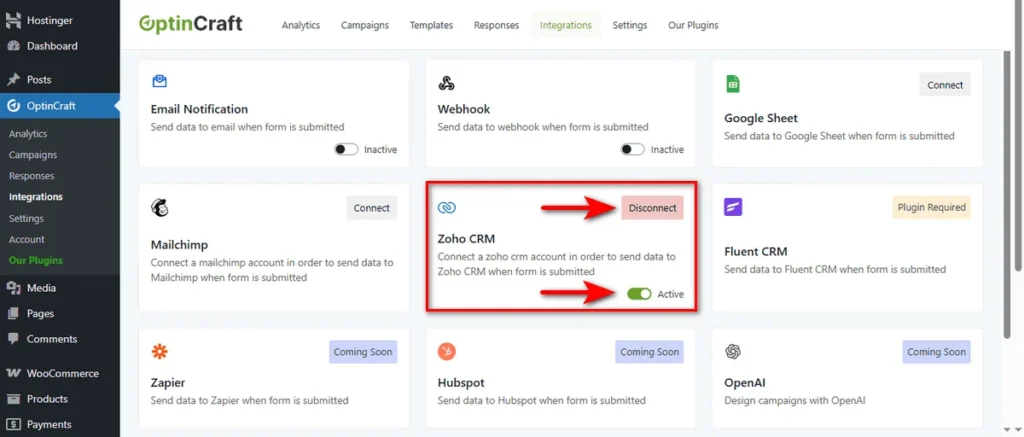
Integrating Zoho CRM with OptinCraft lets you automatically send form leads into your CRM, helping you manage contacts, track interactions, and streamline your sales workflow effortlessly.
Connect Zoho CRM with OptinCraft #
Do you know that speed is everything in sales? If you wait to manually export leads, they might go cold before your team can reach out.
That’s where you can utilize Zoho CRM to automate this handoff.
OptinCraft’s Zoho CRM integration ensures your sales team gets leads instantly so that they can follow up the moment a potential customer shows interest.
Here is the setup process.
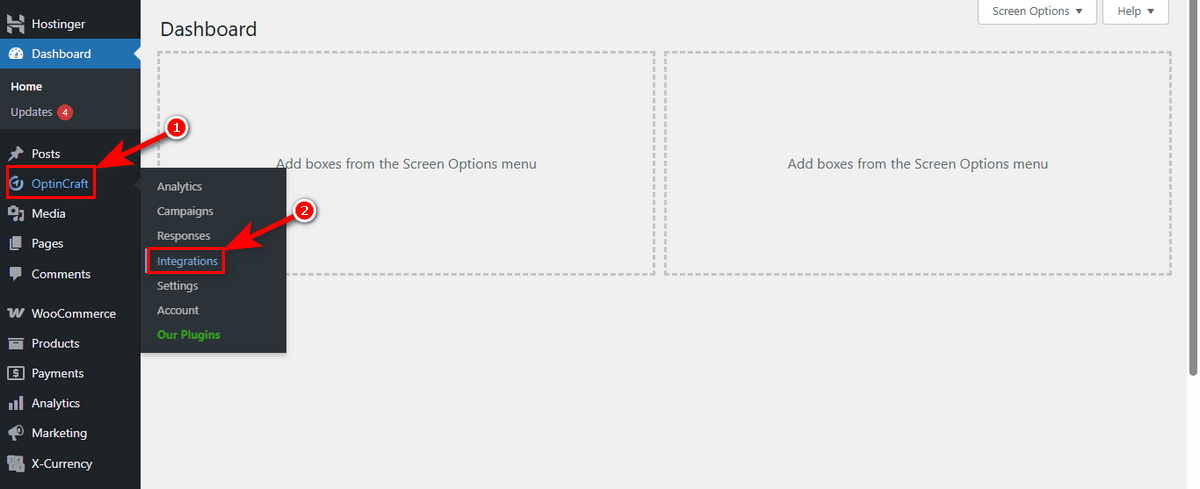
Start by opening the ‘Integrations’ menu under the OptinCraft sidebar in your dashboard.
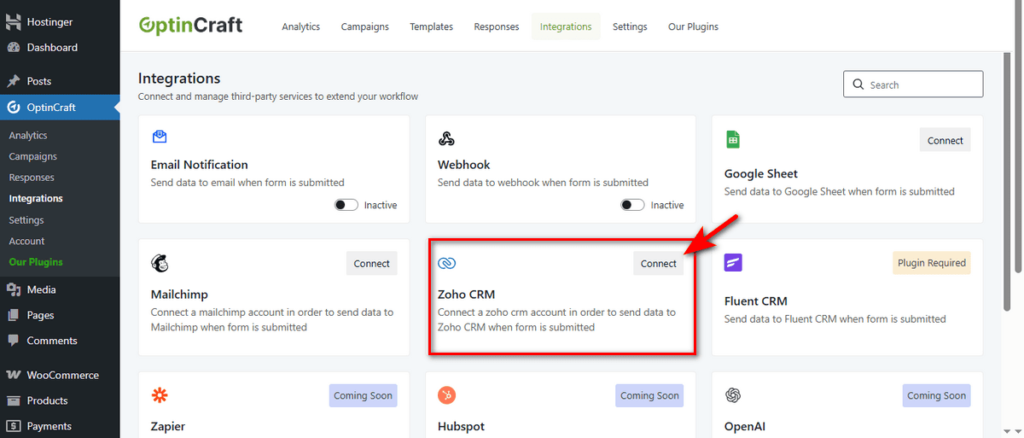
Scan the dashboard for the “Zoho CRM” card and click the ‘Connect’ button.
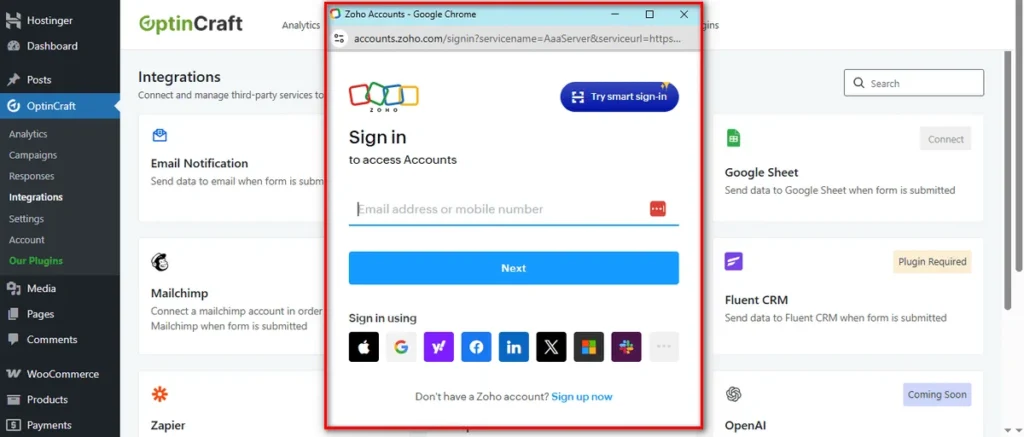
A login screen will trigger. Enter your email or mobile number to sign in to your Zoho account.
Finally, review the permissions and click ‘Accept’. This allows OptinCraft to securely create and update user data in your organization.
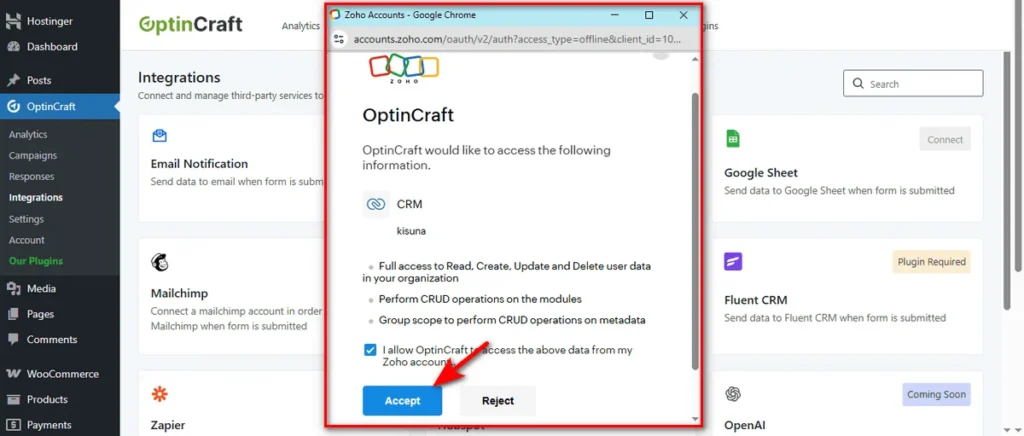
You are now fully synced.
Managing this connection is easy.
Use the Active toggle to pause data flow instantly without losing your settings. Or, click Disconnect to remove the integration entirely.