Integrating Fluent CRM with OptinCraft is SUPER EASY. You just need to install Fluent CRM’s free plugin, and you’re good to go.
Here’s how to connect Fluent CRM: But before that make sure you have already installed OptinCraft Free & Pro versions.
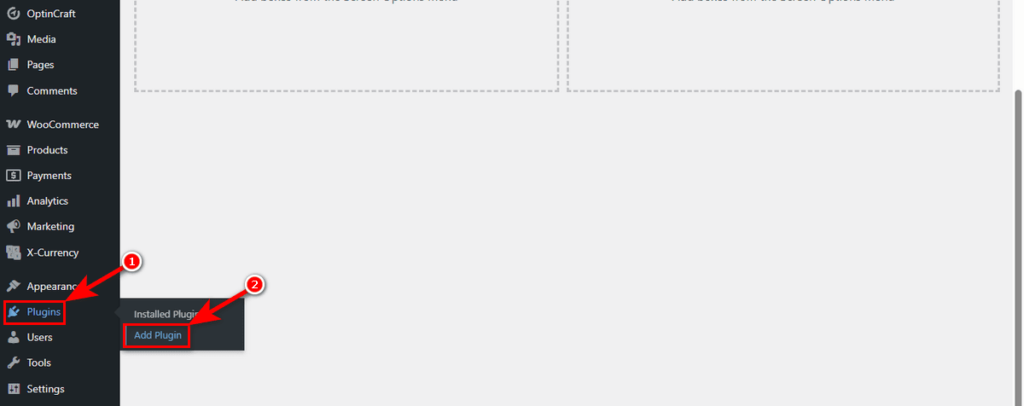
At first, head over to your WordPress Admin Panel. Then, go to Plugins > Add Plugin
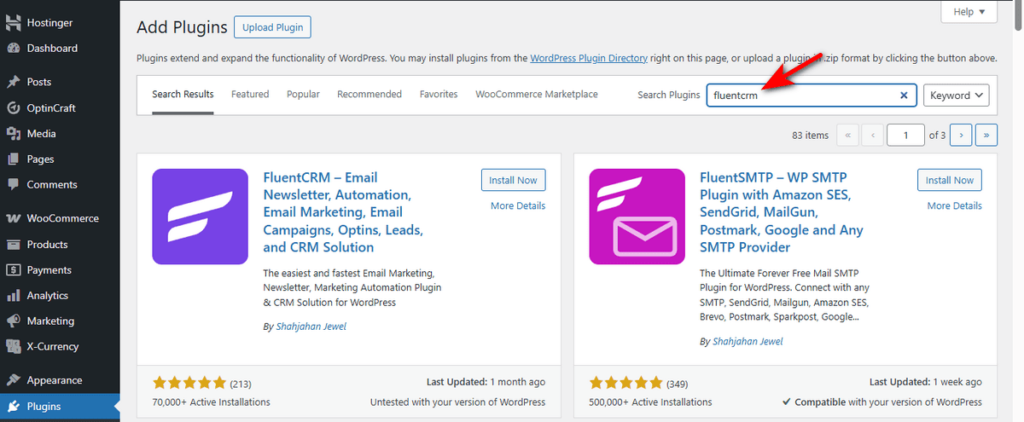
Now, write down “FluentCRM” in the plugin search field on the top right.
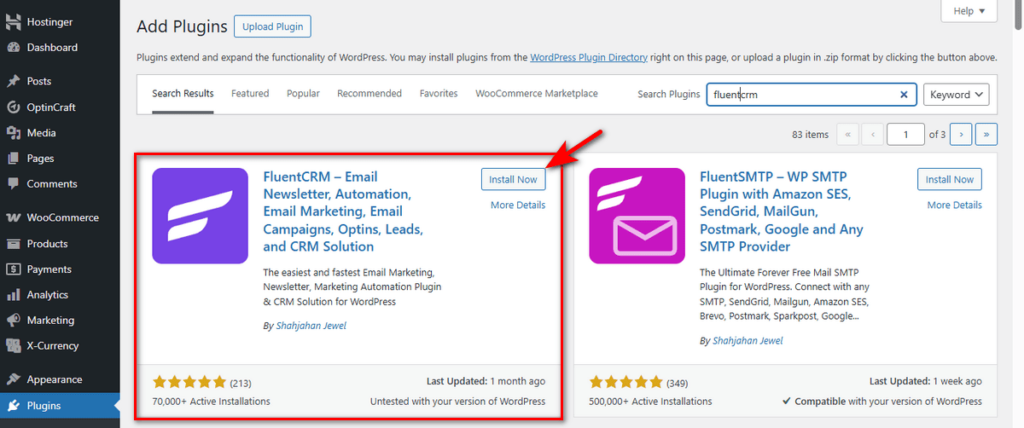
Click “Install Now” button of the marked plugin in the screenshot below.
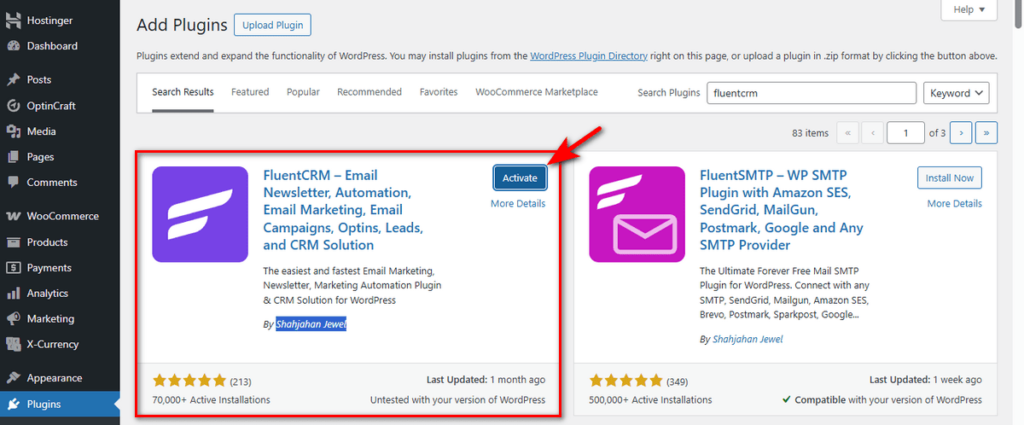
Finally, hit the ‘Activate’ button of FluentCRM, and you’ve just installed and activated it.
You now need to set up your business details inside FluentCRM. We’ll skip showing how to set up FluentCRM for your business.
Instead, we encourage you to read the documentation of this plugin to learn more about it.
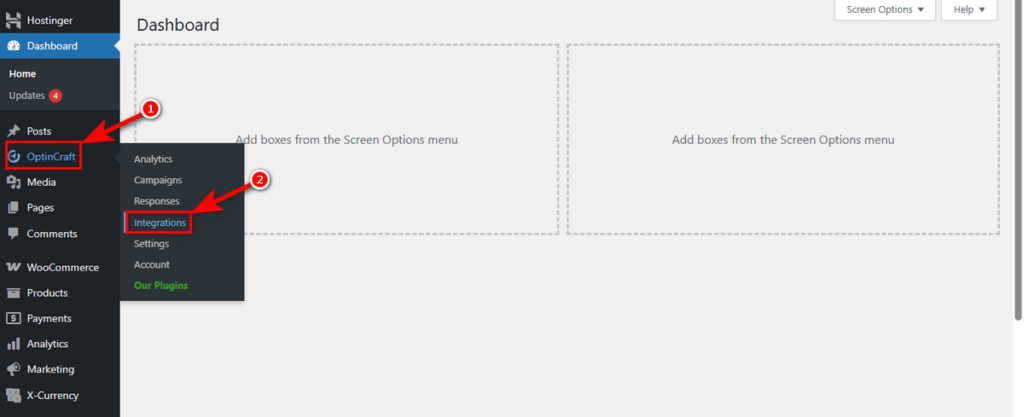
Once you’ve set FluentCRM up, go to WordPress Admin Dashboard > OptinCraft > Integrations.
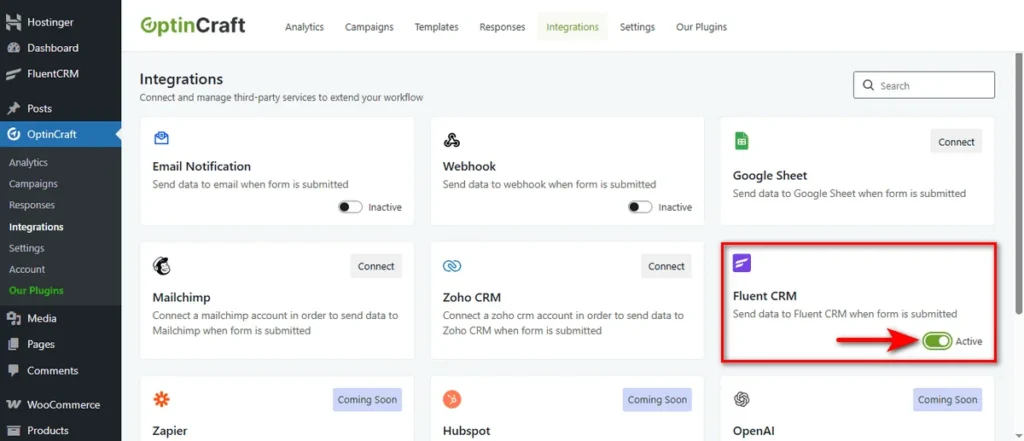
Locate the FluentCRM card and use the ‘Active’ toggle switch to temporarily enable or disable FluentCRM integration.
So, that’s how you can easily use FluentCRM in conjunction with OptinCraft.


