If a user has already subscribed to your newsletter, showing them the signup form again is unprofessional.
It creates a bad user experience. This setting in OptinCraft allows you to automatically hide the campaign based on specific visitor behaviors.
Here’s how you configure this setting:
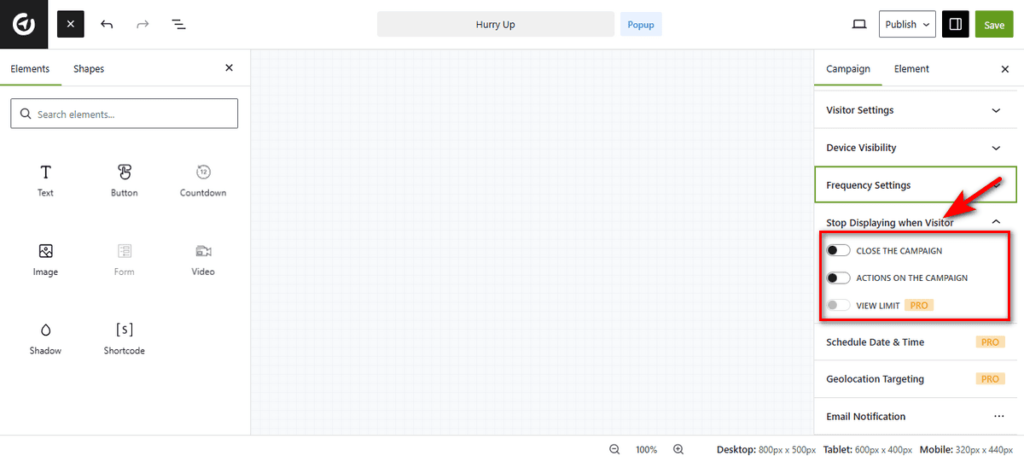
Open a campaign in the Canvas Builder. Click the Stop Displaying when Visitor tab in the right sidebar to expand the controls.
Then, choose an option that fits your needs. Below are details on each option.
- Close the Campaign: Toggle this option to stop showing the popup to users who have previously closed it.
- Actions on the Campaign: Toggle this to stop displaying the popup to users who have successfully engaged, such as clicking a button or submitting a form.
- View Limit (PRO): This premium feature allows you to set a maximum number of views per visitor, regardless of their interaction.