Best WooCommerce Currency Switcher Plugins India

William Tan
William Tan is a Digital Marketer at Crafium,…
In this article
Running a WooCommerce store in India often means serving both local and international customers, but showing prices in only one currency creates confusion. Shoppers hesitate when they cannot quickly understand how much they are paying.
This small friction can hurt trust and lead to abandoned carts, lower conversions, and lost global sales as customers leave for stores that display prices in their own currency.
WooCommerce currency switcher plugins solve this by automatically converting prices and letting users shop in their preferred currency. With the right plugin, Indian store owners can offer a smoother experience, build confidence, and increase sales worldwide.
In this article, we’ll review 3 WooCommerce currency switcher plugins, comparing their features, ease of use, pricing, and performance to help you choose the best option for your WooCommerce store in India.
So, without further ado, let’s dig deeper.
Why You Need a Currency Switcher in India
Indian WooCommerce stores are no longer limited to local buyers; customers from around the world are visiting your store every day. To make the shopping experience seamless, showing prices in multiple currencies is essential.
Cater to international customers
Indian WooCommerce stores are increasingly attracting buyers from the US, UK, UAE, Europe, and other regions. Displaying prices only in INR forces these shoppers to manually calculate conversions, which can confuse them and cause hesitation.
A currency switcher automatically shows prices in the visitor’s preferred currency. This makes the shopping experience more intuitive, encourages engagement, and reduces cart abandonment for international buyers.
Improve local customer experience
Even domestic customers often compare prices with international markets or want to pay in USD, EUR, or GBP. Offering multiple currency options caters to these preferences and makes your store feel globally aware.
By providing flexible pricing options, you demonstrate transparency and professionalism, building trust with both local and global audiences. This small feature can directly increase conversions.
Reduce checkout friction
Customers may abandon their cart if the currency changes unexpectedly during checkout or if they cannot understand the price in their preferred currency. A switcher ensures consistency across product pages, cart, and checkout.
Maintaining uniform currency throughout the shopping journey reduces confusion and errors, helping shoppers feel confident when making payment and improving overall purchase completion rates.
Support multiple payment gateways
Not all payment gateways support international currencies by default. A currency switcher that works seamlessly with popular gateways allows customers to pay in the currency they selected without errors.
This integration ensures a smooth end-to-end experience, reduces payment-related frustrations, and improves the likelihood that international shoppers will complete their purchases.
Boost global sales and conversions
By showing prices in multiple currencies, your store can attract and convert a wider audience. Shoppers feel comfortable when they instantly see prices in a familiar currency, making them more likely to buy.
A currency switcher also enables strategic pricing for different markets, helping you maximize profitability while expanding your international reach. Proper implementation can have a significant impact on revenue growth.
Best WooCommerce Currency Switcher Plugins (India)
For WooCommerce store owners in India who want to serve both local and international customers seamlessly, choosing the right currency switcher is key. Below are the top 3 plugins that balance features, performance, and ease of use.
1. X-Currency – WooCommerce Currency Switcher (Best Overall & Most Advanced)
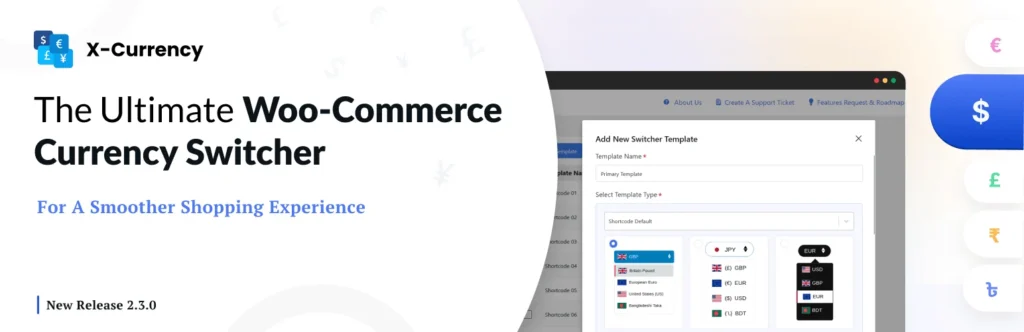
X-Currency is a high-performance WooCommerce currency switcher built for store owners who need accurate pricing, real-time rate automation, and deep customization. Unlike basic switchers, X-Currency ensures flawless currency conversion across product pages, carts, and checkout, making it ideal for stores with global traffic.
Key Features:
- Unlimited currency support
- Automatic real-time exchange rate updates
- Manual rate overrides
- Geo-location based default currency detection
- Advanced rules by country or user profile
- Multiple switcher display options (widget, shortcode, menu)
- Optimized for performance and caching
- Seamless checkout currency conversion
Why It Stands Out:
X-Currency combines technical precision with smooth performance. It’s designed to scale, remain fast on high-traffic sites, and handle complex pricing rules while keeping checkout accurate and reliable — features that many basic currency switchers lack.
Best For:
Growth-oriented and international WooCommerce stores that need professional-grade multi-currency support.
2. YayCurrency—WooCommerce Multi Currency Switcher
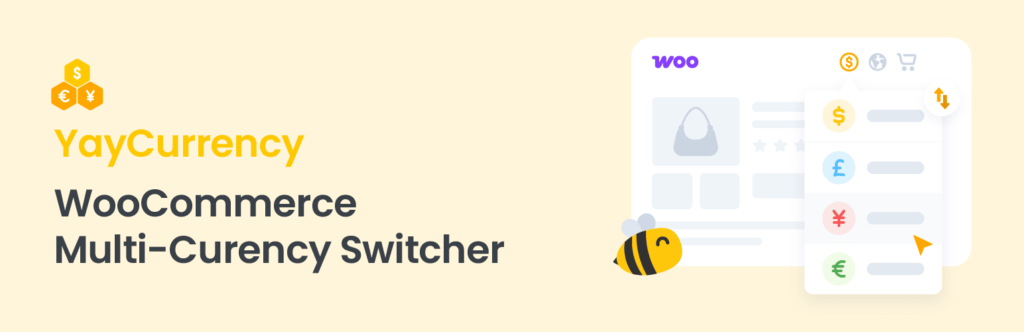
YayCurrency delivers a blend of ease and functionality. It’s flexible and user-friendly, catering well to store owners who want multi-currency support without complex setup.
Key Features:
- Automatic exchange rate updates
- Geo-location based currency selection
- Multiple currency formatting options
- Support for currency rounding
- Frontend switcher widget with flag icons
- Works with popular payment gateways
Why It’s Good:
YayCurrency stands out for its intuitive setup and clean interface, making it ideal for small to medium stores. It provides essential features and decent flexibility while keeping configuration simple.
Best For:
Store owners who want reliable multi-currency switching with minimal technical overhead.
3. Multi Currency Switcher for WooCommerce
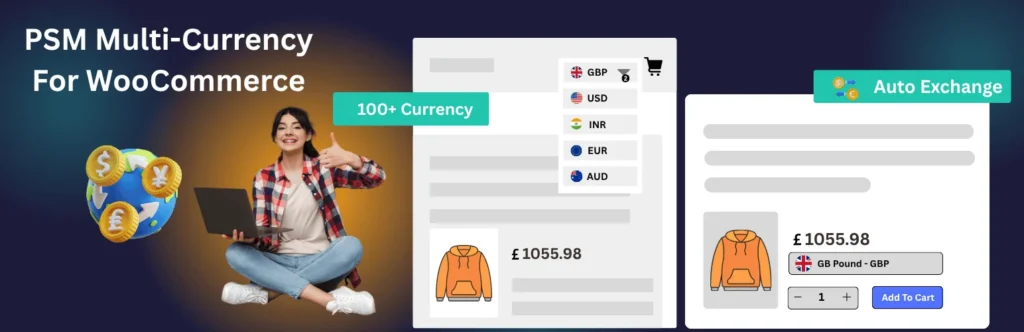
Multi Currency Switcher is a straightforward plugin focused on the fundamentals of currency switching. It supports live rates and basic customization without overwhelming users with advanced options.
Key Features:
- Live exchange rate updates
- Manual rate editing
- Geo-location currency detection
- Widget and shortcode support
Why It’s Worth Considering:
This plugin excels in simplicity and ease of use. If your store needs basic currency switching without advanced controls or custom rules, this option covers the essentials efficiently.
Best For:
Beginners and smaller WooCommerce stores that need a lightweight, no-frills currency switcher.
Quick Comparison Chart
| Feature | X-Currency | YayCurrency | Multi Currency Switcher |
|---|---|---|---|
| Automatic Exchange Rates | ✔ | ✔ | ✔ |
| Geo-location Detection | ✔ | ✔ | ✔ |
| Advanced Currency Rules | ✔ | Limited | Basic |
| Checkout Currency Support | ✔ | ✔ | Partial |
| Custom Display Options | High | Medium | Low |
| Performance Optimized | Yes | Good | Basic |
| Best For | Professional & Global | Mid-Level Ease | Simple & Basic |
Tips for Increasing Conversions with Multi-Currency
Making your WooCommerce store truly global requires more than just a currency switcher. How you implement and optimize it can directly impact sales, customer trust, and overall conversions.
1. Show local currency by default
Using geo-location to automatically display prices in the visitor’s local currency makes shopping more intuitive. Customers immediately understand the cost in familiar terms, which reduces hesitation at the product page and increases the likelihood they’ll continue browsing.
Beyond just clarity, showing local currency demonstrates that your store is considerate of international shoppers. This small but significant step builds trust, signaling that your store is designed for a global audience rather than just local buyers.
2. Place the Switcher where it’s easy to find
Positioning the currency switcher in a visible location like the header, top bar, or navigation menu ensures that users don’t have to hunt for it. If the switcher is hidden or hard to access, many customers will give up, potentially leaving your store before making a purchase.
A well-placed switcher also serves as a subtle reminder that your store is international-friendly. This enhances the overall user experience and can positively influence the perception of your brand as professional and customer-centric.
3. Keep prices consistent across cart and checkout
Consistency is critical. Customers should see the same currency throughout the browsing, cart, and checkout process. Sudden changes in currency during payment can create confusion, frustration, and ultimately abandoned carts.
Maintaining consistent pricing also prevents payment errors and reduces customer support inquiries. By keeping the currency uniform, you ensure a smooth buying journey that reassures shoppers they are paying exactly what they expect.
4. Enable real-time exchange rates
Automatic rate updates keep your pricing accurate and reflect current market conditions. Without real-time updates, customers may notice discrepancies between what they saw on the product page and what they’re charged at checkout, which can harm trust.
Real-time updates also make your store competitive internationally. Customers see that your pricing reflects the actual conversion, making them more likely to finalize purchases instead of checking other stores for better rates.
5. Use smart rounding for clean prices
Rounded, easy-to-read prices like $49 or ₹1,999 look professional and feel easier to process. Messy decimals like $49.37 or ₹1,998.64 can subconsciously make shoppers hesitate or question accuracy.
Smart rounding improves readability and simplifies the shopping experience. It’s a subtle psychological cue that your store is trustworthy and polished, encouraging customers to proceed to checkout without second-guessing the numbers.
6. Support popular international payment gateways
Allowing customers to pay in their selected currency increases confidence and reduces friction. Pair your currency switcher with widely accepted payment gateways that support multiple currencies, such as PayPal, Stripe, or Razorpay.
This integration ensures a seamless experience from product selection to payment. When customers can pay in their own currency without conversion worries, the likelihood of completing a purchase increases significantly.
7. Test speed and performance
A multi-currency plugin can sometimes slow down your website if not optimized. Run tests to ensure page load times remain fast, particularly on mobile devices where most shoppers browse.
Performance matters because even a slight delay can result in abandoned carts. Choosing a lightweight, optimized plugin like X-Currency ensures your store remains fast, providing both multi-currency functionality and smooth performance.
8. Customize currency rules for target markets
Advanced plugins allow you to define rules for specific countries, regions, or user groups. For example, you might set slightly different prices or special offers based on currency, creating tailored experiences that boost conversions.
Custom rules also help you manage international pricing strategies effectively. By controlling currency behavior per region, you can adapt to local market conditions and improve your profitability while keeping customers satisfied.
9. Track analytics and optimize
Monitoring currency-related metrics helps identify which currencies convert best and where customers drop off. Use this data to adjust default currency, pricing, or promotions for maximum effect.
Analytics-driven optimization allows your store to evolve with your audience. By making data-backed decisions, you can fine-tune currency displays, switcher placement, and pricing strategies to drive higher conversions consistently.
Final Thoughts
A reliable WooCommerce currency switcher is no longer optional for Indian stores aiming to sell globally rather it’s essential. By offering multiple currencies, you make prices clear, reduce checkout friction, and build trust with both local and international customers. This directly improves conversions and helps your store compete in global markets.
Among the top options, X-Currency stands out as the most technically advanced solution, offering precise pricing, real-time exchange rates, geo-location detection, and advanced rules for professional-grade control. YayCurrency is ideal for stores seeking a balance between ease of use and features, while Multi Currency Switcher for WooCommerce serves beginners or small stores needing a lightweight, straightforward solution.
Share this blog:

About William Tan
William Tan is a Digital Marketer at Crafium, specializing in WordPress solutions and online growth strategies. He’s passionate about helping businesses expand their digital presence through smart marketing and data-driven insights.