Before & After: WooCommerce Store With and Without Currency Switching

William Tan
William Tan is a Digital Marketer at Crafium,…
In this article
Did you know that 70% of international shoppers abandon carts because they can’t see prices in their own currency?
Your WooCommerce store might look perfect but if a visitor from another country sees only USD prices, confusion and hesitation set in immediately. They’re left guessing the real cost, worried about extra fees, and often click away.
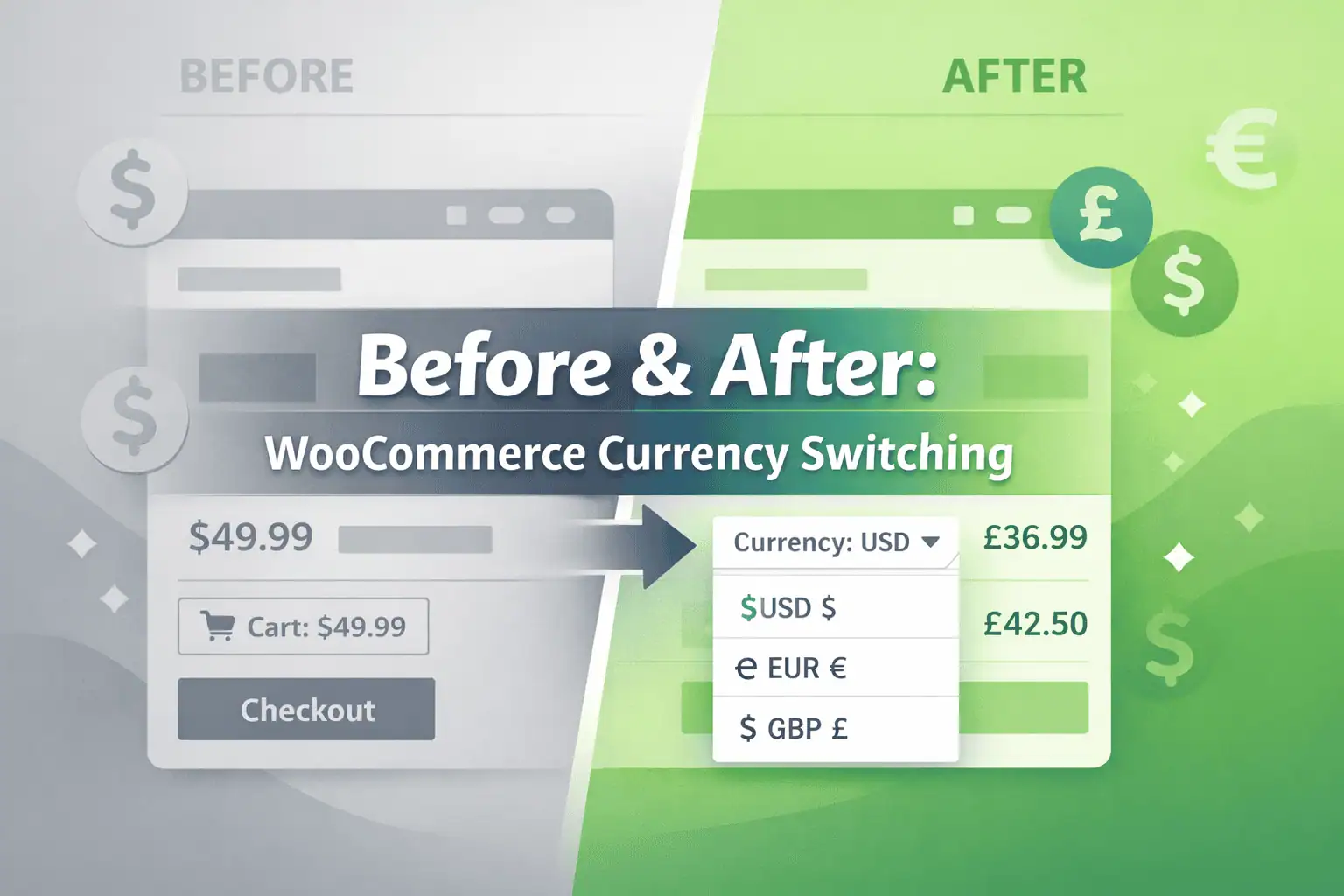
In this article, we’ll explore the real impact of currency switching on your WooCommerce store. You’ll see a side-by-side comparison of a store without currency switching versus one with it.
Before: WooCommerce Store Without Currency Switching
A WooCommerce store without currency switcher may seem fine at first glance, but for international customers, it can create confusion and hesitation that often leads to lost sales.
Price confusion for international customers
When your store displays prices in only one currency, visitors from other countries have to calculate the conversion themselves. For example, a customer from Germany seeing a product priced at $50 must figure out that it’s roughly €46. This extra step can be frustrating and may even lead to mistakes, making the purchase process feel more complicated than it should be.
Lack of transparency and trust
Without local currency pricing, shoppers may worry about hidden fees or unfavorable exchange rates. A customer from Canada, for instance, might be surprised when the checkout shows a different amount than what they expected. This uncertainty reduces trust and can make your store feel less reliable, even if your prices are fair.
Higher cart abandonment and lost sales
The combined effect of confusion and distrust often leads to abandoned carts. Studies show that global shoppers are significantly more likely to leave a store if prices aren’t displayed in their local currency. Even customers who are interested in your products may hesitate or leave without buying, directly impacting your revenue and limiting your international growth.
Limited global reach
A store that only shows a single currency unintentionally restricts its audience. Shoppers from other countries may feel your store isn’t intended for them, which reduces your potential market. For businesses looking to expand globally, this is a major missed opportunity.
After: WooCommerce Store With Currency Switching
A WooCommerce store with currency switching transforms the shopping experience for international customers, making it simple, transparent, and trustworthy. By showing prices in the customer’s local currency, your store immediately removes confusion and encourages shoppers to complete their purchases.
1. Seamless shopping experience
Currency switching automatically detects a visitor’s location and displays prices in their local currency. For example, a European customer sees €46 instead of $50, instantly understanding the cost without having to calculate conversions. This smooth experience reduces friction and makes your store feel approachable to a global audience.
2. Increased trust and transparency
Displaying local currency builds customer confidence. Shoppers know exactly how much they will pay, including any potential taxes or fees. This clarity reduces hesitation and makes your store feel reliable and professional.
3. Higher conversion rates
When customers understand the price immediately, they are far more likely to complete their purchases. Removing the mental step of converting currency reduces friction and increases the likelihood of checkout completion.
4. Reduced cart abandonment
Shoppers often abandon carts due to confusion or uncertainty about pricing. Currency switching eliminates this barrier. By showing familiar pricing, customers feel comfortable moving forward with their order.
5. Expanded international reach
Your store becomes accessible and appealing to a global audience. Shoppers from multiple countries can easily browse and purchase without worrying about conversions or hidden costs. This opens the door to new markets and increased revenue.
6. Improved customer experience and loyalty
Customers feel valued when they can see familiar currency and pricing. A positive shopping experience encourages repeat purchases and long-term loyalty, which is crucial for growing a sustainable eCommerce business.
Side-by-Side Comparison: Before vs. After
| Feature | Without Currency Switching | With Currency Switching |
|---|---|---|
| Price visibility | Only one currency | Local currency displayed automatically |
| Customer trust | Low | High |
| Cart abandonment | High | Low |
| International sales | Limited | Expanded |
| Purchase confidence | Uncertain | Clear and confident |
How to Add Currency Switching to WooCommerce with X-Currency
Adding currency switching to your WooCommerce store doesn’t have to be complicated. X-Currency makes it easy to provide a seamless, international shopping experience with minimal setup. Here’s how you can get started:
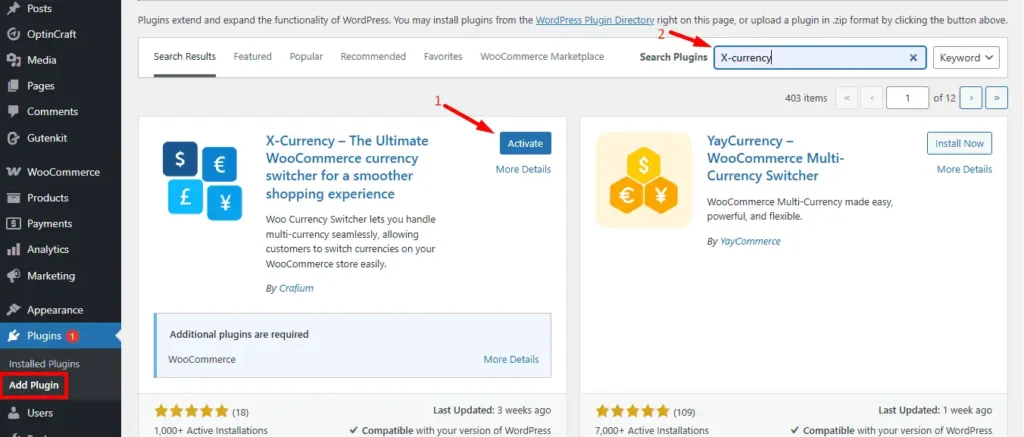
1. Install X-Currency
Start by installing the X-Currency plugin on your WooCommerce store. It’s designed specifically to handle multi-currency pricing, automatic detection, and smooth switching without any coding.
2. Enable Automatic Currency Detection
X-Currency automatically detects the visitor’s location and displays prices in their local currency. For example, a customer from Japan sees prices in JPY, while a European customer sees EUR. This eliminates confusion and creates a user-friendly shopping experience.
3. Add a Currency Switcher Option
Even with automatic detection, some customers prefer to choose their preferred currency manually. X-Currency allows you to add a visible currency switcher dropdown to your site. Customers can easily select their currency with a single click.
4. Set Up Real-Time Exchange Rates
X-Currency updates exchange rates automatically to ensure accurate pricing. Your customers always see correct conversions, which builds trust and reduces hesitation at checkout.
5. Customize Display and Formatting
X-Currency gives you control over how currencies are displayed—choose symbols, decimal formats, and placement that match your store’s design. This ensures prices look professional and are easy for shoppers to read.
6. Start Selling Globally
Once X-Currency is set up, your store becomes fully accessible to international customers. You can confidently expand into global markets, reduce cart abandonment, and increase conversion rates—all by providing a localized pricing experience.
Why X-Currency Is One of The Best Currency Switcher Plugins for WooCommerce
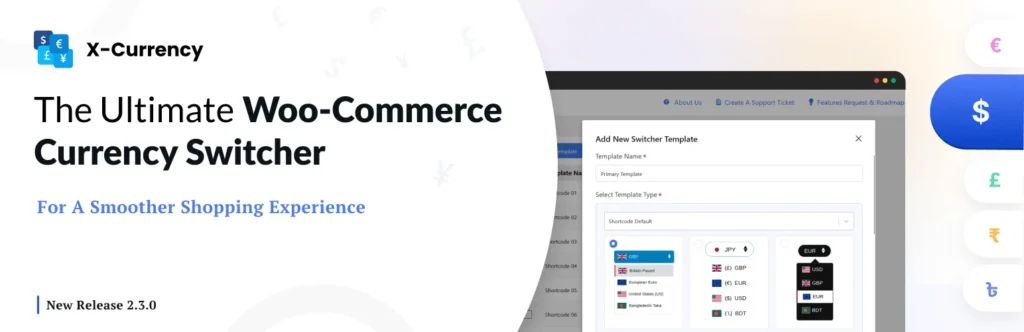
For any WooCommerce store looking to reach international customers, having a reliable currency switcher is no longer optional. X-Currency stands out as one of the best solutions on the market, offering a combination of automation, customization, and user-friendly features that improve both the shopping experience and your sales. Here’s why it’s trusted by store owners worldwide:
i. Automatic Currency Detection
X-Currency instantly detects the visitor’s country and displays prices in their local currency. This removes the need for shoppers to convert prices themselves, which reduces hesitation and prevents abandoned carts. For example, a customer visiting from the UK immediately sees prices in GBP, while a customer from Canada sees CAD.
ii. Manual Currency Switching
Even though automatic detection is convenient, some shoppers prefer to manually select their preferred currency. X-Currency provides a clear, customizable dropdown that allows users to choose any currency supported by your store. This ensures flexibility and caters to all customer preferences.
iii. Real-Time Exchange Rates
X-Currency updates exchange rates automatically and frequently, so your pricing is always accurate. This prevents discrepancies at checkout and builds trust with customers, showing them your store is transparent and reliable.
iv. Customizable Display Options
You can fully control how prices appear on your store. X-Currency allows you to:
- Choose currency symbols and formats
- Set decimal points
- Customize placement of the currency sign
This ensures your pricing looks professional and matches your store’s design.
v. Compatibility with WooCommerce and Popular Plugins
X-Currency is fully compatible with WooCommerce and integrates smoothly with most themes and plugins. It won’t slow down your site, and it works well with other tools like page builders, payment gateways, and shipping plugins. This makes it a safe choice for both small stores and large, complex online shops.
vi. Multi-Currency Payments
Some currency switchers only show converted prices but still process payments in the store’s base currency. X-Currency allows you to accept payments in multiple currencies, giving international customers a complete localized experience. This convenience increases the likelihood of completing purchases.
vii. Reduces Cart Abandonment and Increases Conversions
When customers see prices in their own currency, they feel confident and are more likely to complete their purchase. By removing uncertainty, X-Currency helps lower cart abandonment rates and increases your overall conversion rate.
viii. Enhances Global Reach and Market Expansion
A store that shows local pricing is more appealing to international shoppers. X-Currency allows you to confidently sell worldwide, tapping into markets that might otherwise avoid your store due to currency confusion.
ix. Improves Customer Loyalty
Shoppers who have a smooth, transparent experience are more likely to return. X-Currency makes international customers feel valued and understood, which improves long-term loyalty and repeat purchases.
x. Easy to Set Up and Use
Despite its powerful features, X-Currency is user-friendly and easy to install. Most settings, including automatic detection, real-time rates, and dropdown customization, can be configured in just a few clicks. No coding skills are required, which saves time and resources for store owners.
Final Thoughts
The difference between a WooCommerce store without currency switching and one with it is significant. Without currency switching, international customers face confusion, uncertainty, and friction which leads to higher cart abandonment, lost sales, and limited global reach.
A store with currency switching provides a seamless shopping experience by displaying prices in the customer’s local currency, building trust, and making checkout simpler and more transparent. The result is higher conversion rates, fewer abandoned carts, and the ability to expand into global markets with confidence.
Adding currency switching is not just a convenience. It is a strategic step to improve customer experience and grow your international sales. By removing barriers for global shoppers, your WooCommerce store can reach its full potential and turn hesitant visitors into satisfied, confident buyers.
Share this blog:

About William Tan
William Tan is a Digital Marketer at Crafium, specializing in WordPress solutions and online growth strategies. He’s passionate about helping businesses expand their digital presence through smart marketing and data-driven insights.